EasyManua.ls Logo

Sharp SF-2022 - Page 28

Sharp SF-2022
76 pages
Print Icon
To Next Page IconTo Next Page
To Previous Page IconTo Previous Page
Loading...
feava
MISFEED
REMOVAL
The
Copier
will
stop
when
a
misfeed
occurs.
The
misfeed
indicator
will
blink,
and
blinking
red
misfeed
indicators
will
indicate
the
general
problem
location.
After
removing
the
misfeed,
open
and
close
the
front
cover
and
ensure
that
all
the
misfeed
indicators
have
gone
out.
If
paper
becomes
accidentally
torn
during
removal,
be
sure
to
remove
all
pieces.
Be
careful
not
to
damage
the
photoconductive
drum
or
the
corona
wires.
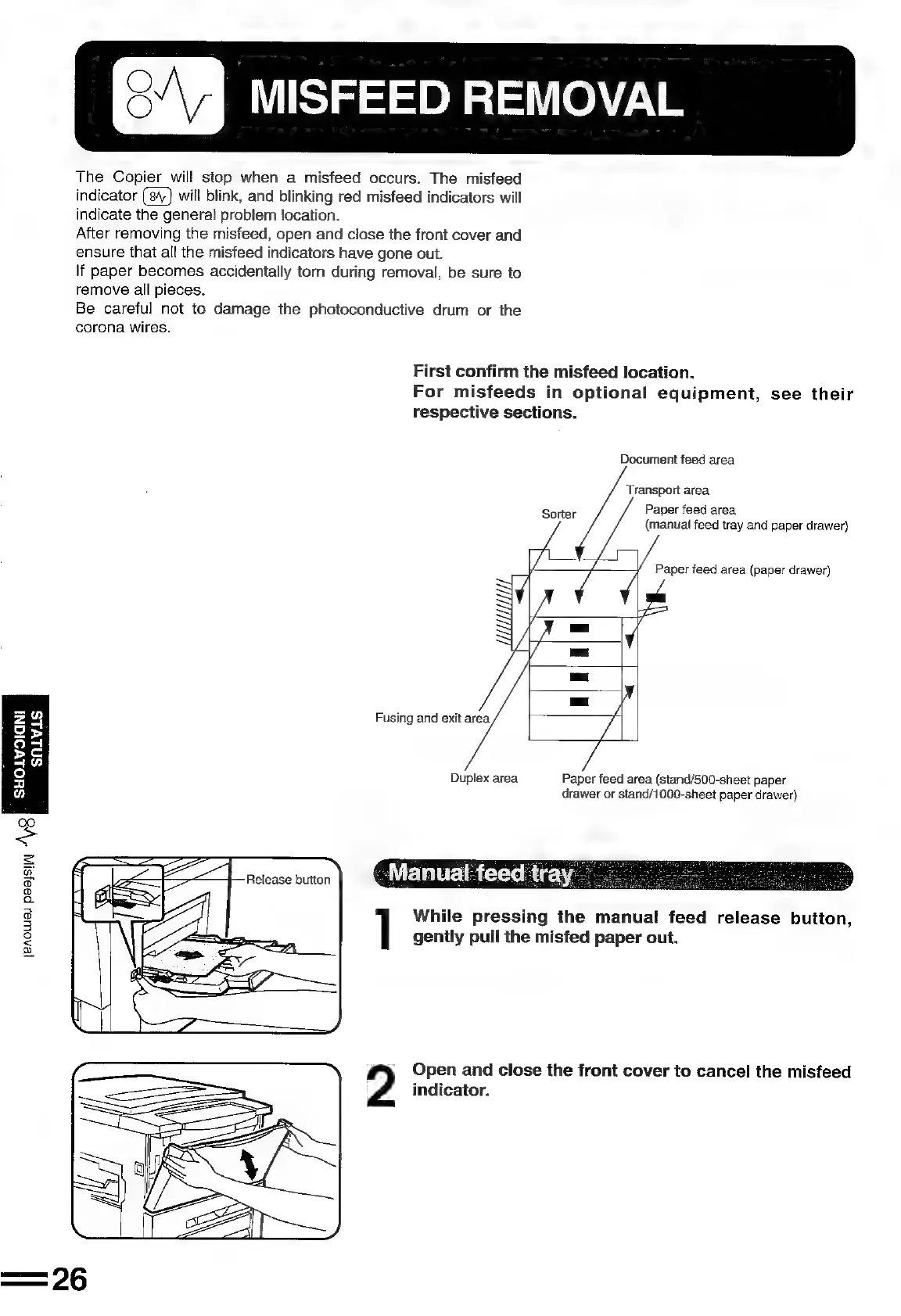
First
confirm
the
misfeed
location.
For
misfeeds
in
optional
equipment,
see
their
respective
sections.
Document
feed
area
Transport
area
Sorter
Paper
feed
area
(manual
feed
tray
and
paper
drawer)
Paper
feed
area
(paper
drawer)
HLL
A
X
¢
=
iy
Fusing
and
exit
area,
OLYSIGNI
SALVLS
Duplex
area
Paper
feed
area
(stand/500-sheet
paper
drawer
or
stand/1000-sheet
paper
drawer)
While
pressing
the
manual
feed
release
button,
gently
pull
the
misfed
paper
out.
[BAOCWUSI
Peajsi|Al
AB
su
Open
and
close
the
front
cover
to
cancel
the
misfeed
2
indicator.

Related product manuals