EasyManua.ls Logo

Sharp SF-2022 - Page 63

Sharp SF-2022
76 pages
Print Icon
To Next Page IconTo Next Page
To Previous Page IconTo Previous Page
Loading...
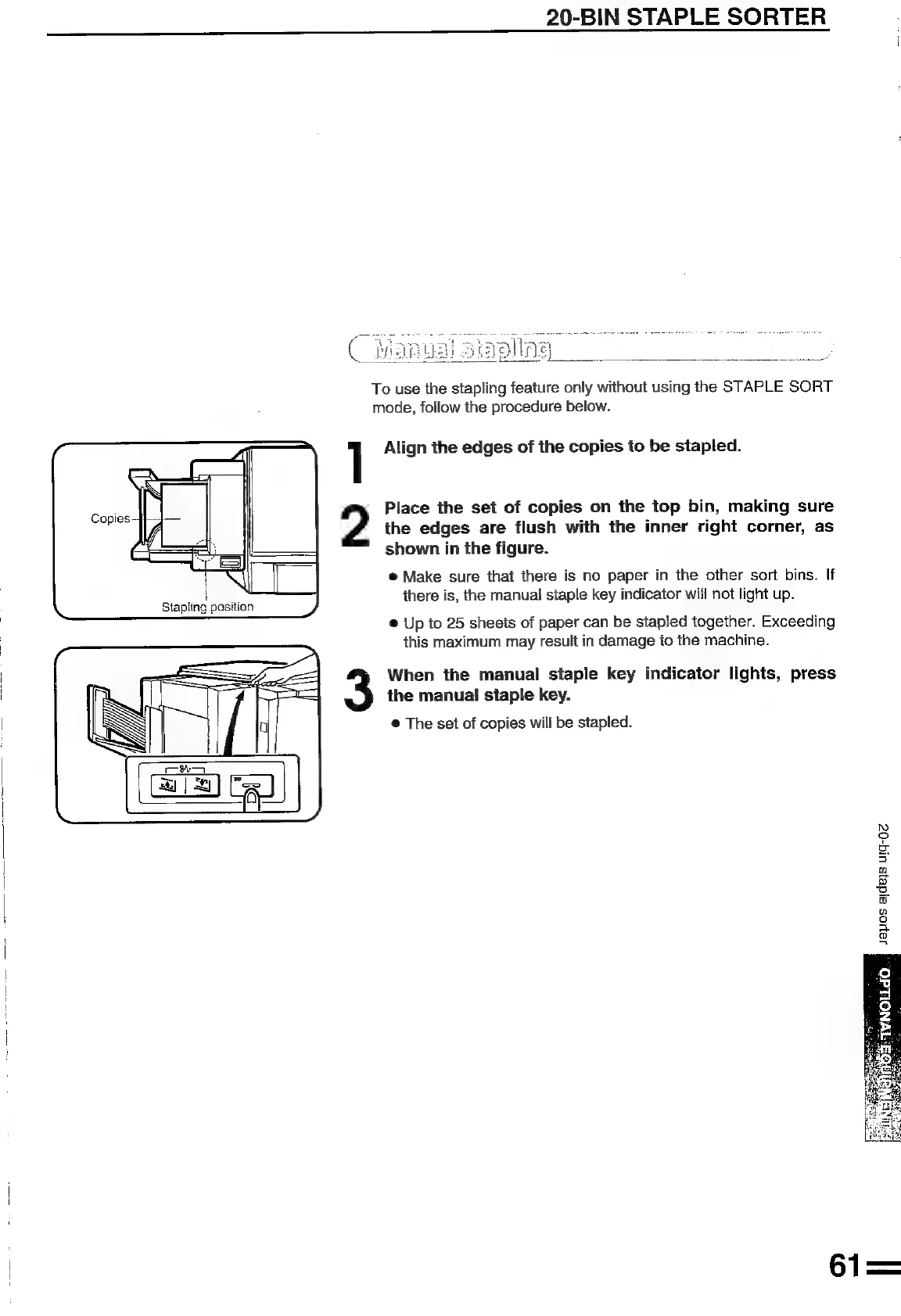
Copies
Stapling
position
1
2
20-BIN
STAPLE
SORTER
To
use
the
stapling
feature
only
without
using
the
STAPLE
SORT
mode,
follow
the
procedure
below.
Align
the
edges
of
the
copies
to
be
stapled.
Place
the
set
of
copies
on
the
top
bin,
making
sure
the
edges
are
flush
with
the
inner
right
corner,
as
shown
in
the
figure.
e@
Make
sure
that
there
is
no
paper
in
the
other
sort
bins.
If
there
is,
the
manual
staple
key
indicator
will
not
light
up.
®
Up
to
25
sheets
of
paper
can
be
stapled
together.
Exceeding
this
maximum
may
result
in
damage
to
the
machine.
When
the
manual
staple
key
indicator
lights,
press
the
manual!
staple
key.
@
The
set
of
copies
will
be
stapled.
iN)
2
a
ee
3
Q
Q
iy
oS
®
no
fo)
a
a
g

Related product manuals