EasyManua.ls Logo

Sharp SF-2022 - Page 64

Sharp SF-2022
76 pages
Print Icon
To Next Page IconTo Next Page
To Previous Page IconTo Previous Page
Loading...
20-BIN
STAPLE
SORTER
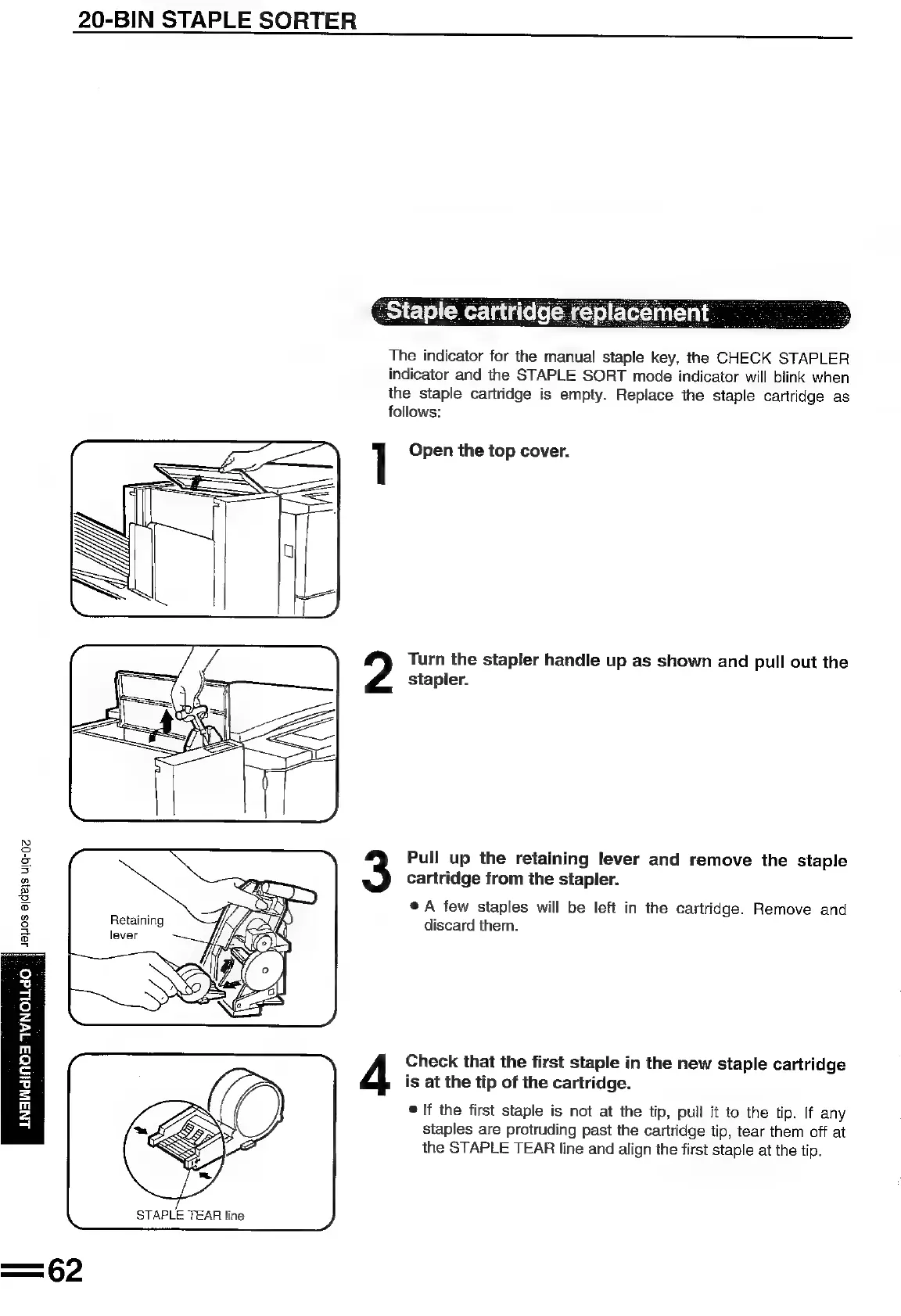
The
indicator
for
the
manual
staple
key,
the
CHECK
STAPLER
indicator
and
the
STAPLE
SORT
mode
indicator
will
blink
when
the
staple
cartridge
is
empty.
Replace
the
staple
cartridge
as
follows:
1
Open
the
top
cover.
Turn
the
stapler
handle
up
as
shown
and
pull
out
the
stapler.
Pull
up
the
retaining
lever
and
remove
the
staple
cartridge
from
the
stapler.
®@
A
few
staples
will
be
left
in
the
cartridge.
Remove
and
Retaining
Kf
ay,
discard
them.
no
2?
_
S
a
a
@
o
a
S
a
i]
Check
that
the
first
staple
in
the
new
staple
cartridge
is
at
the
tip
of
the
cartridge.
If
the
first
staple
is
not
at
the
tip,
pull
it
to
the
tip.
If
any
staples
are
protruding
past
the
cartridge
tip,
tear
them
off
at
the
STAPLE
TEAR
line
and
align
the
first
staple
at
the
tip.
LNAWdiINOA
IVNOLLdO

Related product manuals