EasyManua.ls Logo

Sharp SF-2022 - Page 66

Sharp SF-2022
76 pages
Print Icon
To Next Page IconTo Next Page
To Previous Page IconTo Previous Page
Loading...
JOYS
9|deis
ug-oZ
LNAWdINOA
TWNOLLGO
20-BIN
STAPLE
SORTER
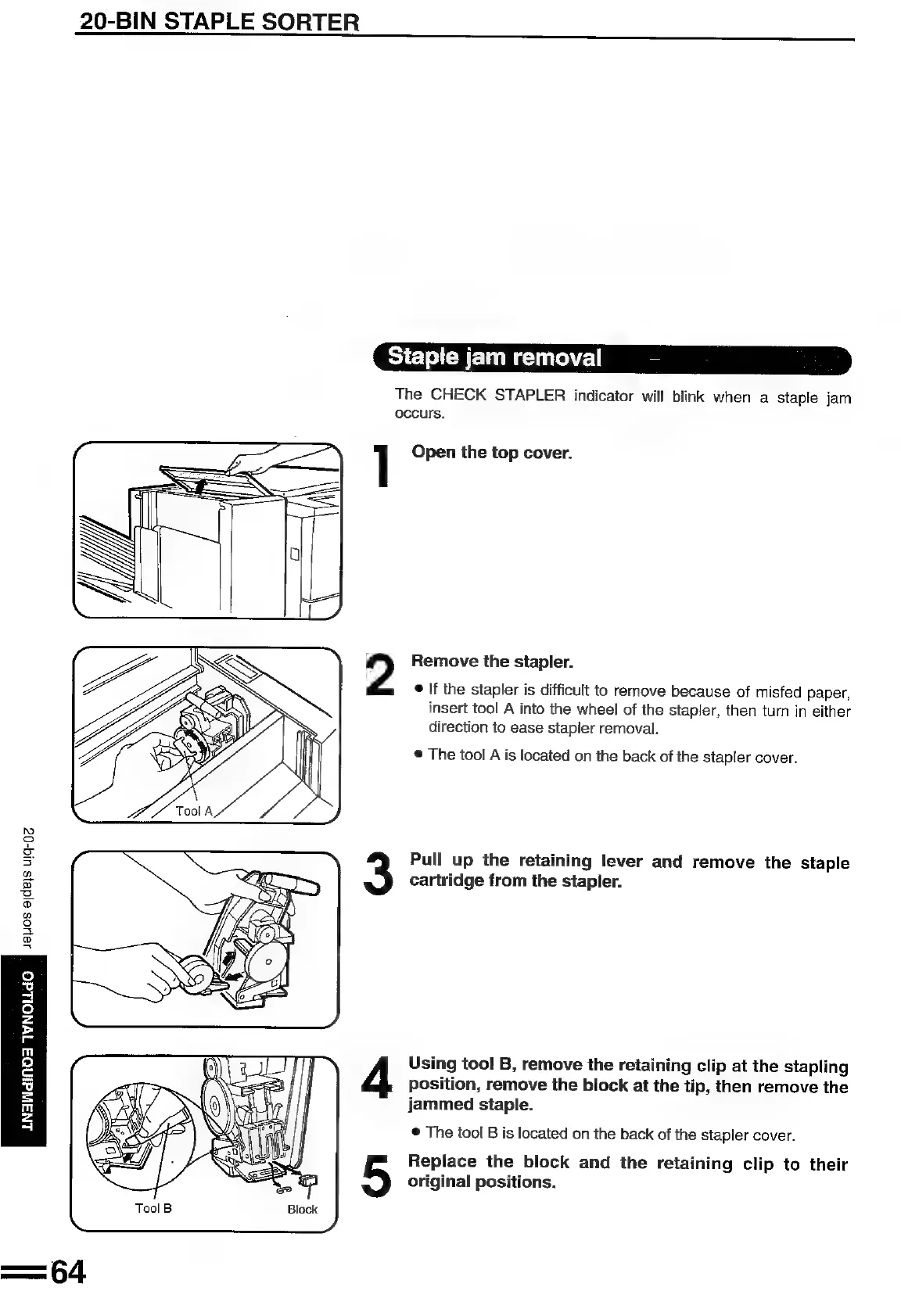
Staple
jam
removal
The
CHECK
STAPLER
indicator
will
blink
when
a
staple
jam
occurs.
]
Open
the
top
cover.
Ss
2
Remove
the
stapler.
2
eS
e
If
the
stapler
is
difficult
to
remove
because
of
misfed
paper,
LS
\\
insert
tool
A
into
the
wheel
of
the
stapler,
then
turn
in
either
iG
ow
direction
to
ease
stapler
removal.
WANS
Wg
i
®
The
tool
A
is
located
on
the
back
of
the
stapler
cover.
Pull
up
the
retaining
lever
and
remove
the
staple
cartridge
from
the
stapler.
Using
tool
B,
remove
the
retaining
clip
at
the
stapling
position,
remove
the
block
at
the
tip,
then
remove
the
jammed
staple.
®
The
tool
B
is
located
on
the
back
of
the
stapler
cover.
Replace
the
block
and
the
retaining
clip
to
their
original
positions.

Related product manuals