Sending a Fax by Automatic Dialling
34
Sending a fax by Direct Keypad Dialling
You can also enter a full number with the number keys and then press the
key to begin dialling. You can use this method to dial a full number
when you don't need to speak to the other party before faxing.
START/MEMORY
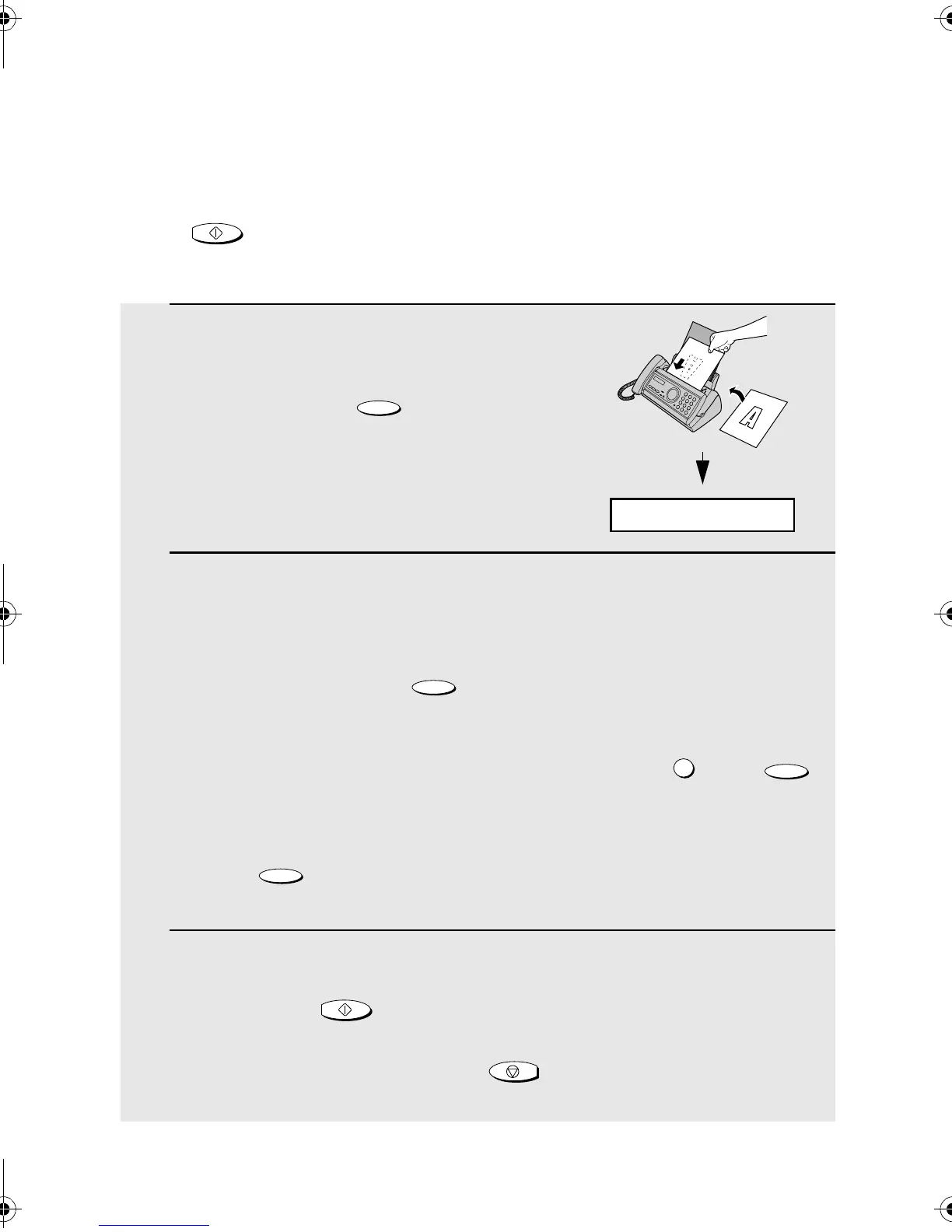
1 Load the document.
• If desired, press to set the
resolution and/or contrast.
2 Enter the number of the receiving machine by pressing the number
keys.
• If a pause is required between any of the digits to access a special service
or an outside line, press . The pause will appear as a hyphen.
Several pauses can be entered in a row.
• If you are on a Flash-type PBX and are dialing out, press , press
to insert a pause, and then enter the number of the receiving machine.
• If you are on a PBX and must dial a number to dial out, enter the number,
press to insert a pause, and then enter the number of the receiving
machine.
3 Check the display. If the number of the receiving machine shown is
correct, press .
• If the number is not correct, press to backspace and clear one digit
at a time, and then re-enter the correct digit(s).
RESOLUTION/
RECEPTION MODE
FUNCTION
R
FUNCTION
FUNCTION
START/MEMORY
STOP
READY TO SEND
all.bookPage34Monday,August19,20024:05PM



 To Next Page