38
AuxiliaryEntries
■
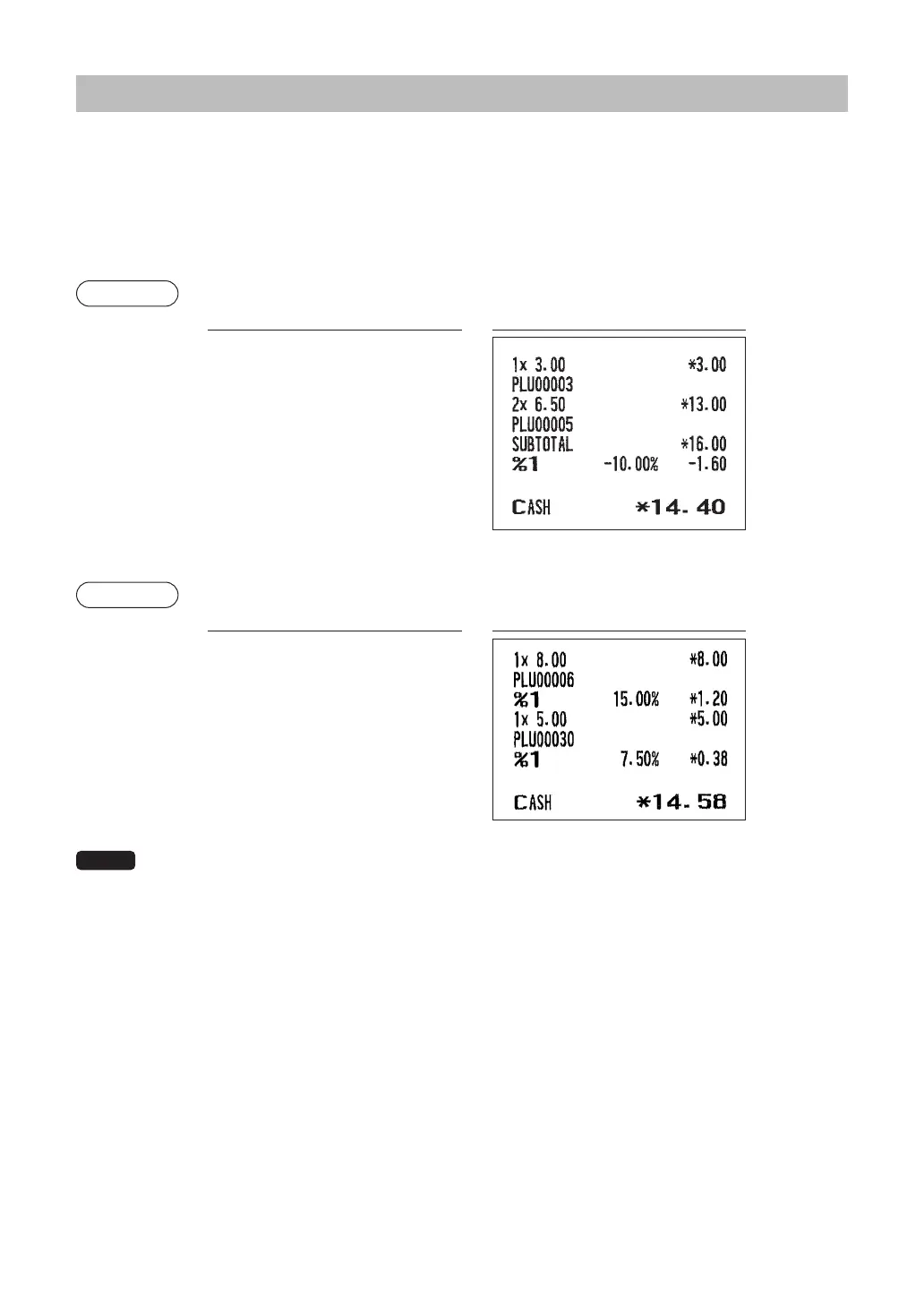
Percentcalculations(premiumordiscount)
• Your register provides percent calculations for a subtotal or each item entry depending on the
programming.
• Percentage: 0.01 to 100.00%
Percentcalculationforasubtotal
Example
Keyoperation Print
£
2
@
u
z
0
A
Percentcalculationforitementries
Example
Keyoperation Print
§
0
30
p
7
.
5
0
A
NOTE
• You can also enter a percent calculation from the function menu window. Press the
F
key
and select “2 %2” for XE-A217 and enter a percent calculation. For XE-A207, select “3 %2” and
enter a percent calculation.
• Availability of item % and/or subtotal % depends on the programming data of %1 and %2.
(When a discount of
10% is programmed
for the
¡
key.)
(When a premium of
15% is programmed
for the
0
key.)













 To Next Page