77
■
Cashkey(Cash)
Procedure
Program each item as follows:
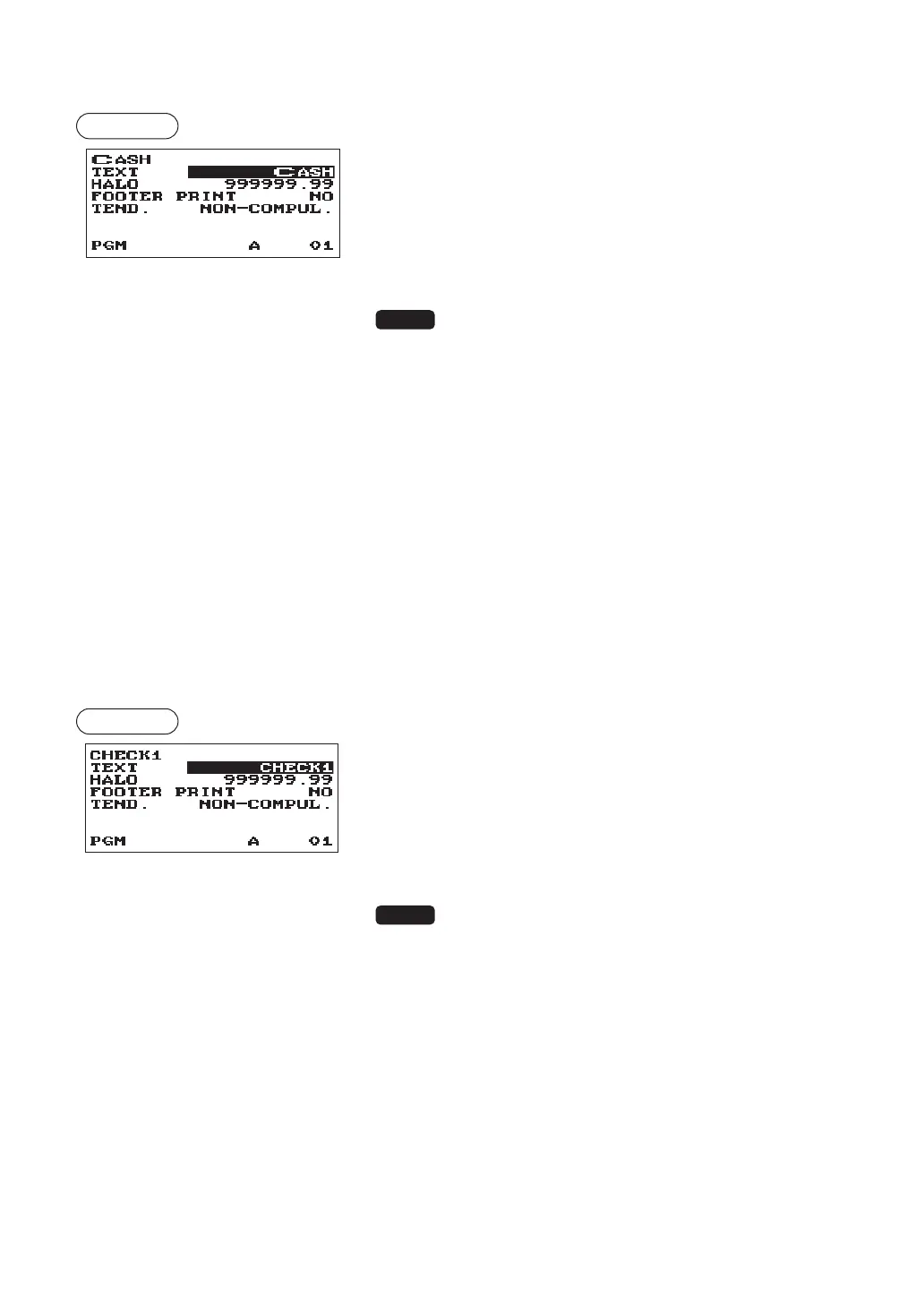
•TEXT(Usethecharacterentry)
Description for the cash key. Up to 12 characters can be
entered.
•HALO(HighAmountLockout)(Usethenumericentry)
This function is intended for prevention of accidentally entered
unreasonably amounts.
Limit amount: 0.00 to 999999.99
NOTE
In the initial programming, the HALO function is programmed as
"INVALID".
•FOOTERPRINT(Usetheselectiveentry)
This item decides whether or not your register should print a
message at the foot of a receipt when a specied cash key is
used.
YES: Enables footer printing on the receipt.
NO: Disables footer printing on the receipt.
•TEND.(Usetheselectiveentry)
NON-COMPUL.: Non-compulsory amount tendered entry.
COMPULSORY: Compulsory amount tendered entry.
■
Checkkey(Check1,Check2)
Procedure
Program each item as follows:
•TEXT(Usethecharacterentry)
Description for the check key. Up to 12 characters can be
entered.
•HALO(HighAmountLockout)(Usethenumericentry)
This function is intended for prevention of accidentally entered
unreasonably amounts.
Limit amount: 0.00 to 999999.99
NOTE
In the initial programming, the HALO function is programmed as
"INVALID".
•FOOTERPRINT(Usetheselectiveentry)
YES: Enables footer printing on the receipt.
NO: Disables footer printing on the receipt.
•TEND.(Usetheselectiveentry)
NON-COMPUL.: Non-compulsory amount tendered entry.
COMPULSORY: Compulsory amount tendered entry.












 To Next Page