40
■
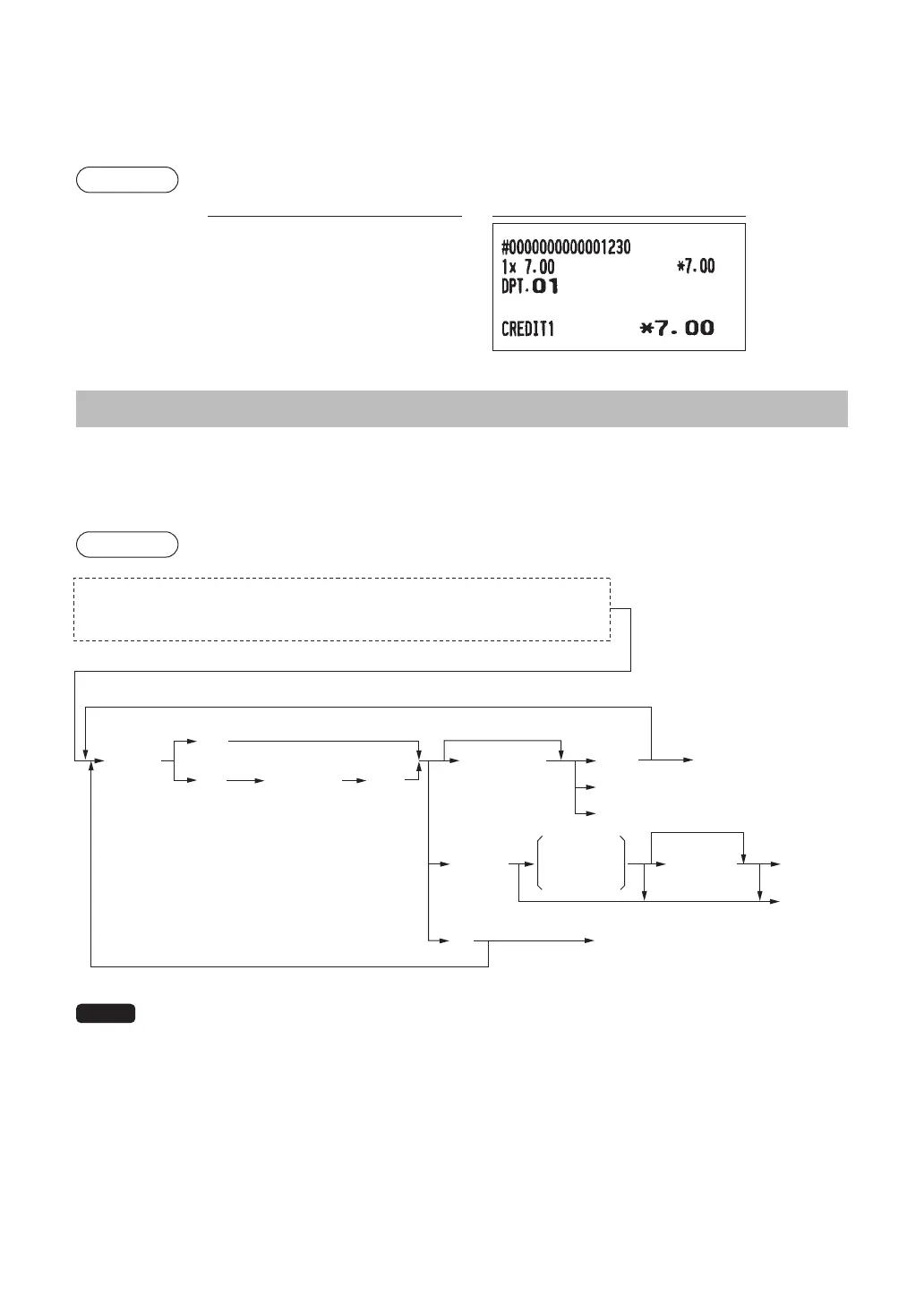
Printingofnon-addcodenumbers
Enter a non-add code number such as a guest code number within a maximum of 16 digits and press the
z
key at any point during the entry of a sale. The non-add code is printed on the receipt.
Example
Keyoperation Print
1230
z
700
1
Ó
PaymentTreatment
■
Currencyexchange
Your register allows payment entries in foreign currency. Press the
t
key, and select either option of
EXCH1 or EXCH2 to create a subtotal in foreign currency.
Procedure
(EXCH1)
1
(CHECK 2)
2
(CREDIT 2)
Amount
tendered
(max. 8 digits)
(EXCH2)
Amount
tendered
(max. 8 digits)
For exact amount payment
For exact amount payment
For additional payment in foreign currency
Next registration or payment in
domestic currency
A
A
A
Ó
L
h
(Open rate)
0.000000
to
999.999999
t
3
4
or
Preset exchange rate
t
a
After an entry is completed
or
After the amount tendered is found smaller than the sales amount in a sales entry
NOTE
• When the amount tendered is short, its equivalent in decit is shown in domestic currency.
• Change amount will be displayed in domestic currency.
• Availability of credit and cheque tendering depends on the programming. (Only for the exchange 1 )












 To Next Page