Cyan
Magenta
Yellow
Black
11
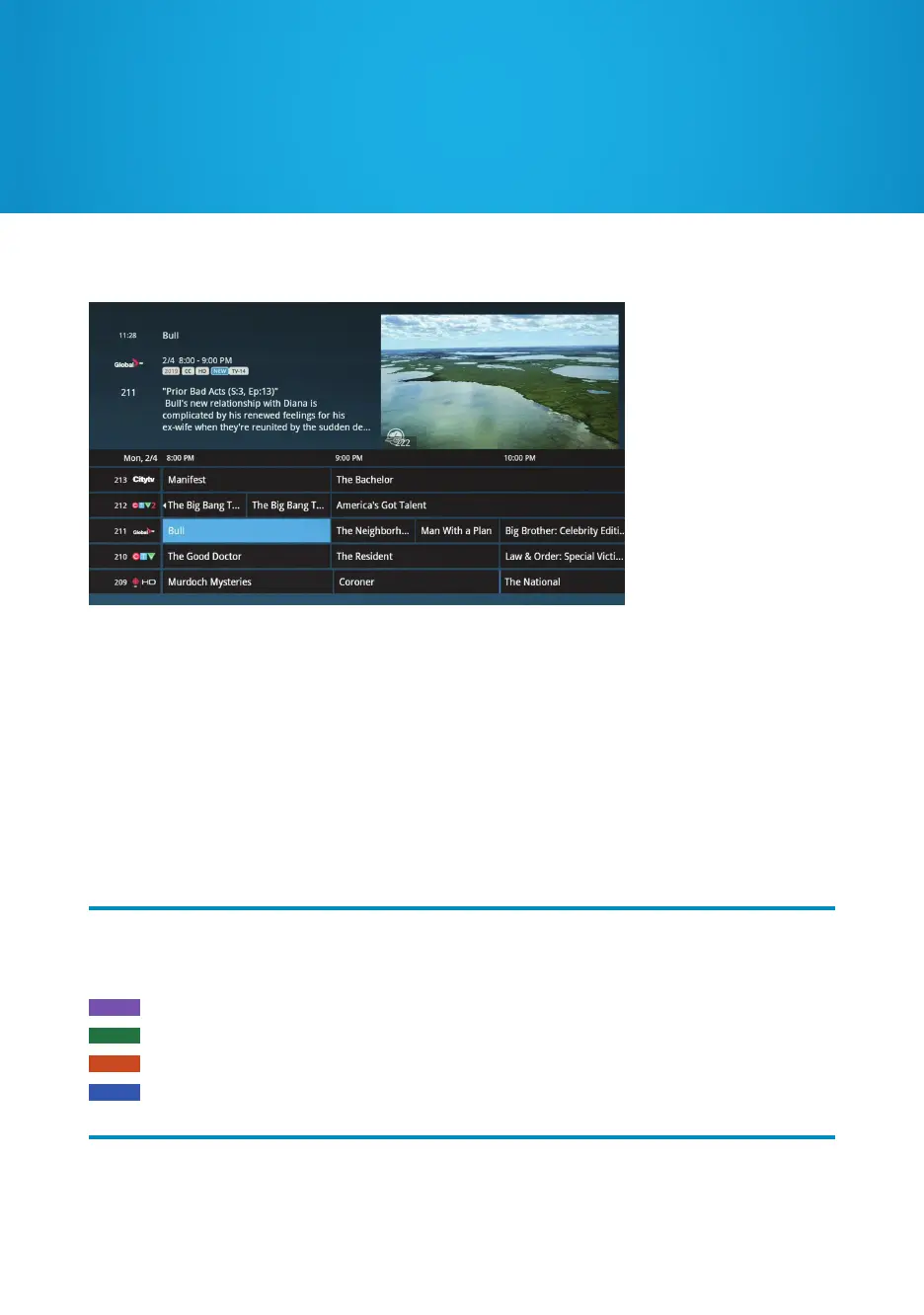
Channel Grid Guide
To view the Channel Grid Guide, press the GUIDE button.
ARROW buttons navigate the guide.
INFO manages recording settings and shows a list of available options.
CH +/- moves an entire page up or down.
SKIP will move the guide forward 24 hours; REPLAY will move it back 24 hours.
BACK and NEXT will move through the guide in 2.5 hour increments.
EXIT (ZOOM) will alternate between the guide and full screen TV.
MENU will return you to the Main Menu.
OK takes you to a show if it’s currently airing. If it’s in the future, it’ll bring up an Action Menu.
Press the REC button to set up a one-time recording.
In the Channel Grid Guide, TV listings are colour coded to help you quickly identify
different types of programming:
Movies
Sports
Children’s programs
News, politics, and current events


 To Next Page