6
Using your remote
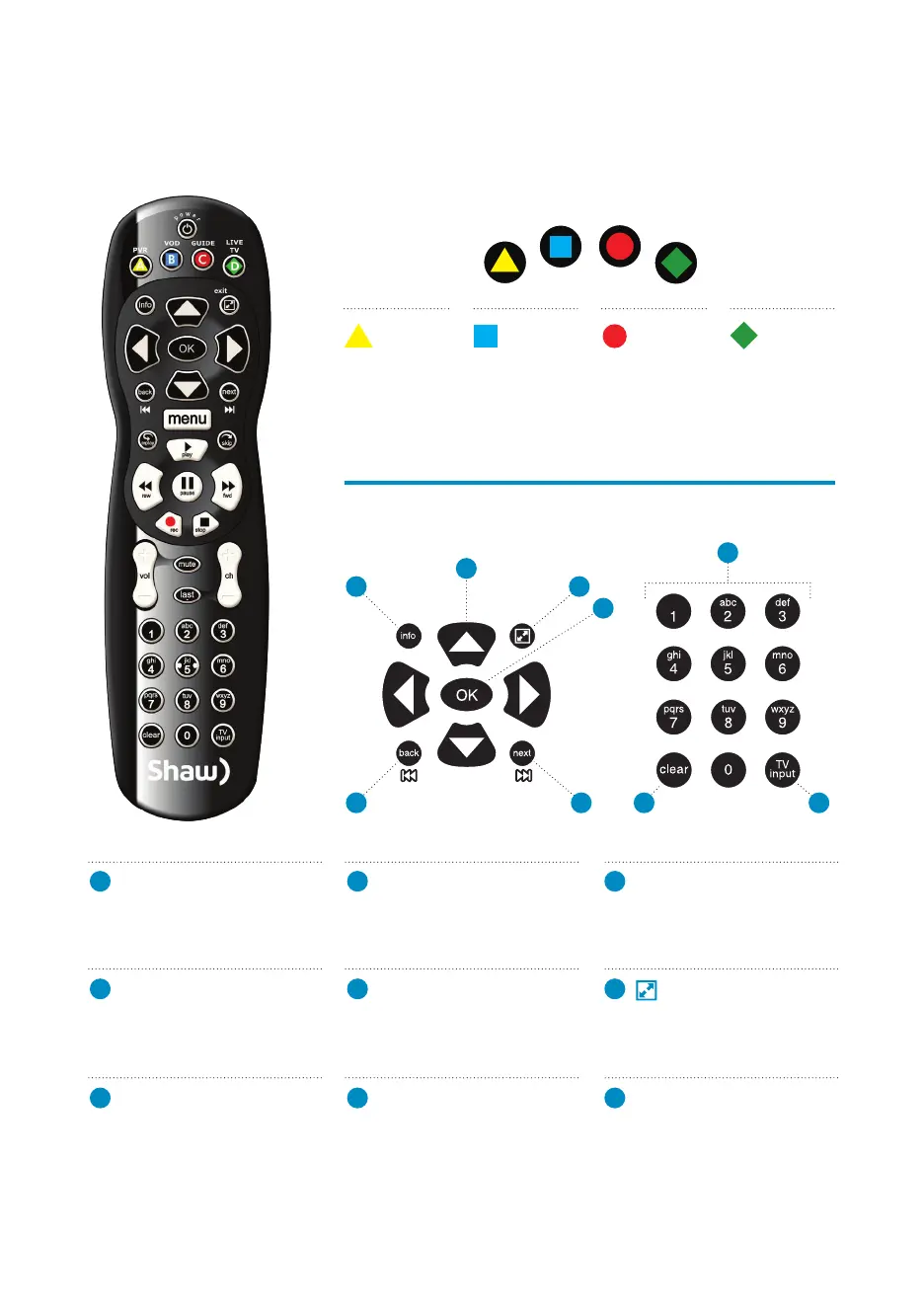
Shortcut buttons
Menu navigation
A
B
C
C
D
D
5
3 8
6
4 9
7
1
2
1
ARROWS
Moves backward or forward
one item. Hold down to speed
up your browsing.
2
OK
Begin playing a program or
select an option in a menu.
3
BACK
Skips back two hours while
navigating the Guide. Also
pages back in menus.
4
NEXT
Skips forward two hours while
in the Guide. Also pages
forward in menus.
5
INFO
Bring up a menu of options or
information. Also view your
individual recording settings.
6
EXIT
This button toggles between
full-screen view and the last
menu screen you were in.
*
7
NUMBER KEYS
Enter a channel number to go
directly to the channel.
8
CLEAR
Deletes the PVR content
currently highlighted within
My PVR Recordings. Also
clears the search box.
9
TV INPUT
If programmed, cycle through
the video sources on your TV.
View
My PVR
Recordings.
Access the
Shaw On
Demand
menu.
Activate the
Channel Grid
Guide view
of TV
programming.
Jumps to
full-screen,
Live TV.
PVR
VOD
LIVE TV
GUIDE
PVR VOD GUIDE LIVE TV
A
B
C
D
*Does not apply to Video on Demand Menu


 To Next Page