EasyManua.ls Logo

Shaw HDPVR - Channel Listing Guide

Shaw HDPVR
32 pages
Print Icon
To Next Page IconTo Next Page
To Previous Page IconTo Previous Page
Loading...
12
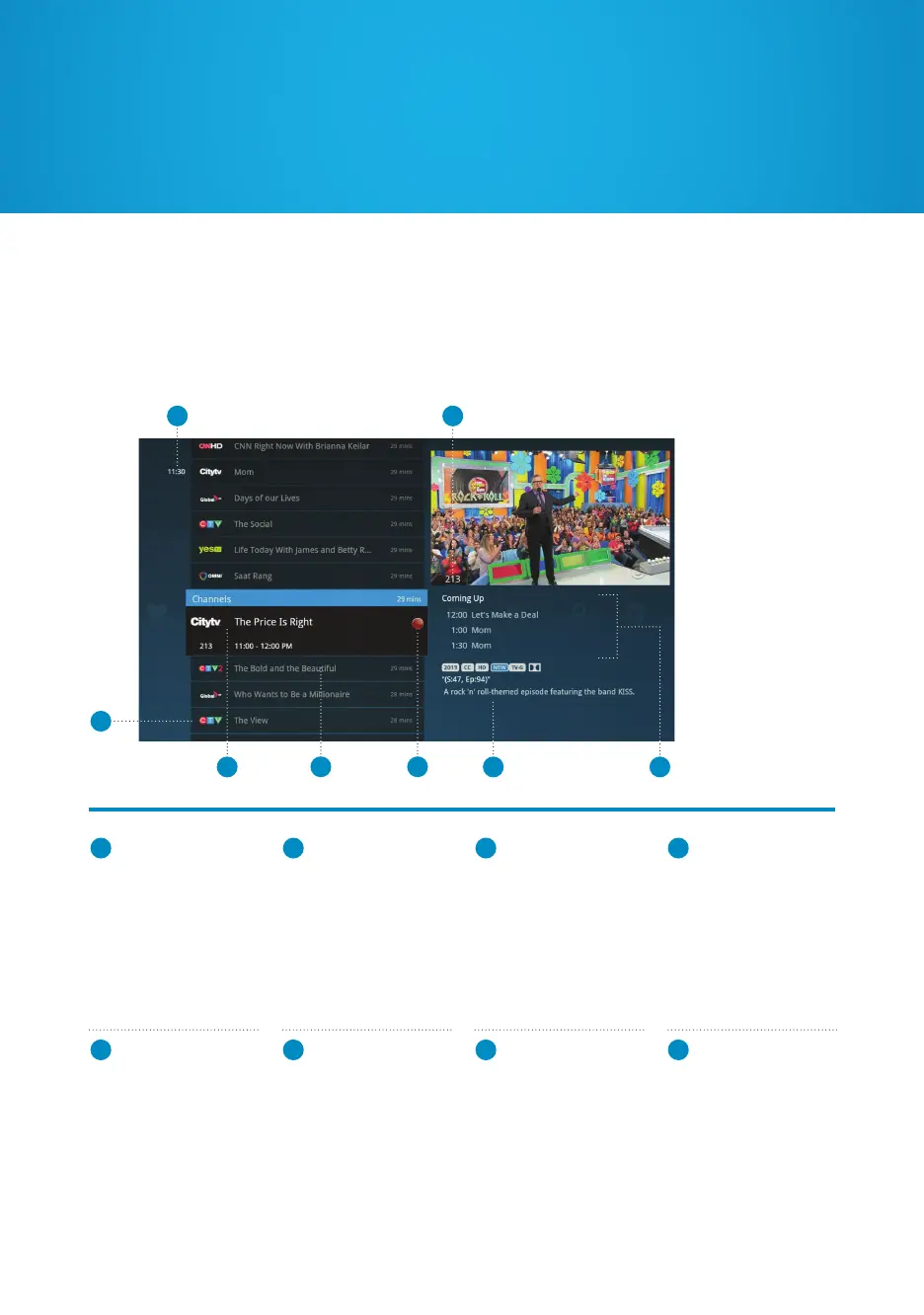
Channel Listing Guide
1
TIME
Displays the current
time.
2
CURRENT
CHANNEL
Displays the channel
playing in the Preview
Window.
3
CHANGE
TIME SLOT
Allows you to view
programs airing at
upcoming times. You
can also press BACK or
NEXT while in the list
to change this.
4
HIGHLIGHTED
PROGRAM
Press INFO to view
more information
about the highlighted
program and access
the Options menu.
1
7 8
5 6
3
2
4
5
CHANNEL LIST
Displays all the currently
airing programs you
have access to.
Navigate with the arrow
keys, press CH +/- to
page up or down, or
enter a channel number
to jump.
6
RECORDING
ICON
Displays an icon next
to a show if it’s being
recorded or is
scheduled to record.
7
INFORMATION
PANEL
Displays details about
a highlighted program.
8
UPCOMING
PROGRAMS
Displays the next three
shows airing on the
highlighted channel.
Press the RIGHT
ARROW to navigate
and view the full list.
To search for programming currently airing, press MENU and navigate to the Channels
category. Use the UP and DOWN arrows to move between programs. Once you’ve
highlighted a program you want to watch, press OK. To navigate upcoming shows,
press the RIGHT arrow.
Ways to watch

Related product manuals