22
Search By Category
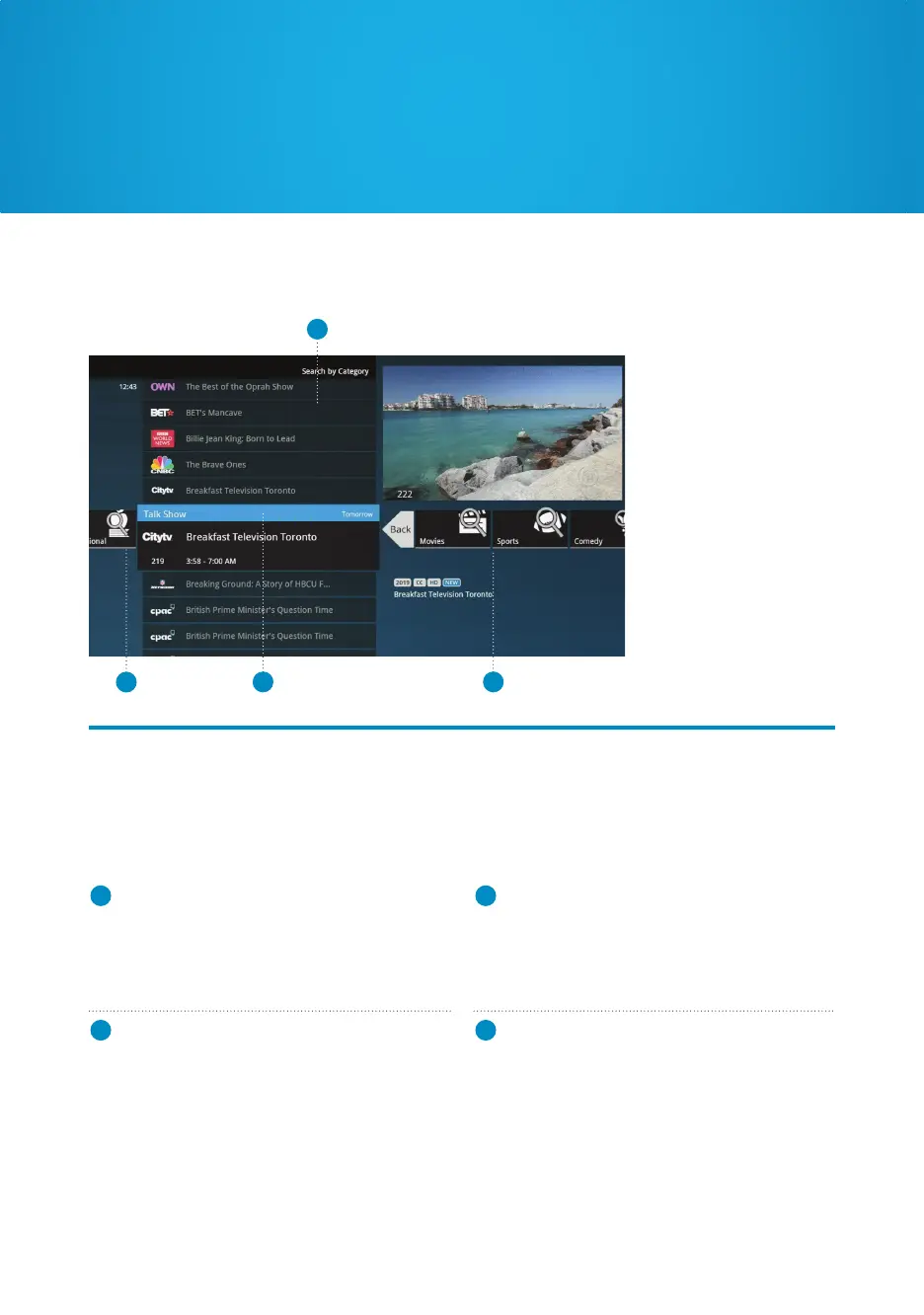
Search By Category allows you to browse types of programming. By selecting “Search By
Category” and pressing OK, you’ll see a list of categories. Each list will display shows in each
category. Selecting “More” in each category will take you one level deeper in the menu and
allow you browse subcategories, such as Movies -> Comedy or Sports -> Hockey.
3
4
1 2
1
CATEGORY
Describes the type of search you’re currently
doing.
2
SHOW CATEGORY
The different types of shows run along the
horizontal band.
3
SHOW LIST
Each show airing over the next 24 hours that
falls into the selected category will be displayed.
Episodes already recorded will also appear.
4
BACK CARD
Select this and press OK to jump back up one
level in the menu, or press BACK.
Find the content you want



 To Next Page