9
(4.0) Operation
This chapter describes how to use Sheeran Looper +.
(4.1) Performance Screen Overview
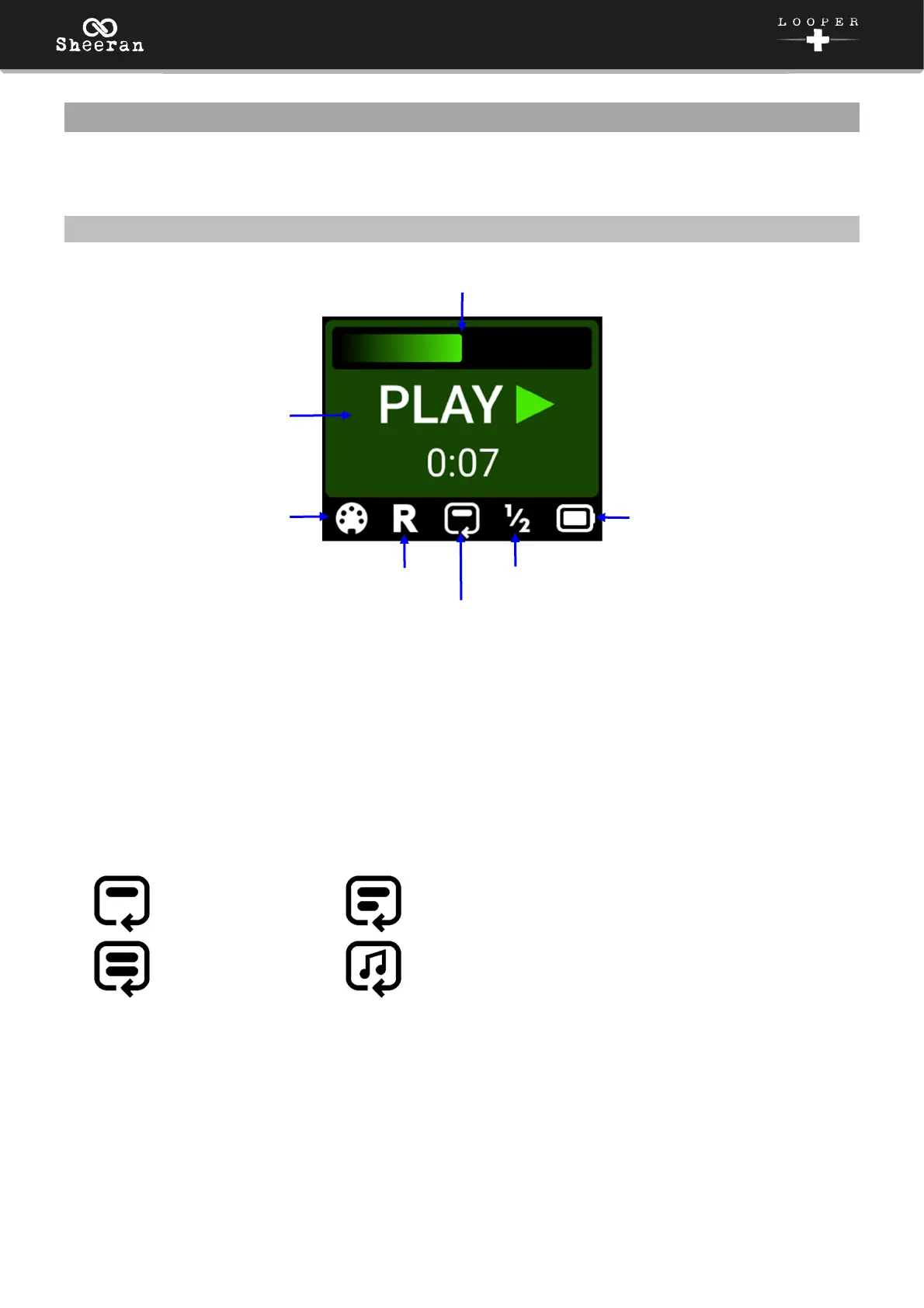
Progress Bar: Displays the length of the loop as you are recording, overdubbing, or playing back. This
bar will also show when a Fade In or Fade Out is in progress.
Loop Status: The center of the performance screen shows the current recording, overdubbing, or
playback status of the available tracks. The timer also shows the length of the current loop(s).
MIDI: This icon appears when MIDI Clock receive is set to On. The icon will change color to indicate the
current status; red when stopped, and flashing green when playing.
Reverse: This icon appears when Reverse is enabled.
Looper Mode: This icon shows the current Looper Mode:
Single
Multi
Sync
Song
Speed: This icon appears when Speed is set to 1/2.
Battery: This icon displays the current battery level. When connected to USB for file transfers, this icon
will change to a USB cable.
Progress Bar
Loop Status
MIDI
Reverse
Looper Mode
Speed
Battery



 To Next Page