10
(4.2) Basic Looping
This section will introduce you to the basics of looping using the S
ingle looper mode. This mode allows
you to record and overdub an unlimited number of layers on a single loop track.
Before you begin looping:
• Make sure your instrument and/or microphone is plugged in, and the unit is powered on.
• Adjust the level of your input so that the M
eter consistently lights around -3 dB when playing
or singing.
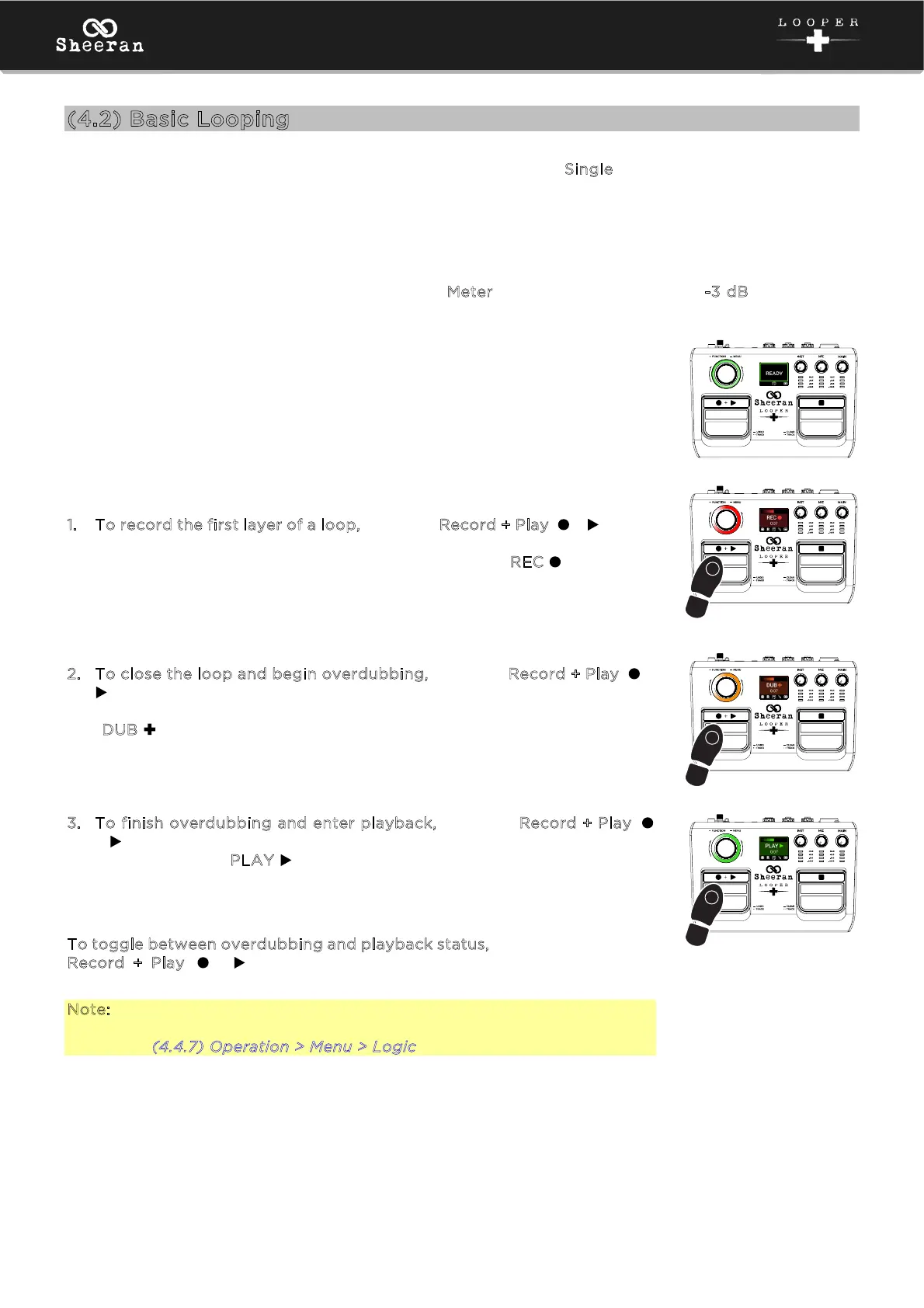
As you begin, the display will show “Ready” along with the current looper
mode (Single), and the encoder LED ring will pulse green:
1. To record the first layer of a loop, press the Record + Play ( + ) pedal.
Recording will begin immediately, and the encoder LED ring will begin
spinning red. The display will also turn red and show “REC ” along with
the length of the loop as it records.
2. To close the loop and begin overdubbing, press the Record + Play ( +
) pedal again. The LED ring will turn orange, and the encoder LED ring
will begin spinning orange. The display will also turn orange and show
“D
UB ” along with the length of the loop as it records.
3. To finish overdubbing and enter playback, press the Record + Play (
+ ) pedal again. The LED ring will turn green. The display will also turn
green and show “PLAY ” .
T
o toggle between overdubbing and playback status, continue to press the
Record + Play ( + ) pedal again as desired. The LED ring will change
between orange and green accordingly.
Note: You can configure whether Sheeran Looper + enters overdub (R>D>P,
default) or playback (R>P>D) after recording the initial layer in the Logic
menu. See (4.4.7) Operation > Menu > Logic for more information.
3
2
1



 To Next Page