7
(3.2) Rear Panel
1
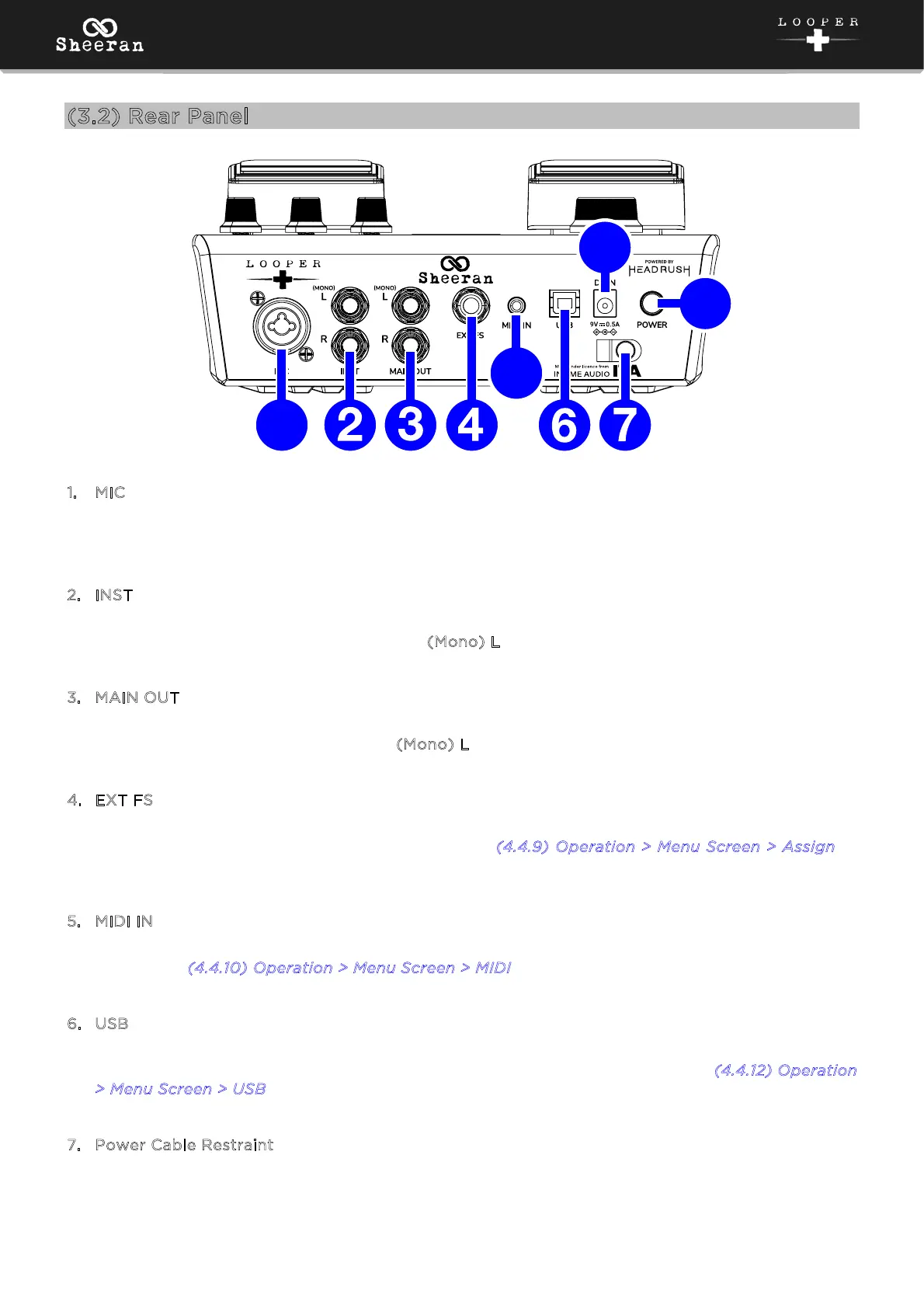
. MIC (XLR or 1/4” [6.35 mm], balanced)
Connect a dynamic microphone to this input using a standard XLR or 1/4” (6.35 mm) microphone
cable.
2
. INST (1/4” [6.35 mm], TS)
Connect your guitar or other instrument to this input using a standard instrument cable. If you only
need to use one input, use the one labeled (
Mono) L.
3
. MAIN OUT (1/4” [6.35 mm], TRS)
Connect these balanced outputs to the inputs of your amplifier, audio interface, etc. If you only need
to use one output, use the one labeled (
Mono) L.
4
. EXT FS (1/4” [6.35 mm], TRS)
Connect an optional secondary footswitch control to this input. Sheeran Looper + supports dual-
function footswitches using a TRS connection. See (
4.4.9) Operation > Menu Screen > Assign to
learn more about assigning footswitch functions.
5
. MIDI IN (5-pin DIN)
Use a standard MIDI cable to connect this input to the MIDI output of an optional external MIDI
device. See (
4.4.10) Operation > Menu Screen > MIDI to adjust the MIDI connectivity settings.
6
. USB
Connect this USB port to a computer using a standard USB cable. This connection allows you to
import and export loop files between Sheeran Looper + and your computer. See (
4.4.12) Operation
>
Menu Screen > USB for more information.
7
. Power Cable Restraint
Secure a power adapter cable to this restraint to prevent it from accidentally unplugging.
1
5
8
9



 To Next Page