5
(3.0) Features
(3.1) Top Panel
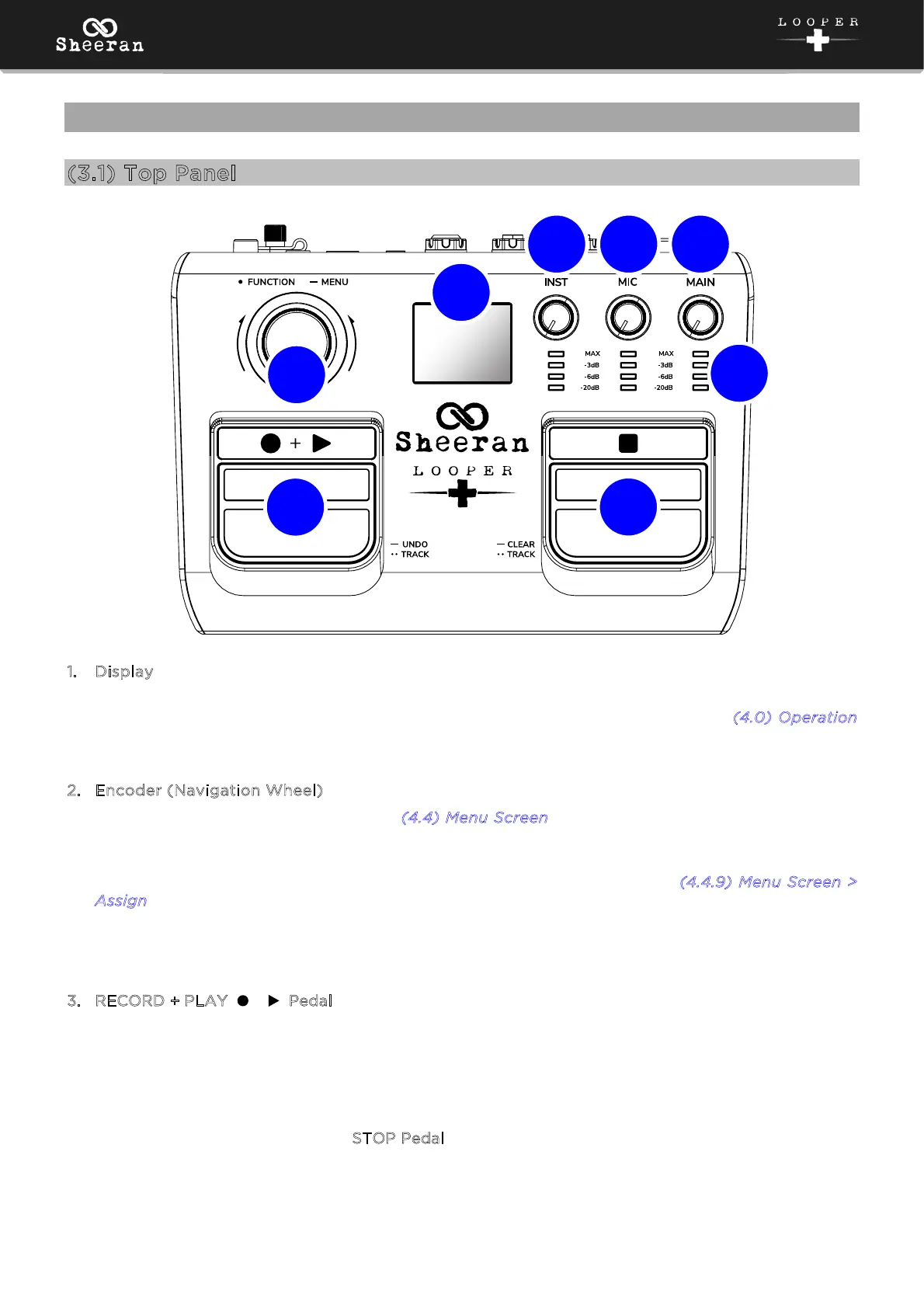
1
. Display
This multicolor LCD display shows information relevant to Sheeran Looper +’s current operation,
including record/overdub/playback status and menu functions. See the following (
4.0) Operation
chapter to learn more about how it works.
2
. Encoder (Navigation Wheel)
Press and hold this knob to access the (
4.4) Menu Screen. Turn the encoder to scroll through the
available menu options or adjust the parameter values of the selected field in the display. Push the
encoder again to confirm your selection.
You can also adjust the push function of the encoder while looping in the (
4.4.9) Menu Screen >
A
ssign page.
The LED ring around the encoder also provides feedback of the current record (red), overdub
(orange), playback (green), or ready (pulsing green) status.
3. RECORD + PLAY ( + ) Pedal
Press this pedal to begin recording a loop, overdubbing a loop, or playing back a recorded loop.
Press and hold this pedal to UNDO (temporarily clear) audio recorded since the last overdubbing
began. Press and hold it again to REDO (bring back) that audio.
When your loop is in playback, record, or overdub status, quickly double-press this pedal to switch to
between Track A and Track B in Multi, Song, or Sync Modes. This allows you to maintain playback of
your loop, as double-pressing the S
TOP Pedal during playback will stop the track directly on the first
press.
5
1
3
4
6
2
7
8



 To Next Page