13
8. LED Signalization
8.1 General rules
• Switching between Normal and Settings mode is done by Single press on the S button
• Solid LED means that you are in the Settings mode (this is not valid for Plugs). Ones in
settings mode, switch to normal mode goes automatically after 10s
• If the LED is not in Alarm mode, it will turn off after a timeout of 30 min. Pressing the S
button or power cycling the Device will wake the LED for 30 min.
Normal mode LED status: Normal mode is defined by stable device function that can remain for
an infinite time.
8.2 LED type: RGB dimmable
Normal mode
Removed/Excluded
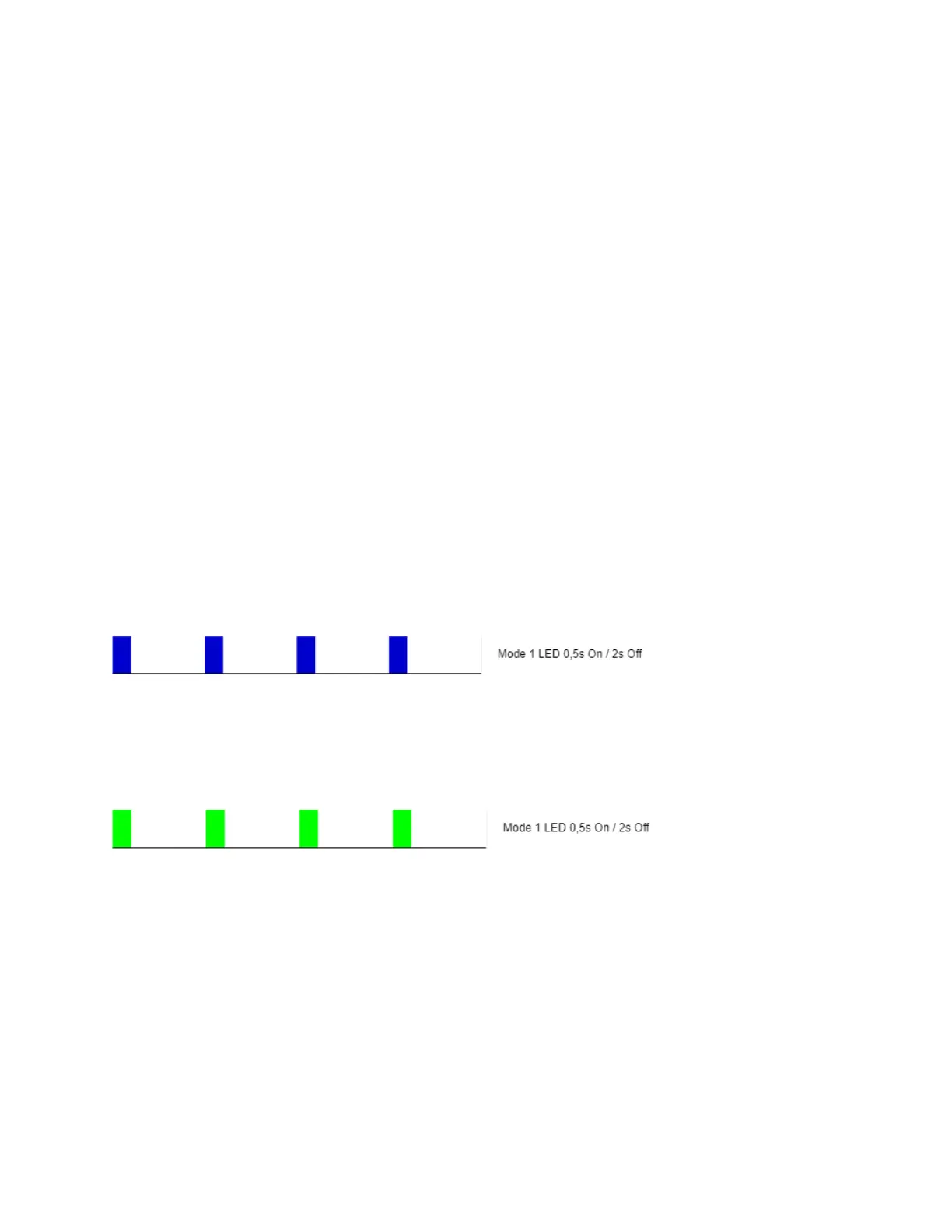
The LED will be blinking blue in Mode 1 for 30 min after every power cycle and 10 min after S
button pressed.
Added/Included
The LED will be blinking green in Mode 1 for 30 min after every power cycle and 10 min after S
button pressed.
Factory reset and reboot
During factory reset, the LED will turn solid green for approx. 1sec, then the blue and red LED
will be blinking 0,1s On / 0,1s Off for about 2sec.
Adding / Removing
During adding or removing, the LED will be blinking blue in Mode 2.


 To Next Page