General Settings
To access the general settings menu, hold both the [UP] button and the [DOWN] button for 2 s.
■All the Settings are operated in the case of parking the E-bike.
◆Trip Distance Clearance
TRIP A/ TRIP B
represents the trip distance clearance setting.
To clear the trip distance, press the [MODE] button or the [DOWN] button until the single trip
distance is zero.
◆Unit km/mp Conversion
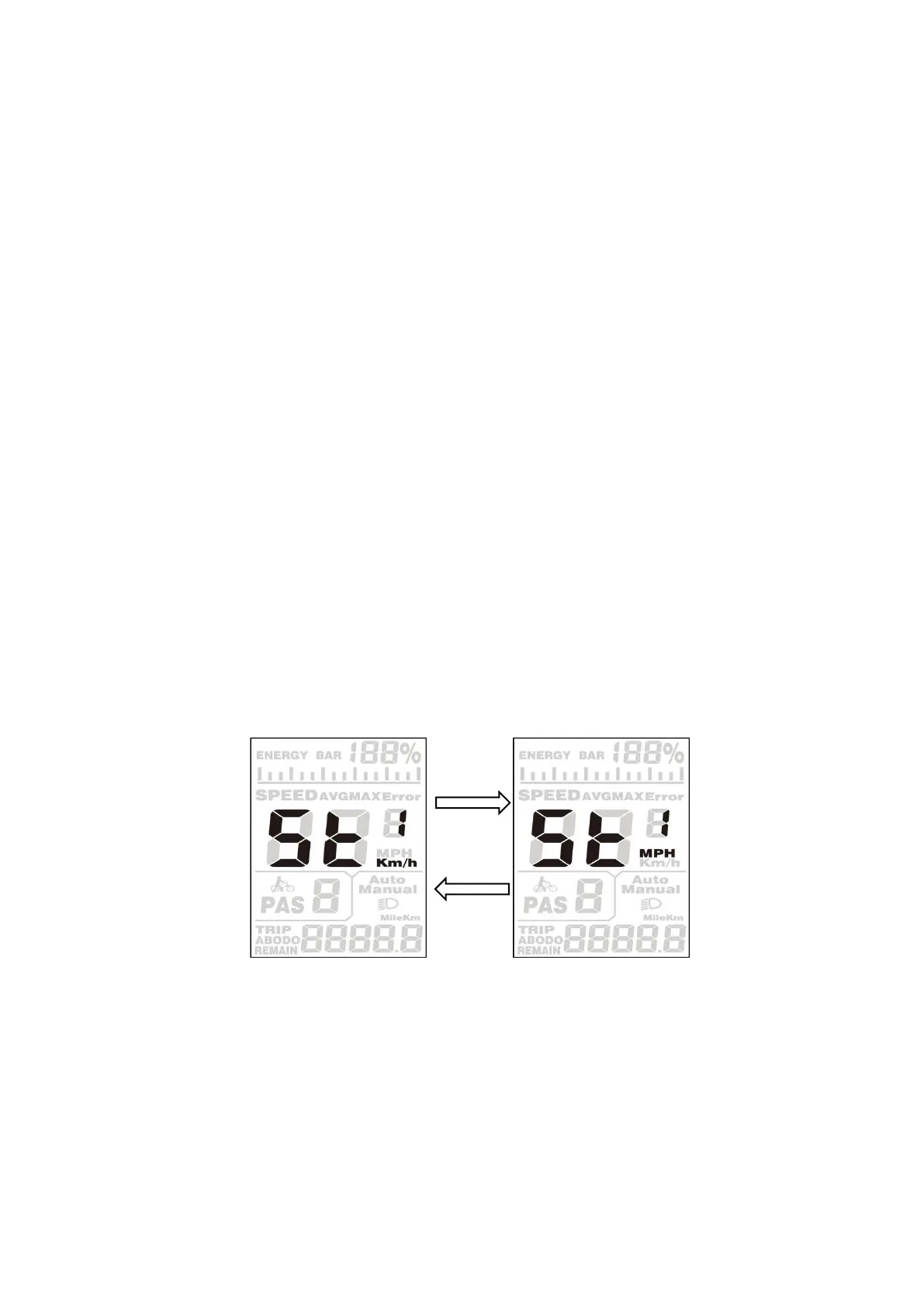
ST1 represents unit settings, "MPH” is a mile, and “KM/h” is a kilometer. The default value is
“KM/h”.
To convert a unit, press the [UP] button or the [DOWN] button to choose the desired setting item,
and then press the [MODE] button to confirm.
To store a changed setting, press the [MODE] button and then access the trip distance clearance
settings.
Or, hold the [MODE] button for 2 s and then exit General Settings.
Mile and Kilometer Conversion Settings Interface


 To Next Page