9
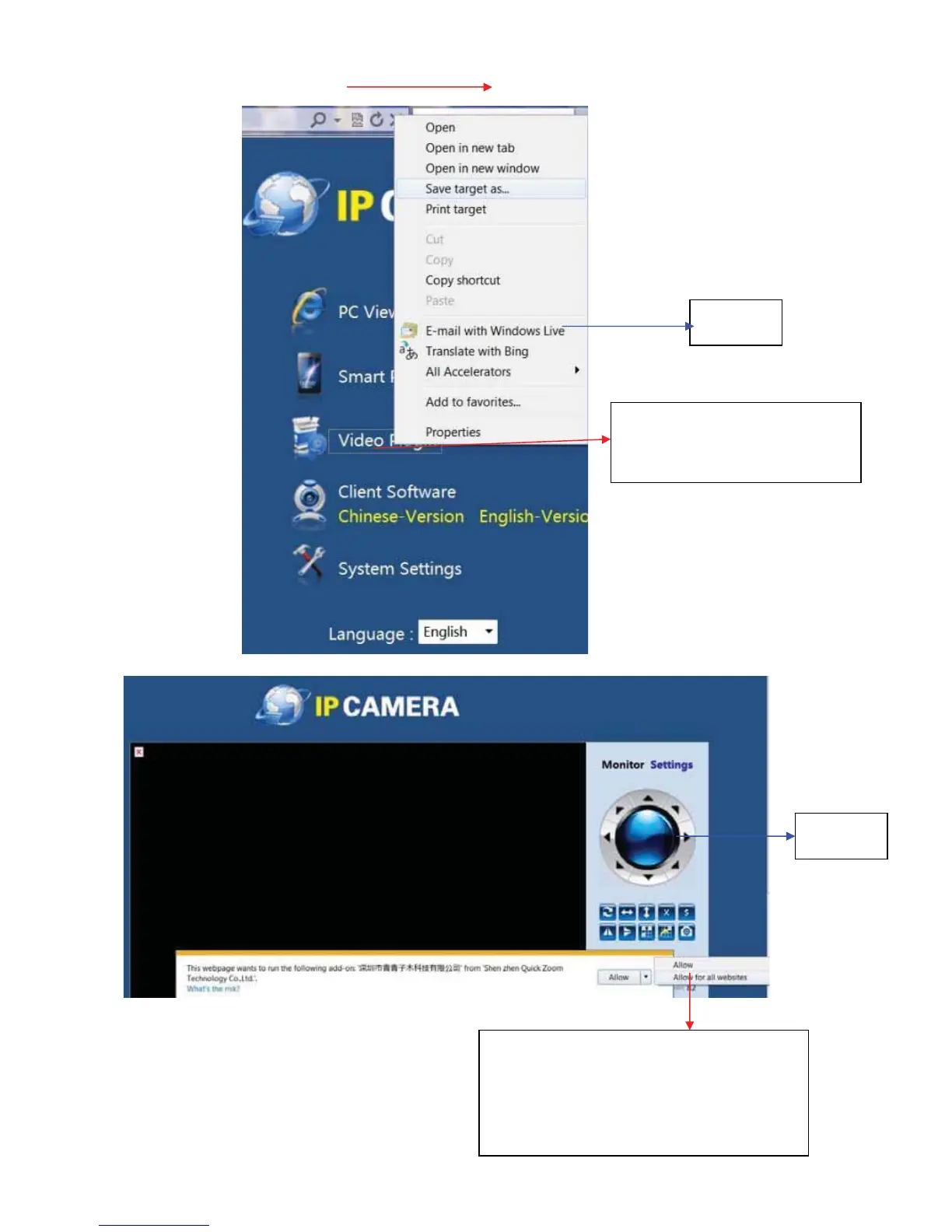
1.RightClick“V ideoPlugͲin”,then
click“Savetargetas” todownload
andinstallplugin
2. When you view the camera for the first
time, please accept and operate ActiveX.
WhenyouoperateActiveX,pleaseclick “Allow
for all websites”, which enables you to view
cameraonanywebsite
Pic 1
Pic 2



 To Next Page