-6-
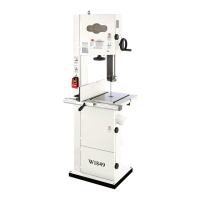
Model W1849 (For Machines Mfd. Since 11/16)
INTRODUCTION
Controls & Components
To reduce your risk of serious injury
or damage to the machine, read this
entire manual BEFORE using machine.
Refer to Figures 1–8 and the following descriptions to
become familiar with the basic controls and components
of this machine. Understanding these items and how they
work will help you understand the rest of the manual and
stay safe when operating this machine.
ON/OFF Switch & Fence
A. ON Button: Turns motor ON when pressed.
B. Stop Paddle: Turns motor OFF when pressed.
C. Fence: Used for ripping or resawing. Distance
from blade determines width of cut. Can be used
in horizontal position (as shown in Figure 1) for
thin workpieces or in vertical position (as shown in
Figure 2) for normal workpieces.
D. Fence Lock Lever: Secures fence to fence base
when mounted horizontally or vertically.
E. Fence Base: Mounts fence to rail, and allows fence
to be switched between horizontal or vertical
positions.
F. Fence Lock Handle: Secures fence position along
fence rail.
Figure 2. Fence mounted vertically.
D
C
F
E
Figure 1. ON/OFF switch and fence
mounted in horizontal position.
B
D
C
F
E
A


 To Next Page