3. Set IP Address
01) Press the LEFT button to enter the main menu.
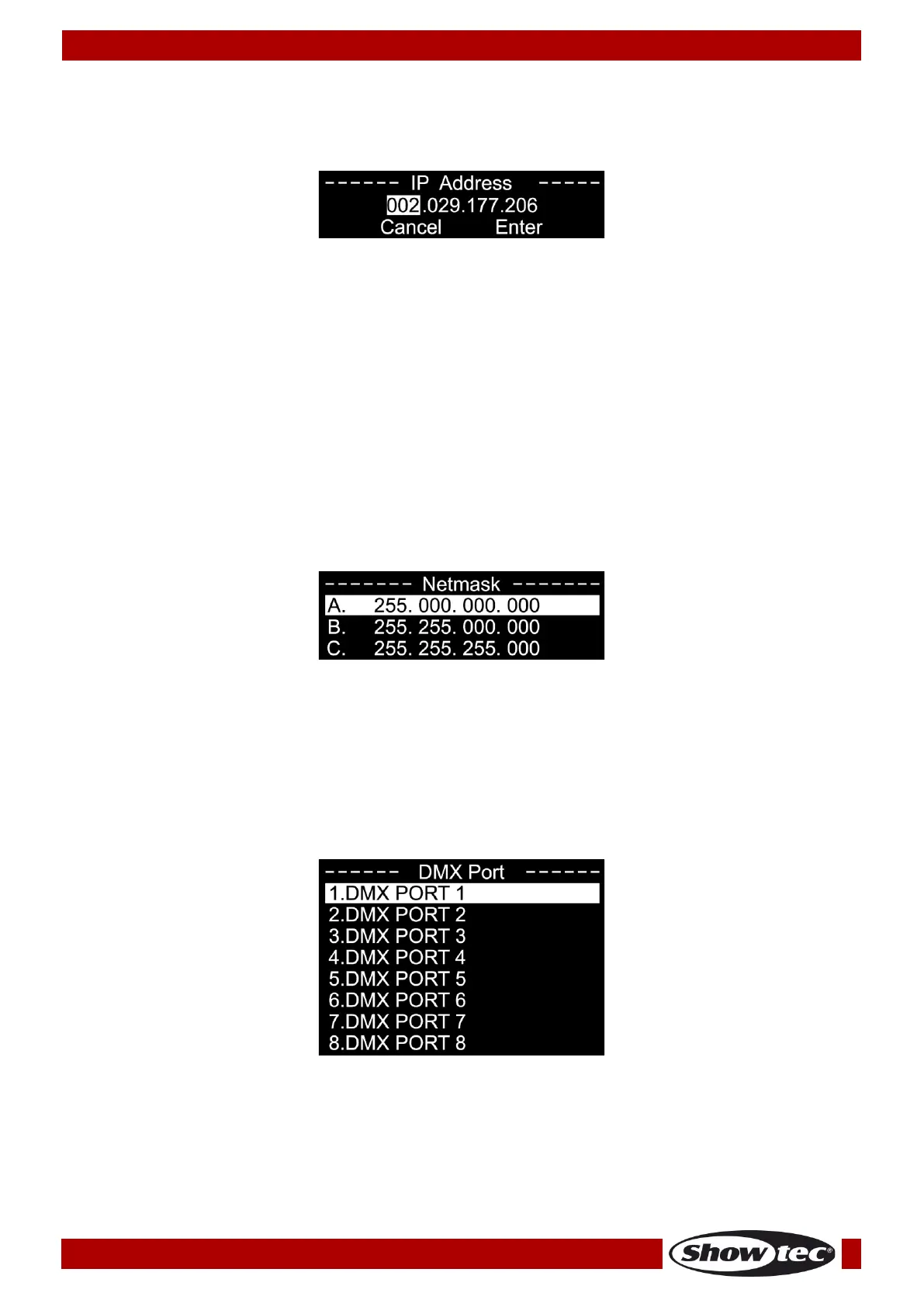
02) Press the UP/DOWN buttons to select SET IP ADDRESS and press the RIGHT button to open the
submenu. The display shows:
03) Press the UP/DOWN buttons to scroll through the address sections, CANCEL and ENTER.
04) Press the RIGHT button to select the desired address section.
05) Press the UP/DOWN buttons to change the numbers (0–255). (Alternatively, press and hold down the
UP/DOWN buttons for quick search.)
06) Press the RIGHT button to confirm.
07) Repeat steps 3–6 to edit the remaining address sections.
08) Press the UP/DOWN buttons to select CANCEL (to discard changes) or ENTER (to confirm the new
IP address.
09) Press the RIGHT button to confirm.
Note: It is possible to change the IP address ONLY if DHCP (see page 12) is disabled.
4. Set Netmask
01) Press the LEFT button to enter the main menu.
02) Press the UP/DOWN buttons to select SET NETMASK and press the RIGHT button to open the submenu.
The display shows:
03) Press the UP/DOWN buttons to scroll through the 3 options: A, B or C.
04) The selected option will be highlighted.
05) Press the RIGHT button to confirm.
5. Set DMX Port
01) Press the LEFT button to enter the main menu.
02) Press the UP/DOWN buttons to select SET DMX PORT and press the RIGHT button to open the
submenu. The display shows:



 To Next Page