9. User Preset
01) Press the LEFT button to enter the main menu.
02) Press the UP/DOWN buttons to select USER PRESET and press the RIGHT button to open the submenu.
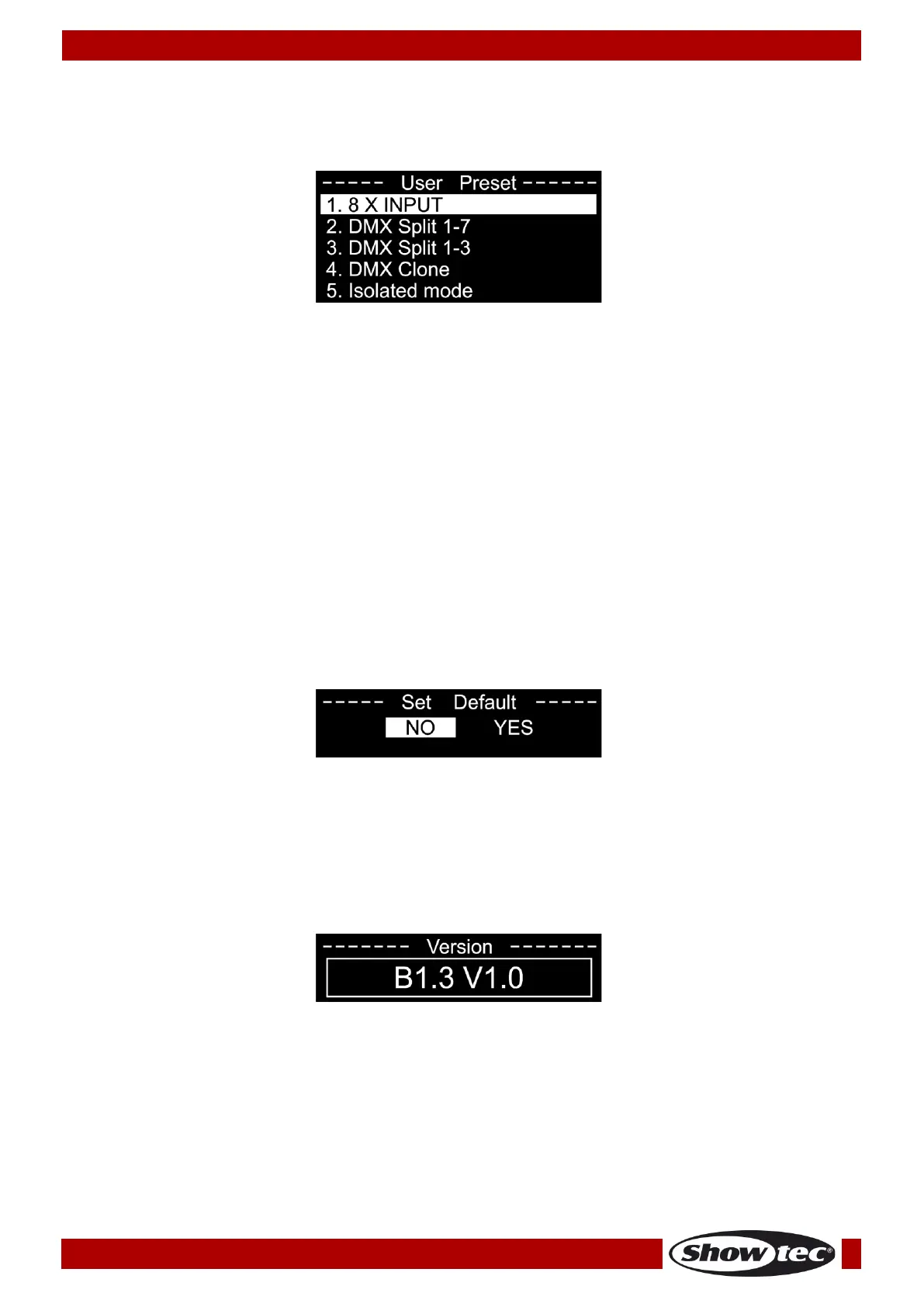
The display shows:
03) Press the UP/DOWN buttons to scroll through the 5 options:
● 8 X INPUT: The node converts 8 x DMX inputs into 8 separate ArtNet universes.
● DMX SPLIT 1–7: DMX splitter with 1 input and 7 isolated DMX outputs (DMX port 1 is an input and
DMX port 2–8 are outputs.)
● DMX SPLIT 1–3: DMX splitter with 2 x DMX inputs and 3 isolated DMX outputs (DMX port 1 is an
input and DMX ports 2–4 are outputs. DMX port 5 is an input and DMX ports 6–8 are outputs.)
● DMX CLONE: The node converts 4 x DMX inputs into 4 separate ArtNet universes and duplicates
the 4 input signals to the DMX ports 5–8. A network configuration needs to be carried out
according to your network and your ArtNet receiver specifications.
● ISOLATED MODE: The node receives 8 separate ArtNet universes and sends them to the 8 DMX
output ports. A network configuration needs to be carried out according to your network and
your ArtNet receiver specifications.
04) Press the RIGHT button to confirm.
10. Set Default
01) Press the LEFT button to enter the main menu.
02) Press the UP/DOWN buttons to select SET DEFAULT and press the RIGHT button to open the submenu.
The display shows:
03) Press the UP/DOWN buttons to select NO or YES.
04) Press the RIGHT button to confirm.
05) If you choose YES, the device will be reset and the factory default settings will be restored.
11. Version
01) Press the LEFT button to enter the main menu.
02) Press the UP/DOWN buttons to select VERSION and press the RIGHT button to open the submenu. The
display shows:



 To Next Page