Shure Incorporated
17/29
◦
◦
◦
◦
Use the control wheel to select devices to include in your coordination.
Step 2: Scan
Select Start scan and monitor the display. Longer scans can provide more data for your coordination. Select Stop scan
when the plot has stabilized.
Step 3: Calculate
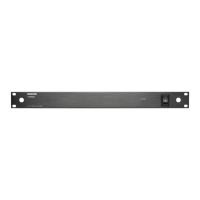
The AD600 will automatically calculate a frequency coordination for your system. Select Deploy to assign the frequencies
to your devices and complete the coordination.
Tip: Re-sync portables if necessary.
Advanced Coordination
Use the advanced coordination option when the regular coordination doesn't meet your needs. In an advanced coordination,
you manually set additional parameters such as exclusions, thresholds, user groups, and TV channels.
Tip: You can also use Wireless Workbench for an advanced coordination.
Go to Main menu > Freq Coordination and choose the advanced options to create or modify a coordination. Follow the
prompts and choose Next to move through each step.
Step 1: Choose devices
Usethecontrolwheeltoselectdevicestoincludeinyourcoordination.Addvirtualchannelsifyouneedtocoordinatefre
quencies for devices that are not on the network.
Step 2: Frequency requests
Select a compatibility level and the desired number of backup frequencies for each device.
Step 3: Exclusions
Select Settings to choose any of the following exclusions:
Scans: Load scan files
Thresholds: Set scan peak threshold and exclusion threshold
TV channels: Set the TV format or load TV data
Exclusion list: Use the add function to add frequencies and ranges to exclude from calculation
Select Start scan and monitor the display. Longer scans can provide more data for your coordination. Select Stop scan
when the plot has stabilized.
Step 4: Advanced options
Select a user group: Choose regional user lists and groups.
Change the coordination order: Move devices to change priority.
Analyze frequency list: Select Analyze to check frequencies for compatibility in your RF environment. Select Lock compat.
to lock all compatible frequencies.
Step 5: Calculate
Select Start to calculate frequencies for your system.
Step 6: Assign and deploy


 To Next Page