Shure Incorporated
19/29
•
•
•
1.
2.
3.
4.
•
•
•
•
Saves the scan data on the current display. Use the control wheel to save the file to a directory or drive.
Markers
Adds color-coded markers on the display to align with in-use frequencies (white), backup frequencies (green), and degraded
backup frequencies (red). Use the control wheel to select the types of markers to display.
Management and Monitoring
Monitoring Audio with the Listen Feature
The listen feature allows you to monitor demodulated audio for compatible devices from the headphone jack.
The listen feature can monitor the following signal types:
Analog FM from Shure products such as Axient Analog, UHF-R, ULX, SLX, BLX, PSM1000, PSM900, PSM300
Analog FM from non-Shure wireless systems
Non-encrypted Axient Digital signals (standard and high density)
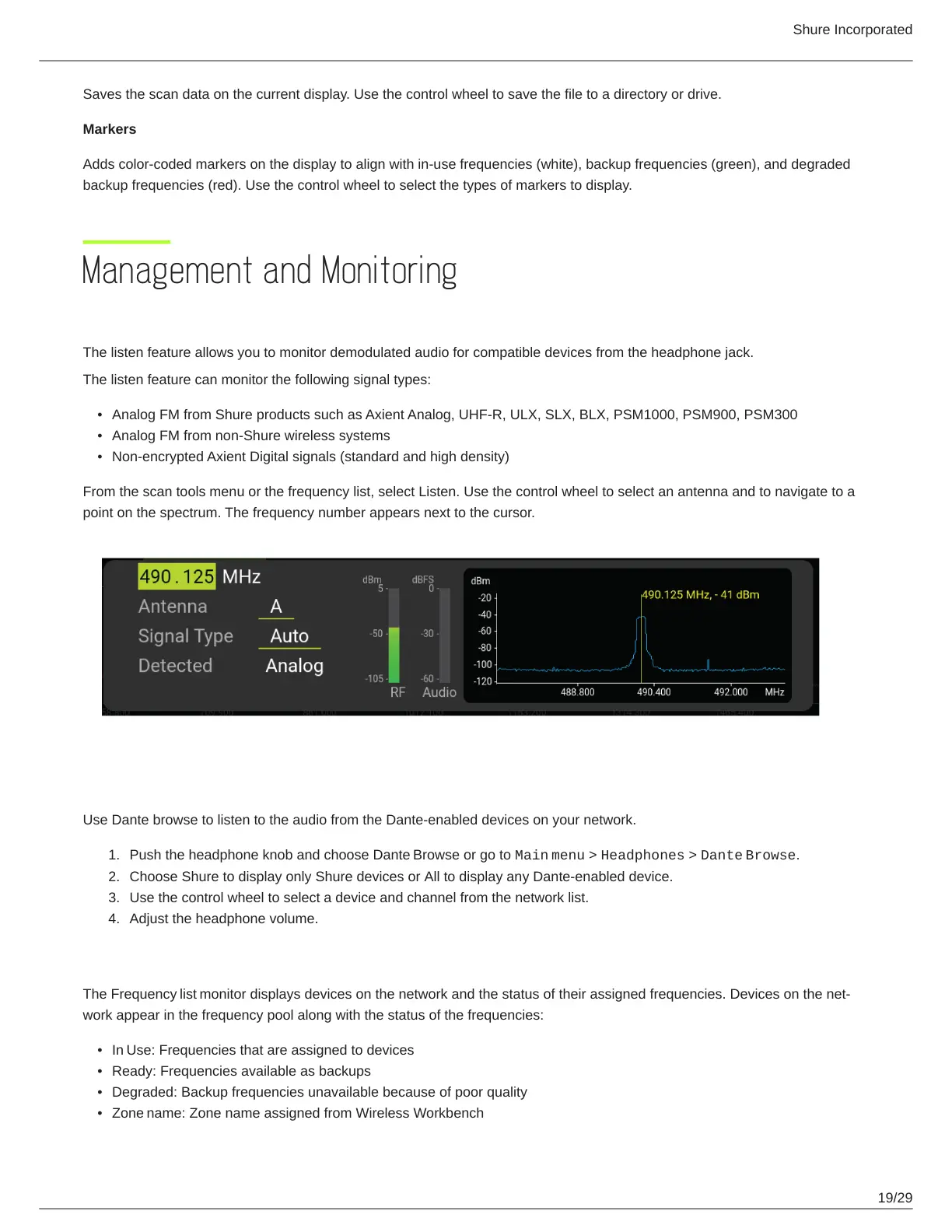
From the scan tools menu or the frequency list, select Listen. Use the control wheel to select an antenna and to navigate to a
point on the spectrum. The frequency number appears next to the cursor.
Listening to Audio using Dante Browse
Use Dante browse to listen to the audio from the Dante-enabled devices on your network.
Push the headphone knob and choose Dante Browse or go to Main menu > Headphones > Dante Browse.
Choose Shure to display only Shure devices or All to display any Dante-enabled device.
Use the control wheel to select a device and channel from the network list.
Adjust the headphone volume.
Frequency List Monitor
The Frequency list monitordisplaysdevicesonthenetworkandthestatusoftheirassignedfrequencies.Devicesonthenet
work appear in the frequency pool along with the status of the frequencies:
In Use: Frequencies that are assigned to devices
Ready: Frequencies available as backups
Degraded: Backup frequencies unavailable because of poor quality
Zone name: Zone name assigned from Wireless Workbench


 To Next Page