Shure Incorporated
8/29
◦
◦
◦
Navigation and Controls
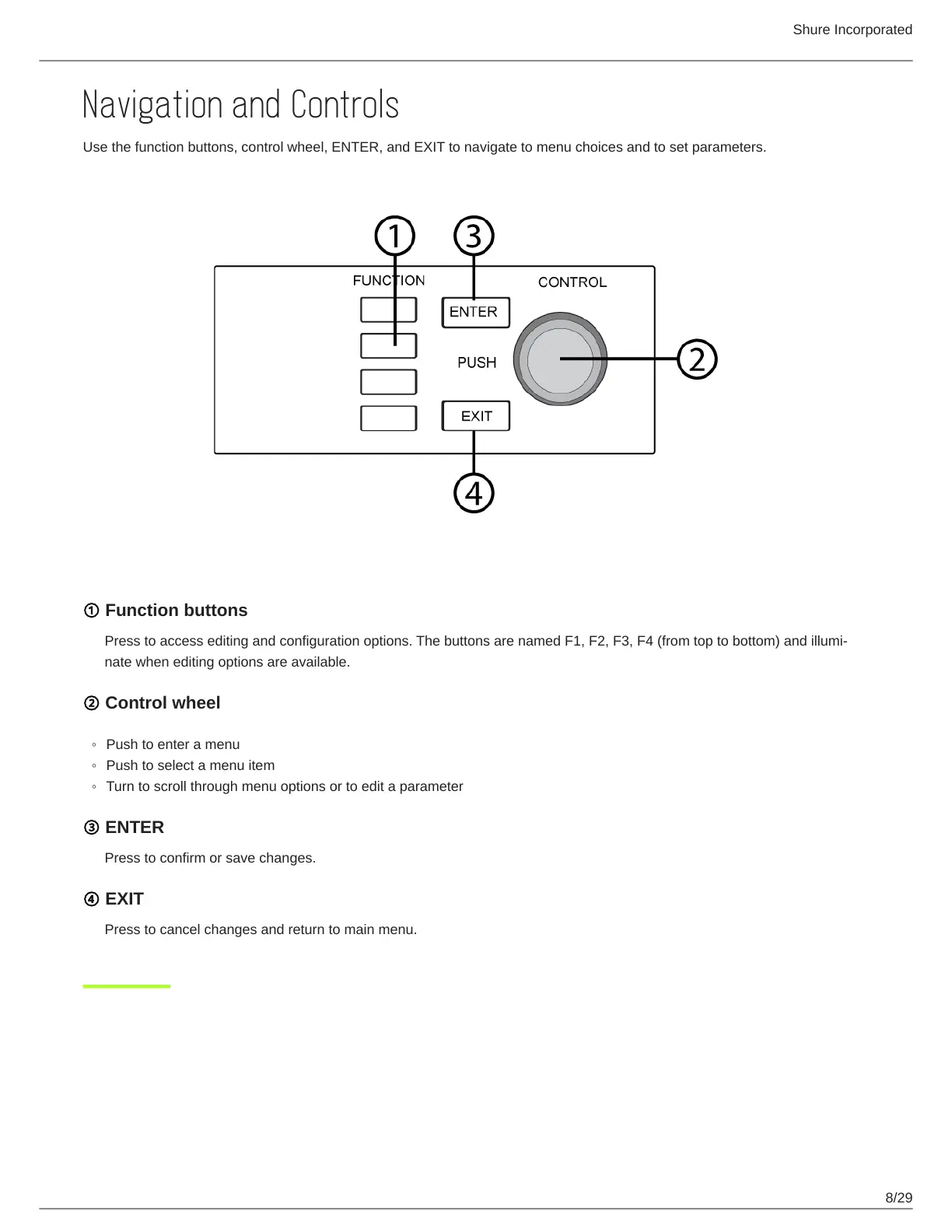
Use the function buttons, control wheel, ENTER, and EXIT to navigate to menu choices and to set parameters.
① Function buttons
Presstoaccesseditingandconfigurationoptions.ThebuttonsarenamedF1,F2,F3,F4(fromtoptobottom)andillumi
nate when editing options are available.
② Control wheel
Push to enter a menu
Push to select a menu item
Turn to scroll through menu options or to edit a parameter
③ ENTER
Press to confirm or save changes.
④ EXIT
Press to cancel changes and return to main menu.



 To Next Page