Shure Incorporated
20/29
•
•
•
•
1.
2.
3.
1.
2.
3.
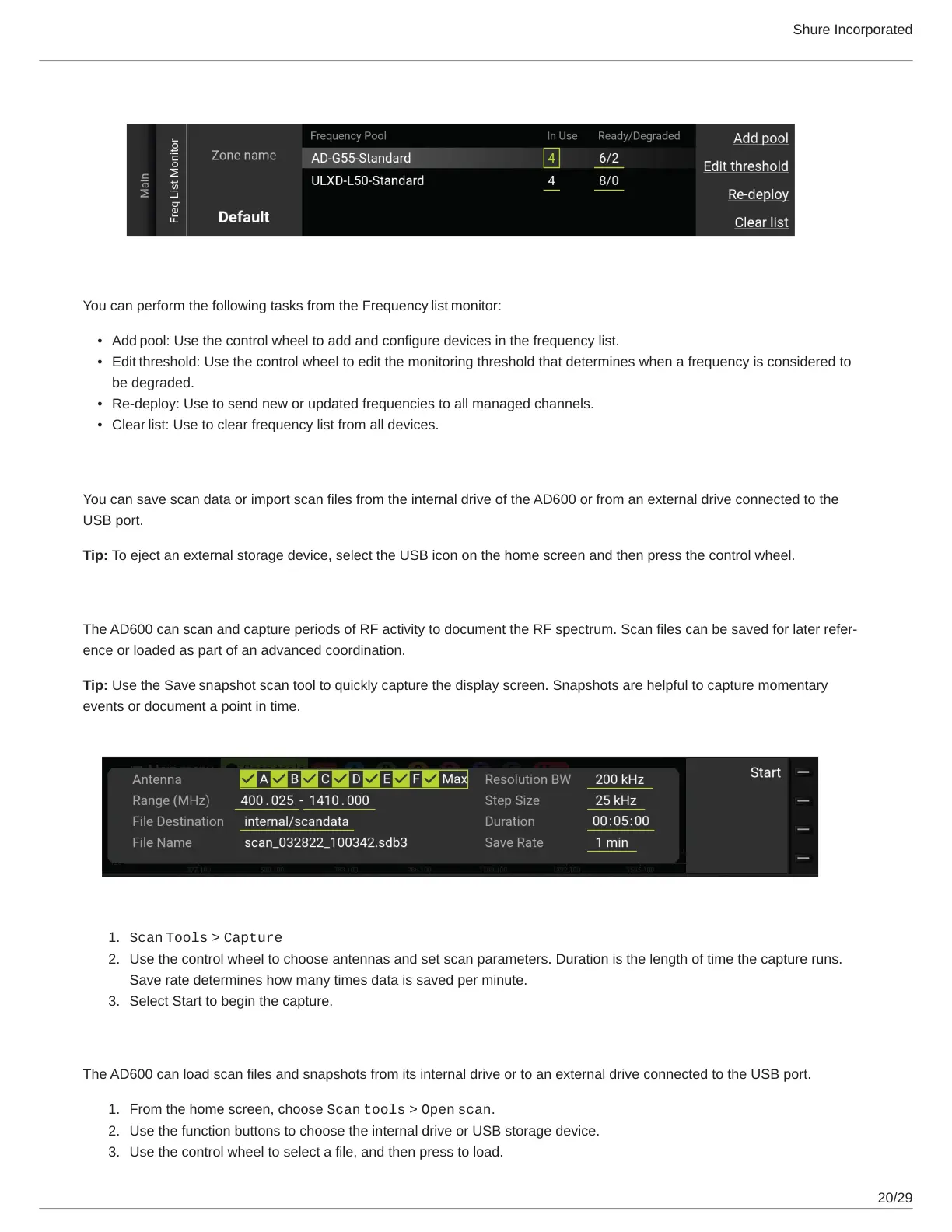
You can perform the following tasks from the Frequency list monitor:
Add pool: Use the control wheel to add and configure devices in the frequency list.
Edit threshold: Use the control wheel to edit the monitoring threshold that determines when a frequency is considered to
be degraded.
Re-deploy: Use to send new or updated frequencies to all managed channels.
Clear list: Use to clear frequency list from all devices.
Managing Scan Files
You can save scan data or import scan files from the internal drive of the AD600 or from an external drive connected to the
USB port.
Tip: To eject an external storage device, select the USB icon on the home screen and then press the control wheel.
Capturing and Saving Scan Data Files
TheAD600canscanandcaptureperiodsofRFactivitytodocumenttheRFspectrum.Scanfilescanbesavedforlaterrefer
ence or loaded as part of an advanced coordination.
Tip: Use the Save snapshot scan tool to quickly capture the display screen. Snapshots are helpful to capture momentary
events or document a point in time.
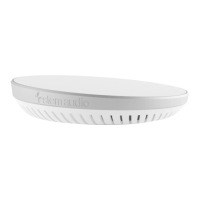
Scan Tools > Capture
Use the control wheel to choose antennas and set scan parameters. Duration is the length of time the capture runs.
Save rate determines how many times data is saved per minute.
Select Start to begin the capture.
Loading Scan Files and Snapshots
The AD600 can load scan files and snapshots from its internal drive or to an external drive connected to the USB port.
From the home screen, choose Scan tools > Open scan.
Use the function buttons to choose the internal drive or USB storage device.
Use the control wheel to select a file, and then press to load.


 To Next Page