Shure Incorporated
5/29
Front and Back Panel
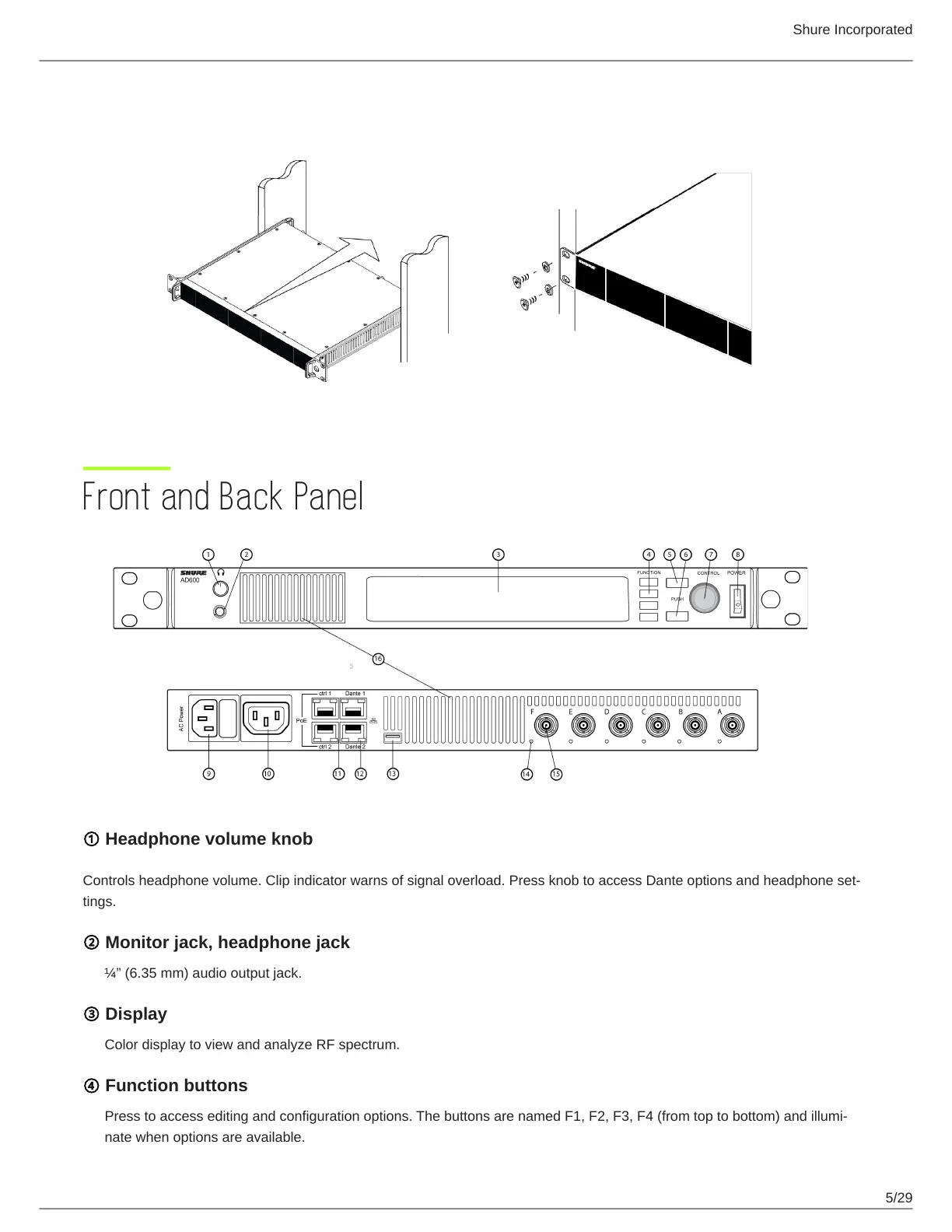
① Headphone volume knob
Controlsheadphonevolume.Clipindicatorwarnsofsignaloverload.PressknobtoaccessDanteoptionsandheadphoneset
tings.
② Monitor jack, headphone jack
¼”(6.35mm)audiooutputjack.
③ Display
Color display to view and analyze RF spectrum.
④ Function buttons
Presstoaccesseditingandconfigurationoptions.ThebuttonsarenamedF1,F2,F3,F4(fromtoptobottom)andillumi
nate when options are available.


 To Next Page