Shure Incorporated
19/76
Microphone Status LED Behavior / Color
Reset Network reset: Green (slow flashing)
Factory reset: Green (fast flashing)
Error Red (split, alternate flashing)
Device power-up Blue (rotates around ring)
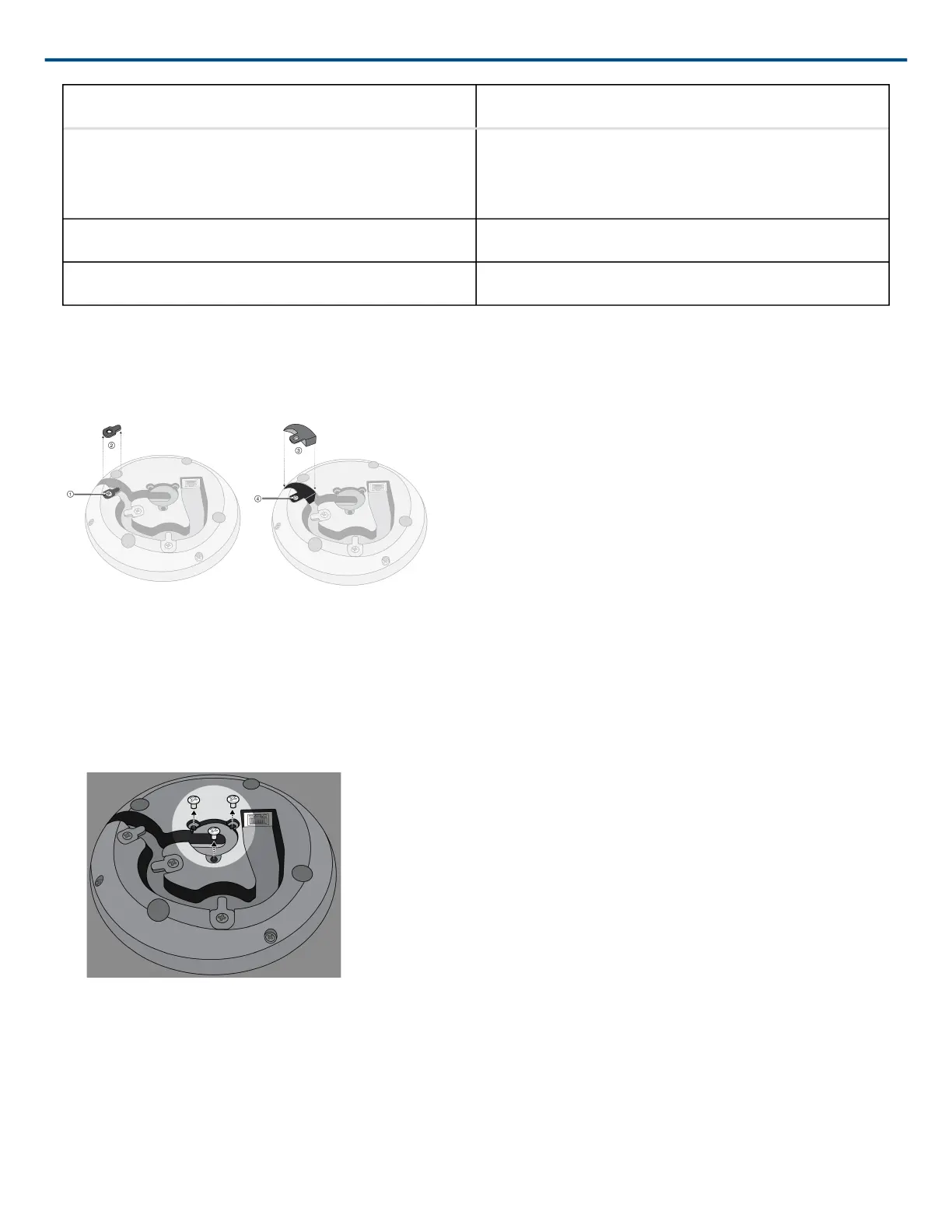
Installing the Cable-Exit Plug
The plug covers the cable exit for permanent installations in which the cable is routed down through a table.
1. Remove the screw that holds in the cable-retaining tab closest to the cable exit
2. Remove the cable-retaining tab
3. Insert the plug
4. Replace the screw to secure the plug
Permanent Table Installation
1. Remove the 3 screws located in the center on the bottom of the microphone
2. Plug a network cable into the microphone and guide it through the center exit path. When the cable is secured,
guide it through the tube.
Note: If necessary, remove the retaining tabs to install thicker cable. Replace them after the cable is installed.












 To Next Page