Shure Incorporated
25/76
Coverage With Multiple Microphones
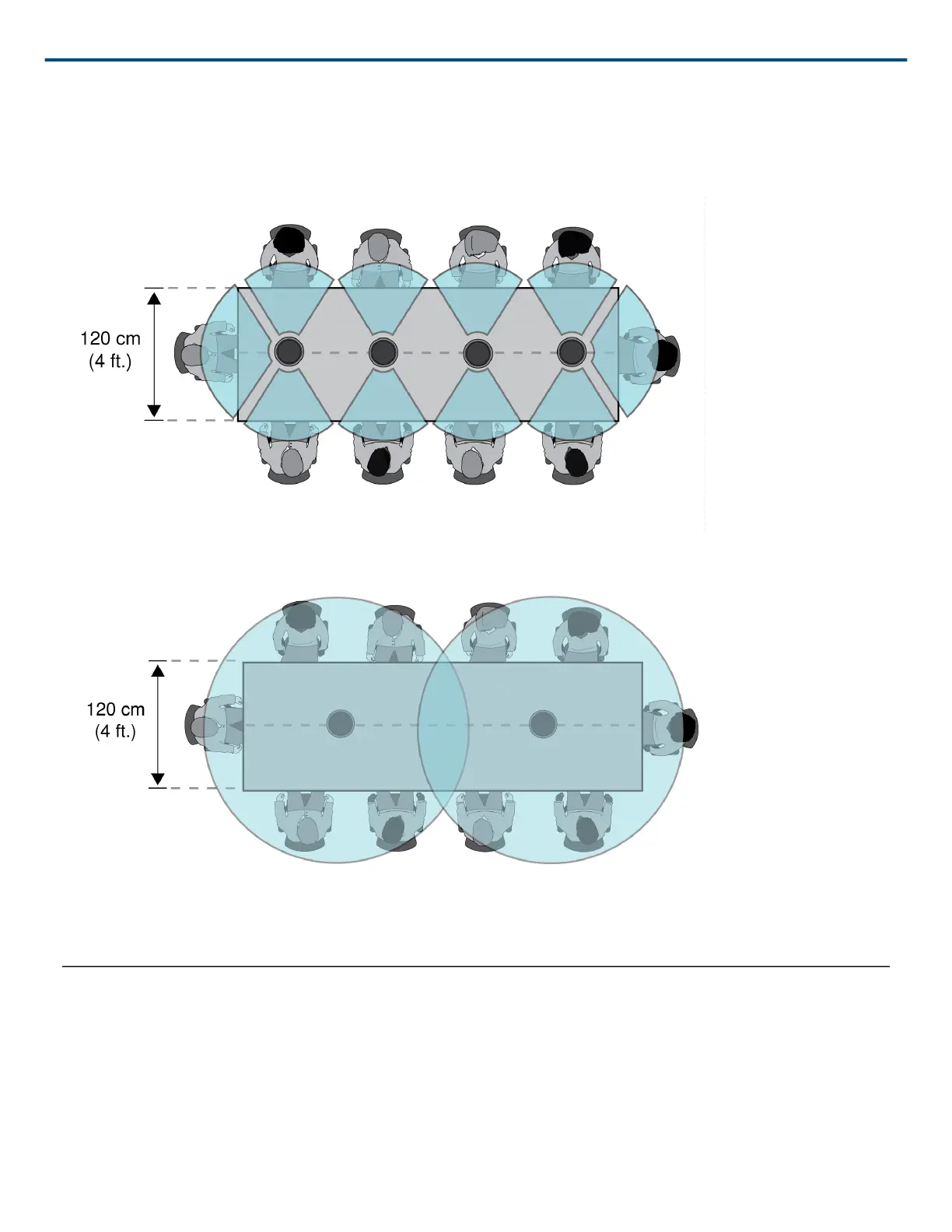
For large tables, a series of microphones captures all talkers. Place the microphones in the center of the table for
balanced pickup and accurate aiming. For the best audio quality and clarity, use enough microphones so that each
talker has their own channel.
A table with 10 people is covered by 4 microphones, with an independent channel for each person.
For a large table with 2 microphones, place the microphones to cover equally sized areas. Use the Toroid or Omni
directional setting to cover the entire table.
Software Installation, Management, and Security
Accessing the Web Application
The Shure Web Server Discovery application finds all Shure devices on the network that feature a web-based
GUI. Follow these steps to install the software and access the web application:
① Install the Shure Discovery application












 To Next Page