Shure Incorporated
37/76
3 -4.8
4 -6
Custom
Custom mode provides control over all automixing parameters. This mode is useful when adjustments must be
made to one of the preset modes to fit a particular application. If parameters are changed in smooth or classic
mode, custom mode automatically activates.
Manual
Manual mode sums all active tracks and sends the summed signal over a single Dante output. This provides the
option to route the signal for reinforcement or recording, without enabling automixing. The settings from the faders
in the standard monitoring view apply to the summed output.
Reset
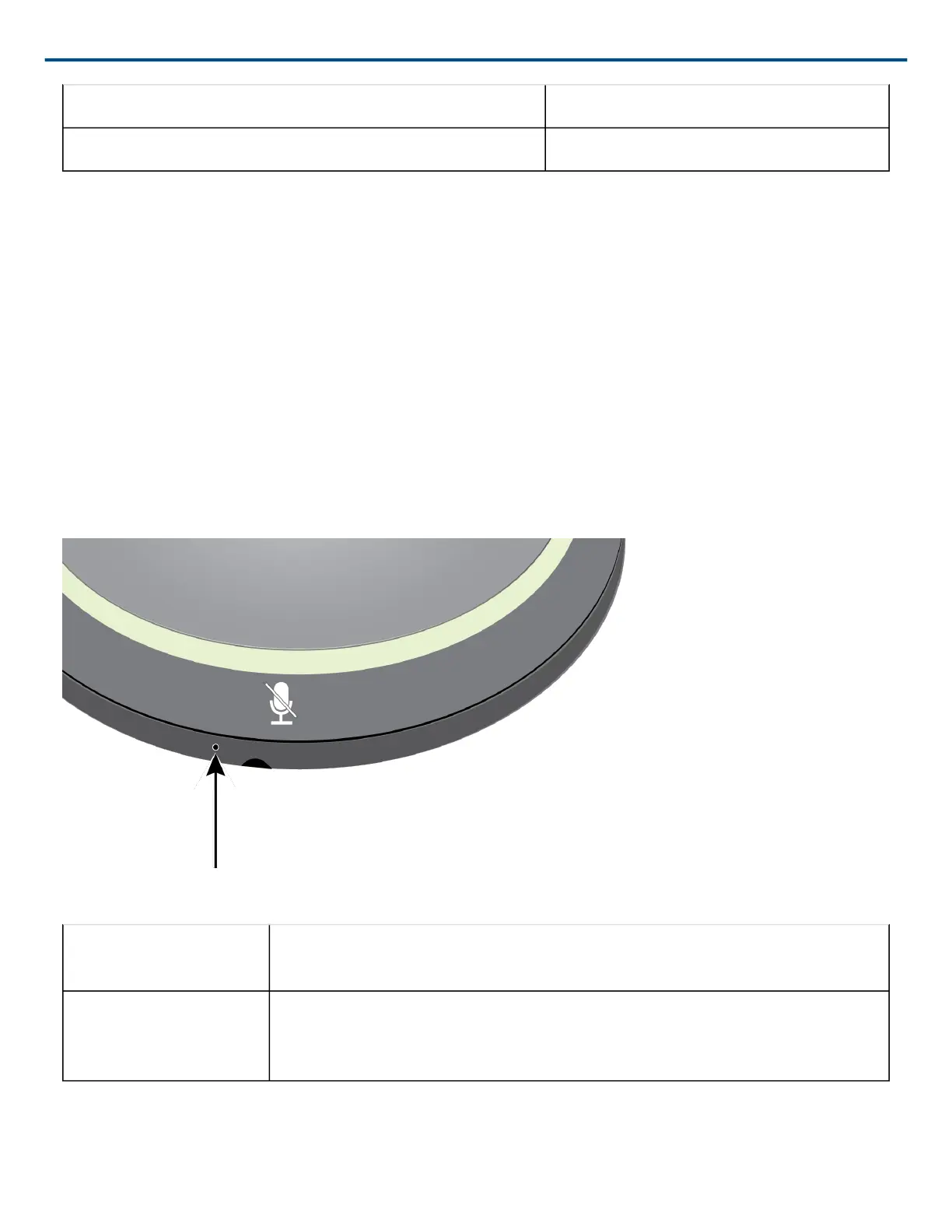
The reset button is located inside a small hole in the lower half of the microphone. Use a paperclip or other small
tool to press the button.
There are two reset functions:
Network reset (press but
ton for 4-8 seconds)
Resets all Shure control and audio network IP settings to factory defaults
Full factory reset (press
button for longer than 8
seconds)
Restores all network and web application settings to the factory defaults.
Software Reset Options
To simply revert settings without a complete hardware reset, use one of the following options:












 To Next Page