Shure Incorporated
8/38
1.
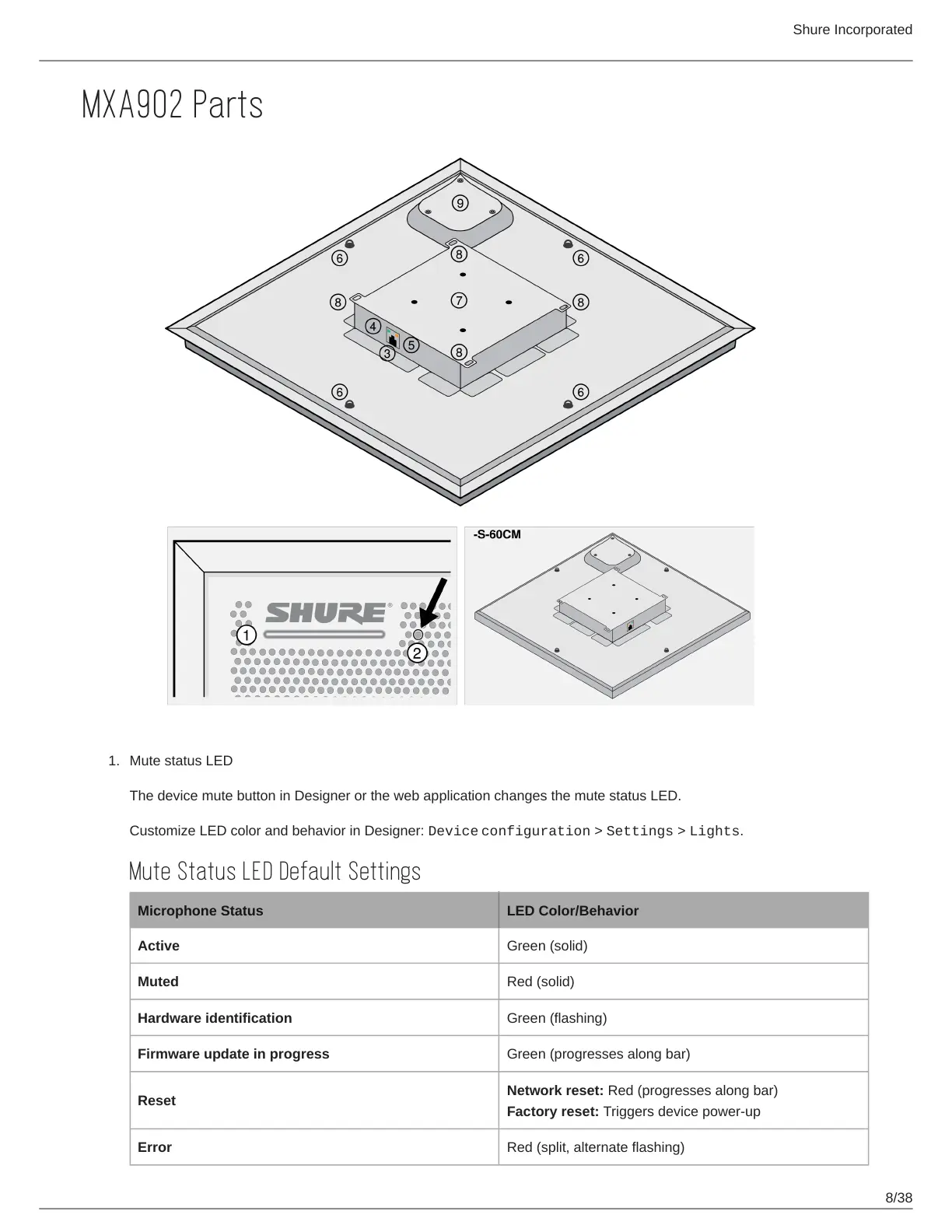
MXA902 Parts
Mute status LED
The device mute button in Designer or the web application changes the mute status LED.
Customize LED color and behavior in Designer: Device configuration > Settings > Lights.
Mute Status LED Default Settings
Microphone Status LED Color/Behavior
Active Green (solid)
Muted Red (solid)
Hardware identification Green (flashing)
Firmware update in progress Green (progresses along bar)
Reset
Network reset: Red (progresses along bar)
Factory reset: Triggers device power-up
Error Red (split, alternate flashing)



 To Next Page