47
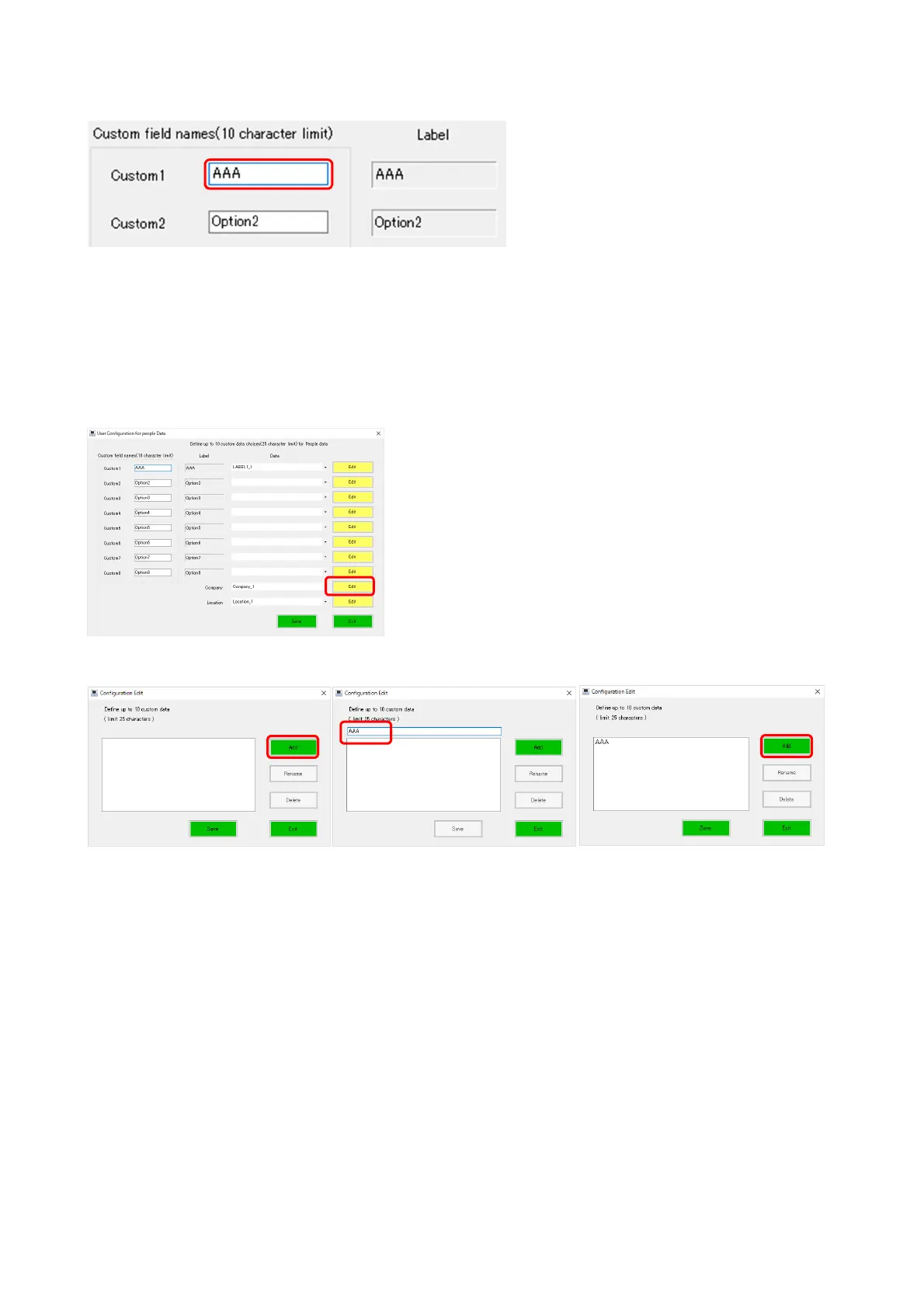
[Changing the CUSTOM label name]
Enter a label name to be displayed in the textbox circled in red on the left.
Leave it blank if you do not wish to display Custom data when printing a report.
[Creating / editing the drop-down list]
The following shows how to create/edit the drop-down list of the Company field. The drop-
down list of the Location and CUSTOM fields can also be created/edited in the same manner.
●
Creating
Click the [Edit] button and enter data in the Configuration Edit page.
Clicking the [Add] button displays a textbox and clicking it again displays the entered data in
the drop-down list.
You can set up to 10 lists by repeating the same operation.



 To Next Page