48
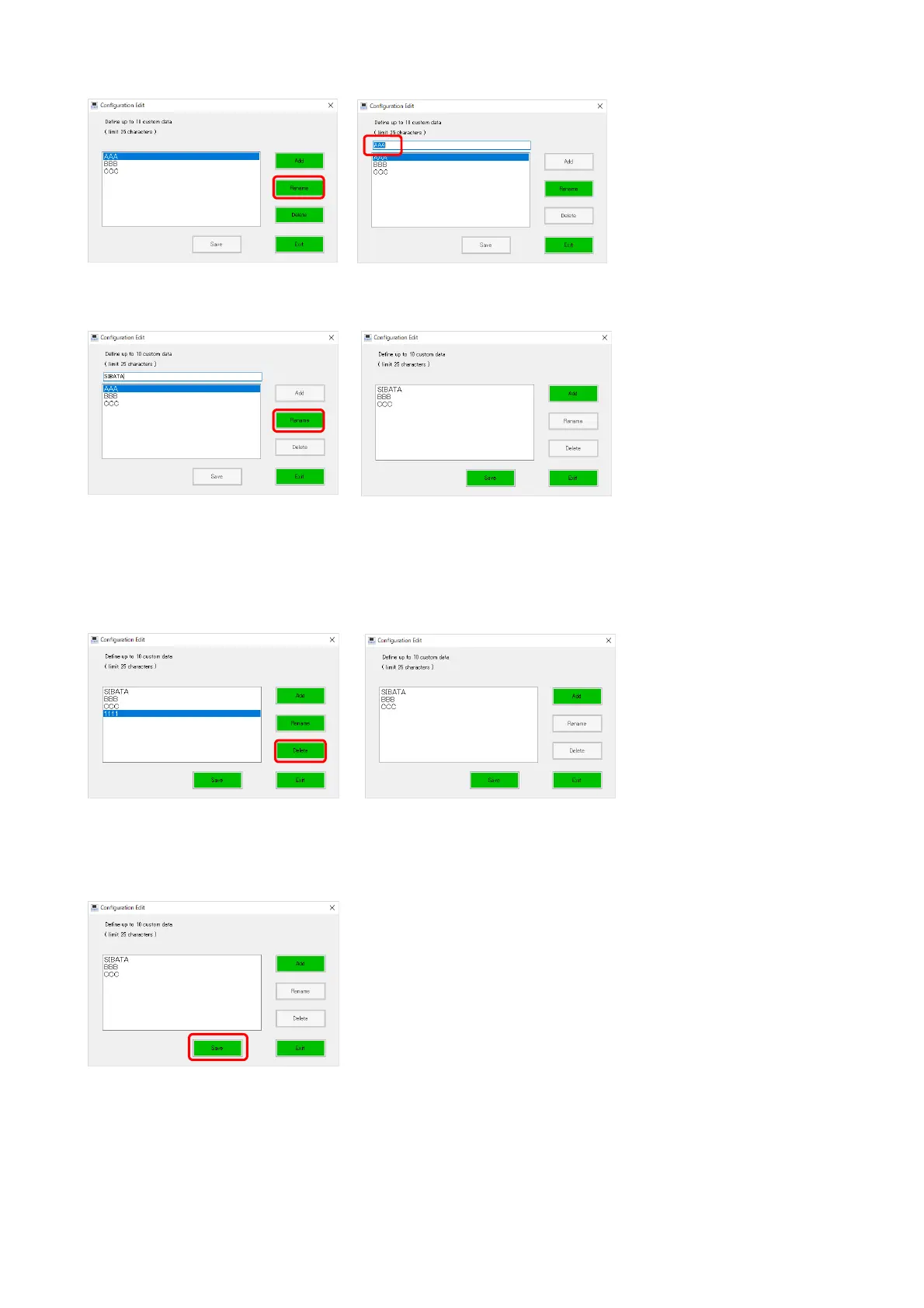
● Editing
Select (highlight) an item to be edited in the list and click the [Rename] button.
When a textbox is displayed above the list, edit the information, and then click the [Rename]
button.
● Deleting
By selecting (highlighting) an item to delete from the list and clicking the [Delete] button, you
can delete the item from the drop-down list.
Click the [Save] button to save the data.



 To Next Page