32
8015675/1EEU/2021-12| SICKO P E R A T I N G I N S T R U C T I O N S | Flow-X
Subject to change without notice
5 COMMISSIONING
Changing the device ID
1 Go to menu item “Communication/Flowsic600-XT Flow meter/Flowsic600-XT Communi-
cation”
2 Change the value “Modbus server/slave ID” to the device ID set in the device.
3 Check the communication status again.
4 Check the communication protocol used. SICK Modbus® RTU for FLOWSIC600-XT or
RTU for Flow-X flow computer.
Changing the protocol type is only possible via the FLOWgate™ software for the
FLOWSIC600-XT, or via the Flow-Xpress software for the flow computer.
See Section “Configuration with FLOWgate
TM
” for further information
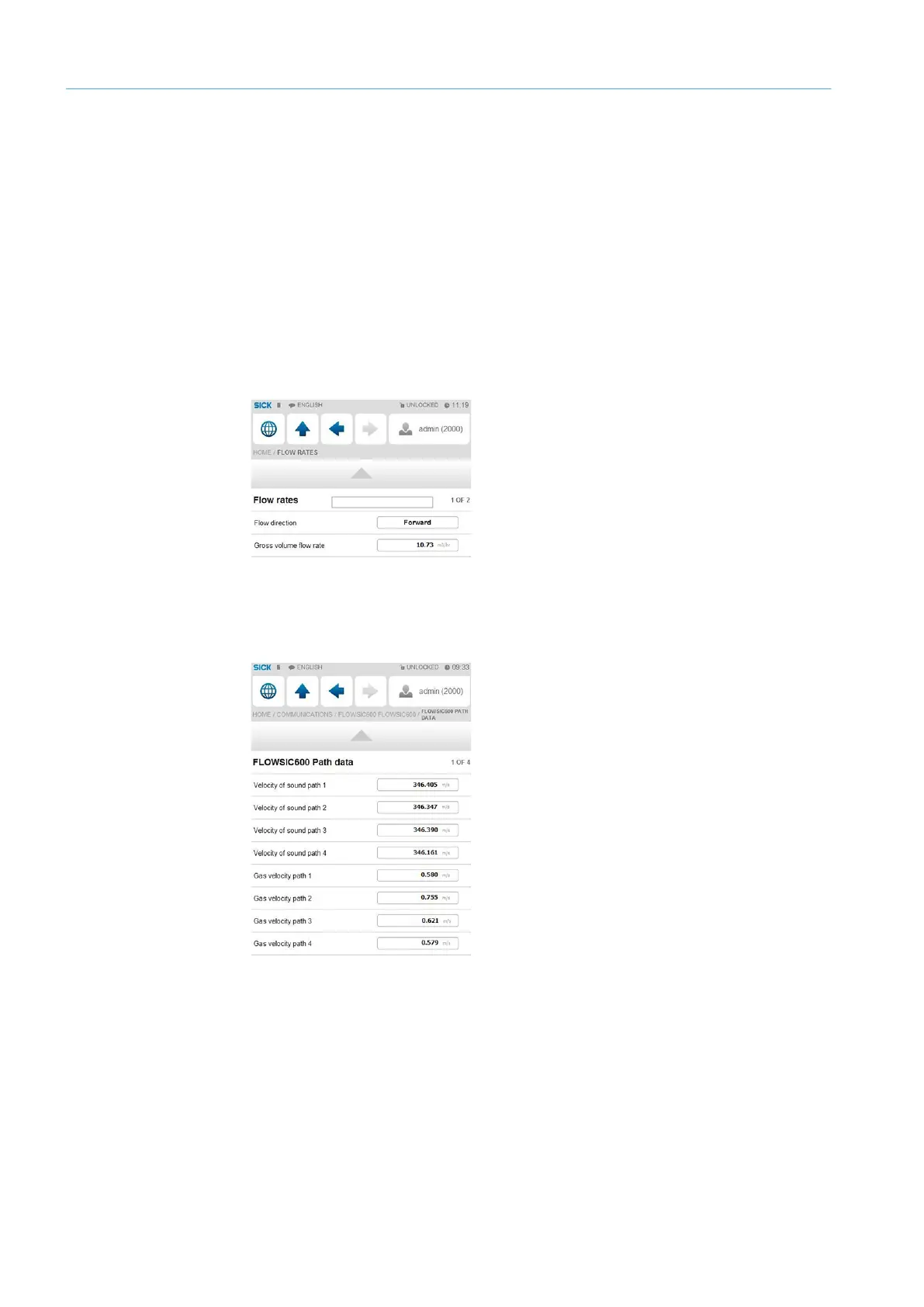
5 In menu item “Flow rates”, check that the Flow-X flow computer receives data from the
gas flow meter used under “Gross volume flow rate”. The data must match the flow rate
displayed by the gas meter.
Fig. 30: Menu item “Flow rates”
6 Go to menu item “Communication/Flowsic600-XT Flow meter/Flowsic600-XT Path
Data”.
7 Check that values are displayed for the individual paths.
Fig. 31: Menu item “Communication/Flowsic600-XT Flow Meter/Flowsic600-XT Path Data”


 To Next Page