33
8015675/1EEU/2021-12| SICK O P E R A T I N G I N S T R U C TI O N S | Flow-X
Subject to change without notice
COMMISSIONING 5
5.4.2 Pressure transmitter
Checking the communication status
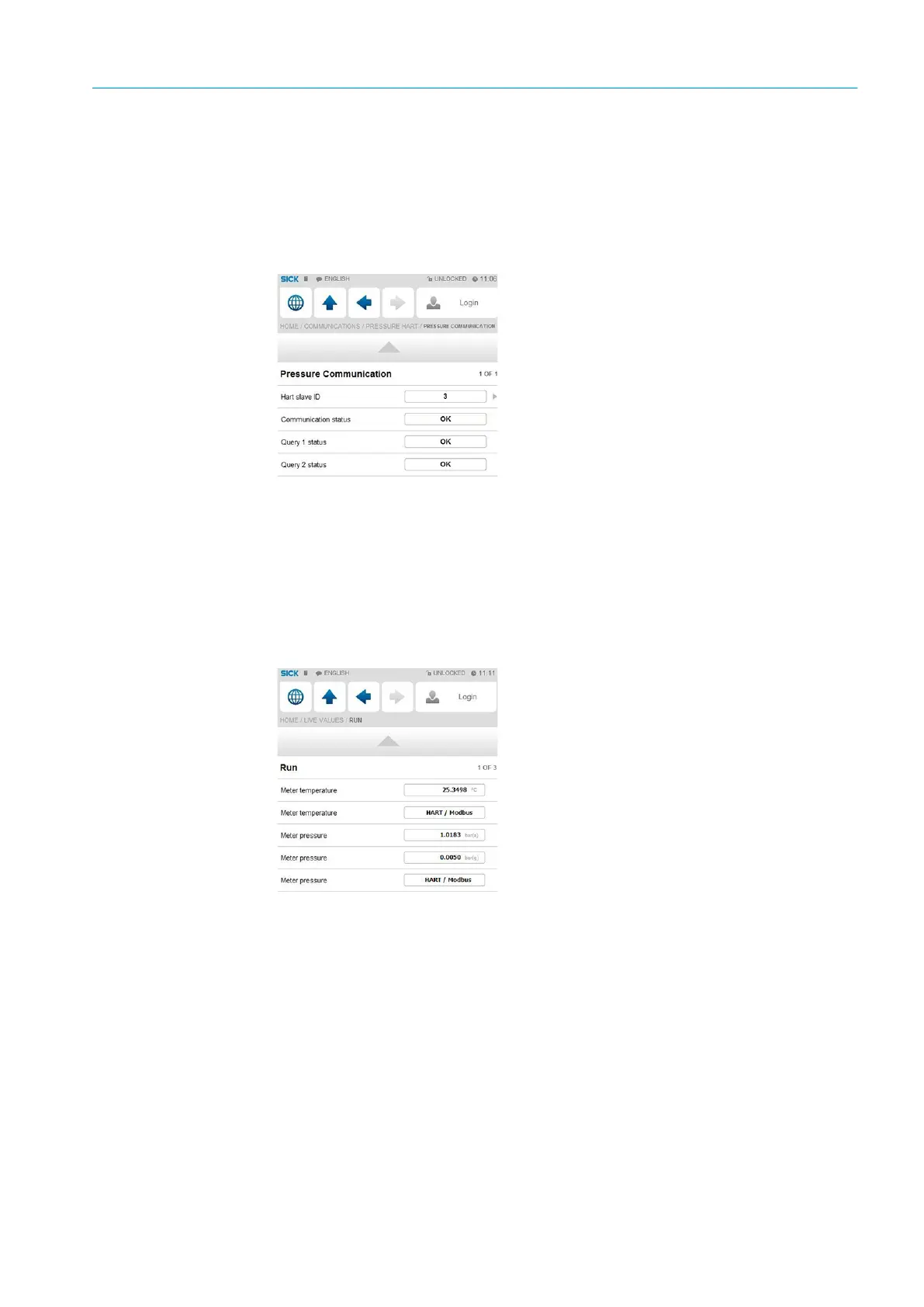
1 Go to menu item “Communication/Pressure Hart/Pressure Communication”.
2 Check the “Communication status”.
When the “Communication Status” is set to “OK”, the correct device ID is already set in
the flow computer.
Fig. 32: Menu item “Communication/Pressure Hart/Pressure Communication”
Changing the device ID
1 Go to menu item “Communication/Pressure Hart/Pressure Communication”.
2 Change the “HART slave ID” to the device ID set in the device.
3 Check the communication status again.
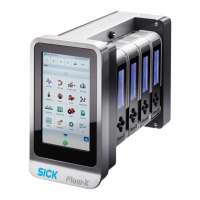
4 Go to menu item “Live Values/Run”.
5 Check that the flow computer receives data from the pressure transmitter under “Meter
pressure”.
Fig. 33: Menu item “Live Values/Run”


 To Next Page