39
8015675/1EEU/2021-12| SICK O P E R A T I N G I N S T R U C TI O N S | Flow-X
Subject to change without notice
TROUBLESHOOTING 6
6.2.2 Configuration with Flow-X flow computer, webserver or module screen
Login is required to change settings. To do this, proceed as explained in the “Device
settings” Section.
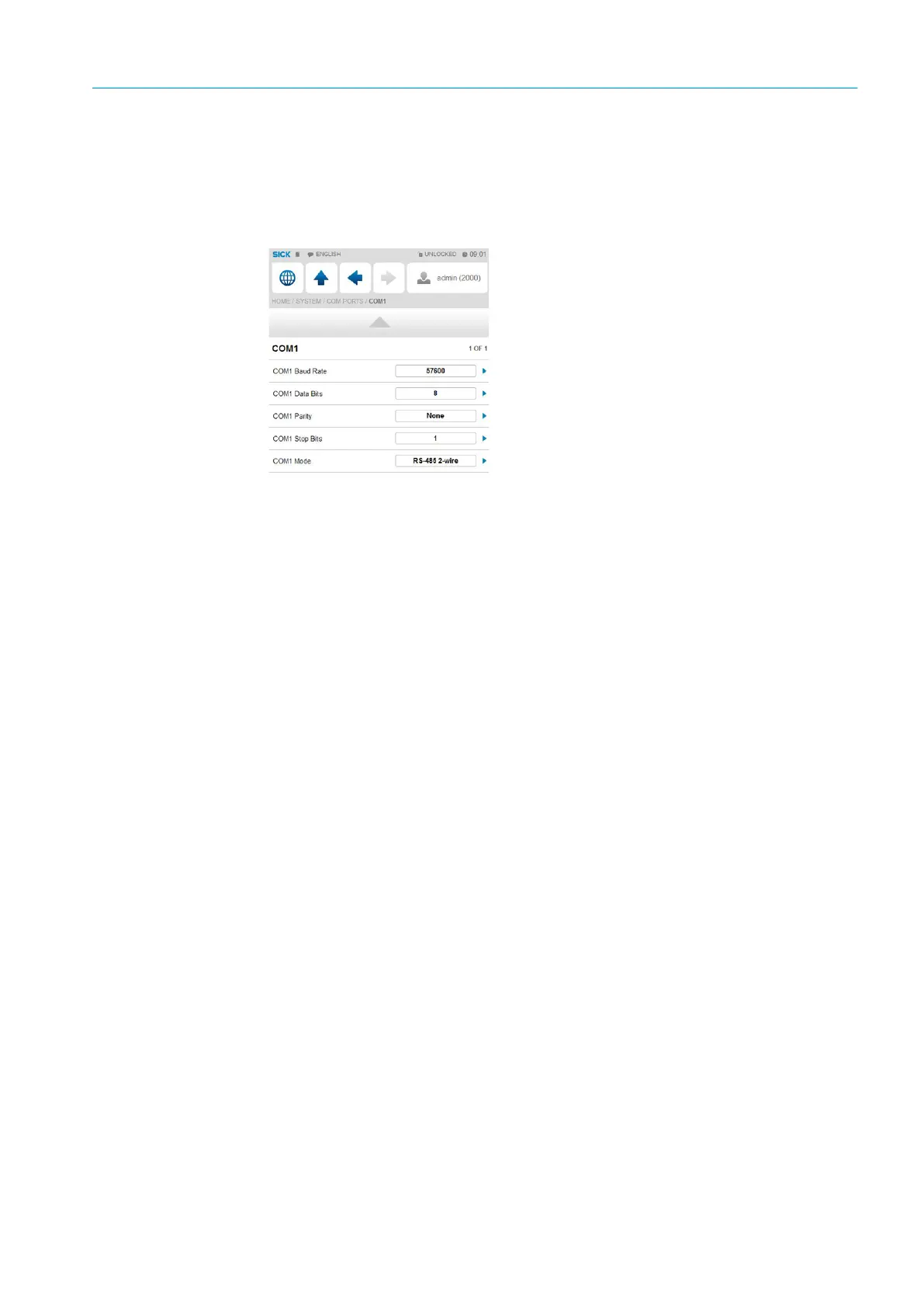
1 Go to menu item “System/Modules/Module 1/COM Ports/COM1”.
2 Change the baud rate, data bits, parity and stop bits to the values set in FLOWgate
TM
.
Fig. 41: Menu item “System/Modules/Module 1/COM Ports/COM1”


 To Next Page