37
8015675/1EEU/2021-12| SICK O P E R A T I N G I N S T R U C TI O N S | Flow-X
Subject to change without notice
TROUBLESHOOTING 6
Connection test
The device connection can still be checked even when no gas is flowing through the gas
flow meter.
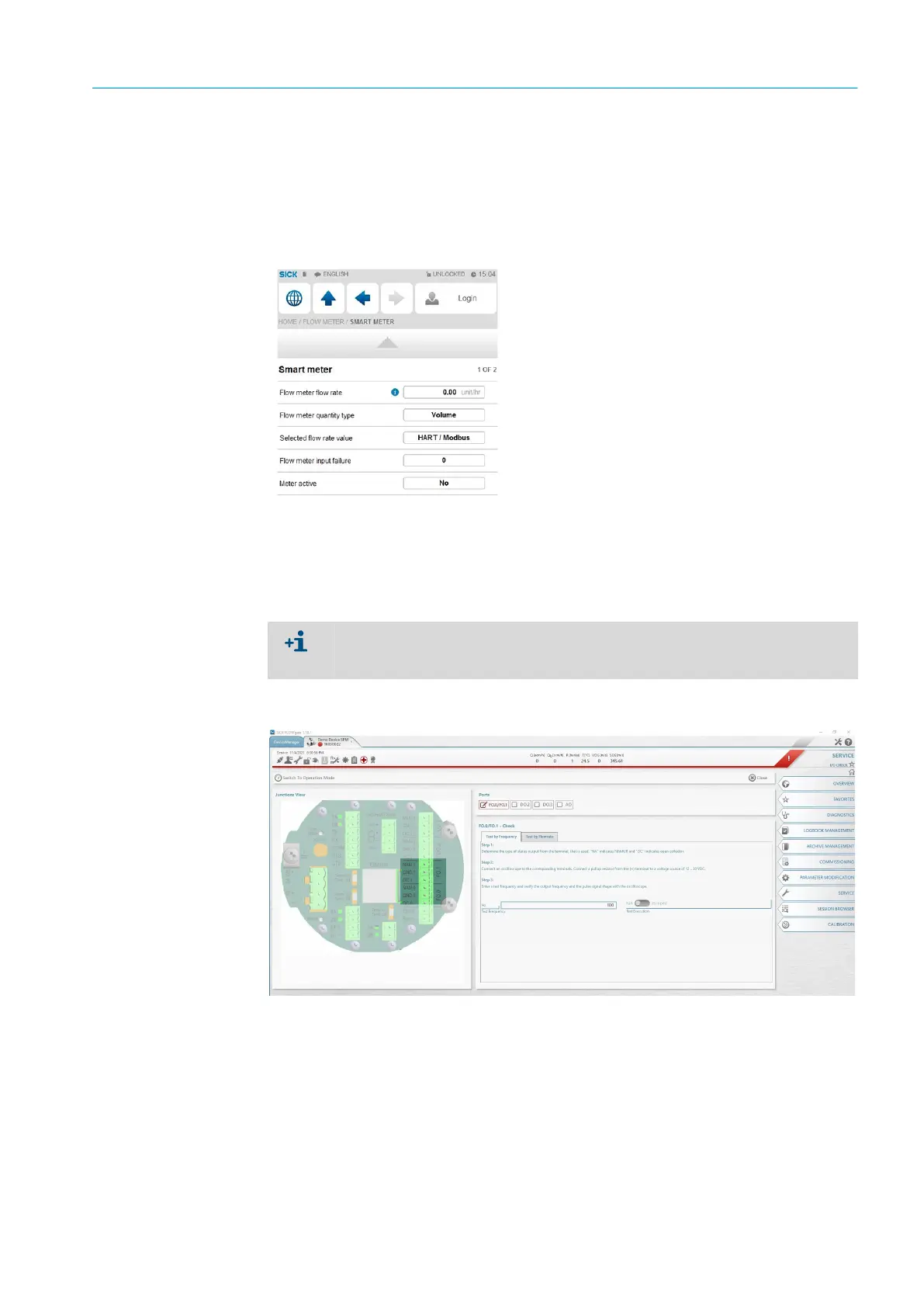
1 On the Flow-X flow computer, go to menu item “Flow Meter/Smart meter”.
“Flow meter input failure” is set to O because no errors exist.
“Meter active” is set to “No” because there is no gas flow.
Fig. 37: Menu item “Flow Meter /Smart meter”
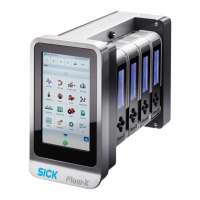
2 Start the FLOWgate™ software on the computer connected to the gas flow meter and
connect to the connected gas flow meter.
3 Select “SERVICE” and “I/O CHECK” in the menu tree on the right side.
4 Select pulse outputs FO.0/FO.1 and switch to Configuration mode.
5 Enter any value for “Test frequency” or “Test flow rate” and move the slide switch to
“Run”.
Fig. 38: Determining the flow rate
The Flow-X flow computer shows error message “Flow meter measurement fail”, which
can be ignored until the change back to Measurement mode. The error message then
disappears automatically.


 To Next Page