26
8025999/V1-0/2021-02 | SICKO P E R A T I N G I N S T R U C T I O N S | MICS3/OS3 electr. protection hood
Subject to change without notice
6 MAINTENANCE
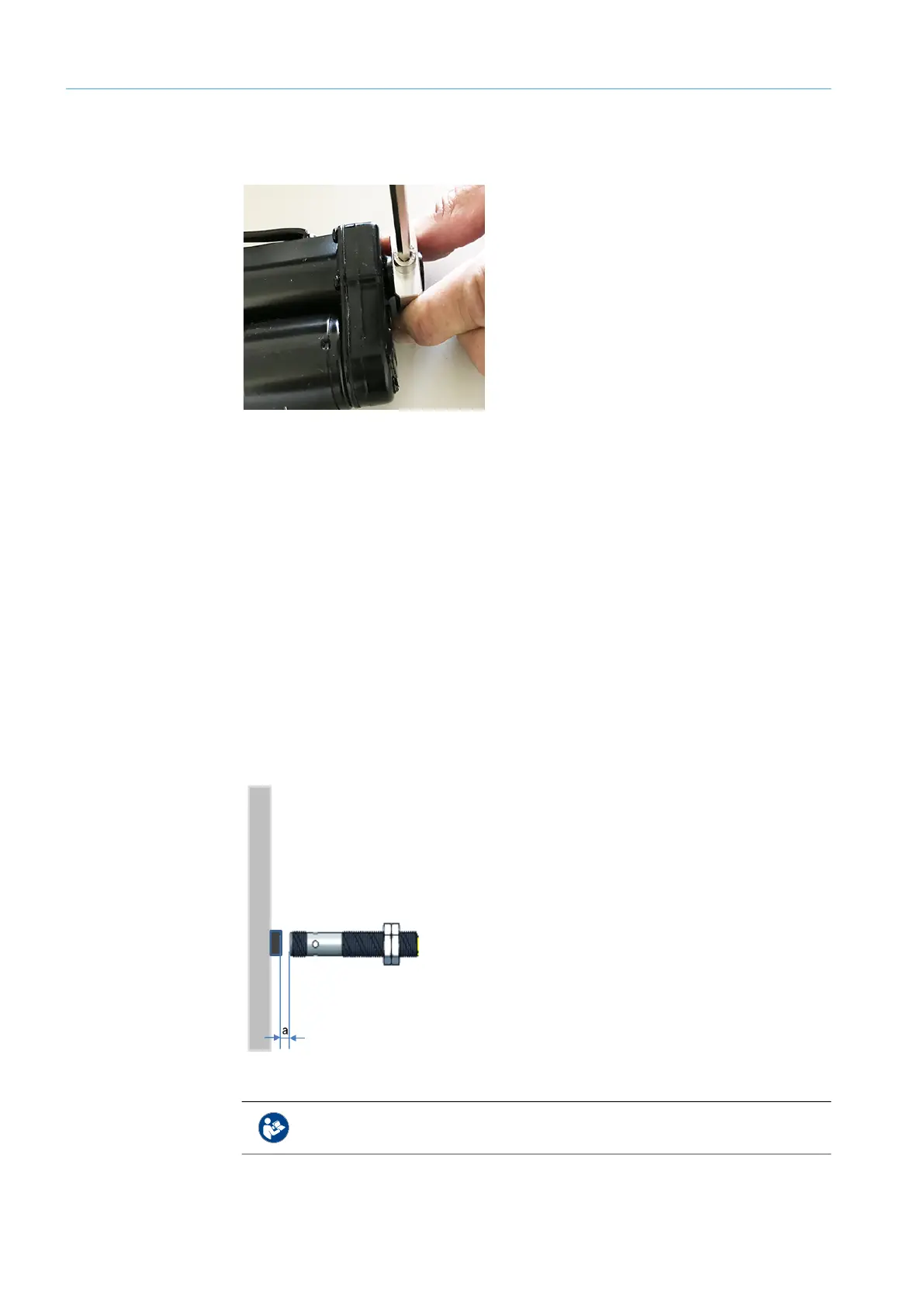
▸ Turn the actuator and loosen and remove the M6 screw on the actuator support with
Allen wrench SW5.
Fig. 20: Screw on actuator support
▸ Mount the new actuator in reverse order.
▸ Mount the protection hood unit to the support unit and connect it.
▸ Restore the voltage supply.
Actuator exchange is complete.
6.3 Safety switch
Cleaning
▸ Do not use aggressive cleaning agents.
▸ Do not use substances that interfere with paint wetting.
▸ Use anti-static cleaning agents.
Exchange
▸ Replace any defective safety switches immediately.
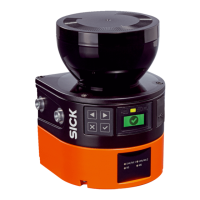
▸ During installation, maintain distance to the detecting screw head
(a=2 mm ± 0.5).
Fig. 21: Distance to detecting screw head
Further information on the IME2S safety switch can be found in the correspond-
ing SICK operating instructions.


 To Next Page