
 To Next Page
Z
zhughesAug 1, 2025
What to do if the SICK Other device shows visible signs of damage?
- MMatthew AyersAug 1, 2025
If the SICK Other device shows visible signs of damage, do not put it into operation, or take it out of operation immediately.

What to do if the SICK Other device shows visible signs of damage?
If the SICK Other device shows visible signs of damage, do not put it into operation, or take it out of operation immediately.
What to do if the supply voltage is too low or incorrect polarity in SICK RFU610-10600?
If the supply voltage is too low or the polarity is incorrect in your SICK Other device, check and correct the supply voltage or polarity.
What to do if data interfaces of the SICK RFU610-10600 Other device wired incorrectly?
If the data interfaces of the SICK Other device are wired incorrectly, check and correct the wiring of the data interfaces.
What to do if SICK Other device limits not observed?
If the device limits for your SICK Other are not being observed, make sure to observe the device limits.
What to do if functions of SICK RFU610-10600 are not adapted to local conditions?
If the functions of your SICK Other device are not adapted to the local conditions, adapt the functions to local conditions.
What to do if settings for the filter or Tag Select not suitably selected in SICK RFU610-10600 Other?
If the settings for the filter or Tag Select are not suitably selected on your SICK Other device, select suitable settings for the filter or Tag Select.
What to do if the ambient temperature is too low or high for SICK Other?
If the ambient temperature is too low or too high for your SICK Other device, adjust the ambient temperature to within operational limits.
Describes the RFU61x as an ID sensor for automated identification of wireless data cards.
Details restrictions on device usage based on configured frequency band and region.
Warns against incorrect usage and specifies conditions that constitute improper use.
Advises against modifications and conversions due to potential dangers and warranty invalidation.
Specifies the necessary qualifications for personnel performing tasks on the device.
Highlights safety notes and warnings to reduce risks.
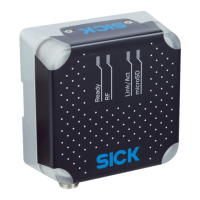
Details the physical and functional characteristics of the device.
Provides a visual representation and labeling of the device's components and dimensions.
Explains the factors influencing the antenna's sensing range.
Provides a summary of the device's key features and functionalities.
Outlines the sequential steps for mounting the device.
Discusses factors to consider when selecting the optimal mounting location.
Details the process of physically mounting the device and alignment.
Outlines crucial safety notes for electrical installation work.
Provides general safety guidelines for connecting wires and cables.
Explains prerequisites for safe operation, focusing on electrical grounding.
Provides guidelines for connecting cables and wiring the device.
Gives a comprehensive overview of the device's interfaces and connection types.
Details connection methods using power and Ethernet.
Details connection methods using Power over Ethernet (PoE).
Explains how to use the various data interfaces for configuration and data output.
Details the pin assignments for the device's electrical connections.
Explains how to connect the device's supply voltage safely.
Outlines the general procedure for initial device commissioning.
Introduces SOPAS ET as the standard tool for device configuration.
Guides users on launching SOPAS ET and establishing a device connection.
Explains the meaning of the device's operational and status indicators (LEDs).
Details the function of the Ready, RF, Link/Act, and microSD LEDs.
Lists various methods for operating and configuring the device.
Lists common errors and faults categorized by situation.
Lists the technical features and specifications of the RFU61x device.
Details the technical specifications of the device's interfaces.
 General
| Power Supply | 24 V DC |
|---|---|
| Protection Class | IP67 |
| Switching Frequency | 10 Hz |
| Type | RFID Reader |
| Interface | Ethernet |
| Reading Range | Up to 6 m |
| Housing Material | Aluminum |
| Current Consumption | 500 mA |
| Data Transmission Rate | Up to 115.2 kbit/s |
| Output | Digital |
