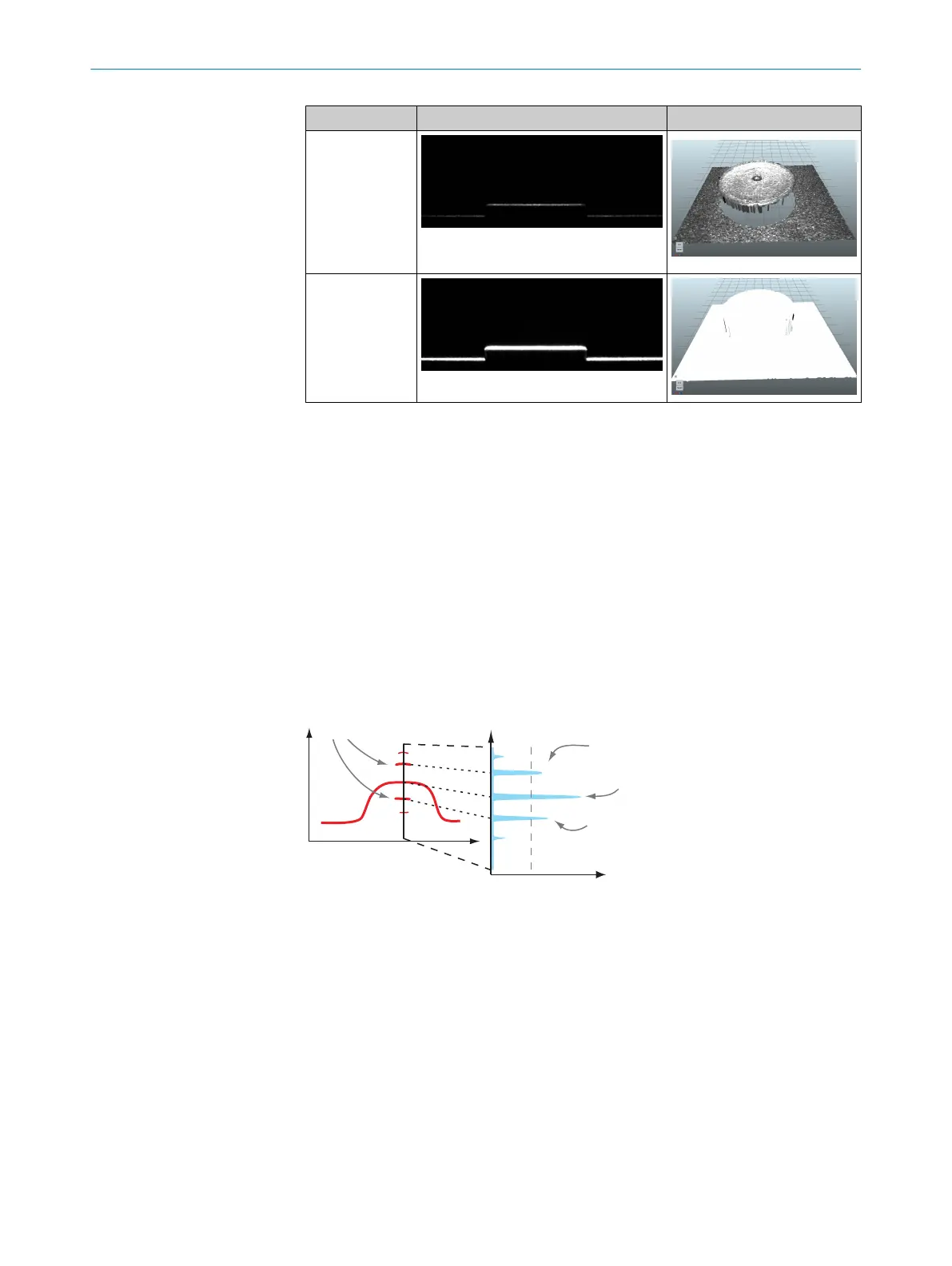
View Sensor view 3D image
Normal expo‐
sure time
Long exposure
time
2. To change the exposure time, go to the ImageSetup view and adjust the Exposure
parameter.
3. Repeat steps 1-2 until the laser line is gray and the heightmap looks good.
4. Adjust the Gain parameter if needed. A low gain value keeps the noise level down.
A high gain value increases the image brightness, but also increases the noise
level.
5. Adjust the LaserThreshold parameter to determine which sensor intensity values to
include when locating laser peaks. A high threshold value gives less noise in the
heightmap, while a low threshold value makes it possible to detect weak laser
peaks.
6. Select laser line acquisition criteria with the PeakSelection parameter:
°
Strongest locates the point with the highest intensity in each column.
°
Top Most and Bottom Most locate the highest or lowest point with an intensity
higher than the value set by the LaserThreshold parameter.
z
a
b
z
x
Intensity along a-b 2
Reflections 1
Top-most 3
Strongest 4
Bottom-most 5
Laser threshold 7
Intensity 6
1
Reflections
2
Intensity along a - b
3
Top-most
4
Strongest
5
Bottom-most
6
Intensity
7
Laser threshold
7 COMMISSIONING
36
O P E R A T I N G I N S T R U C T I O N S | TriSpectorP1000 8022395/19OK/2020-12 | SICK
Subject to change without notice








 To Next Page