8.4.3 Setting the response time
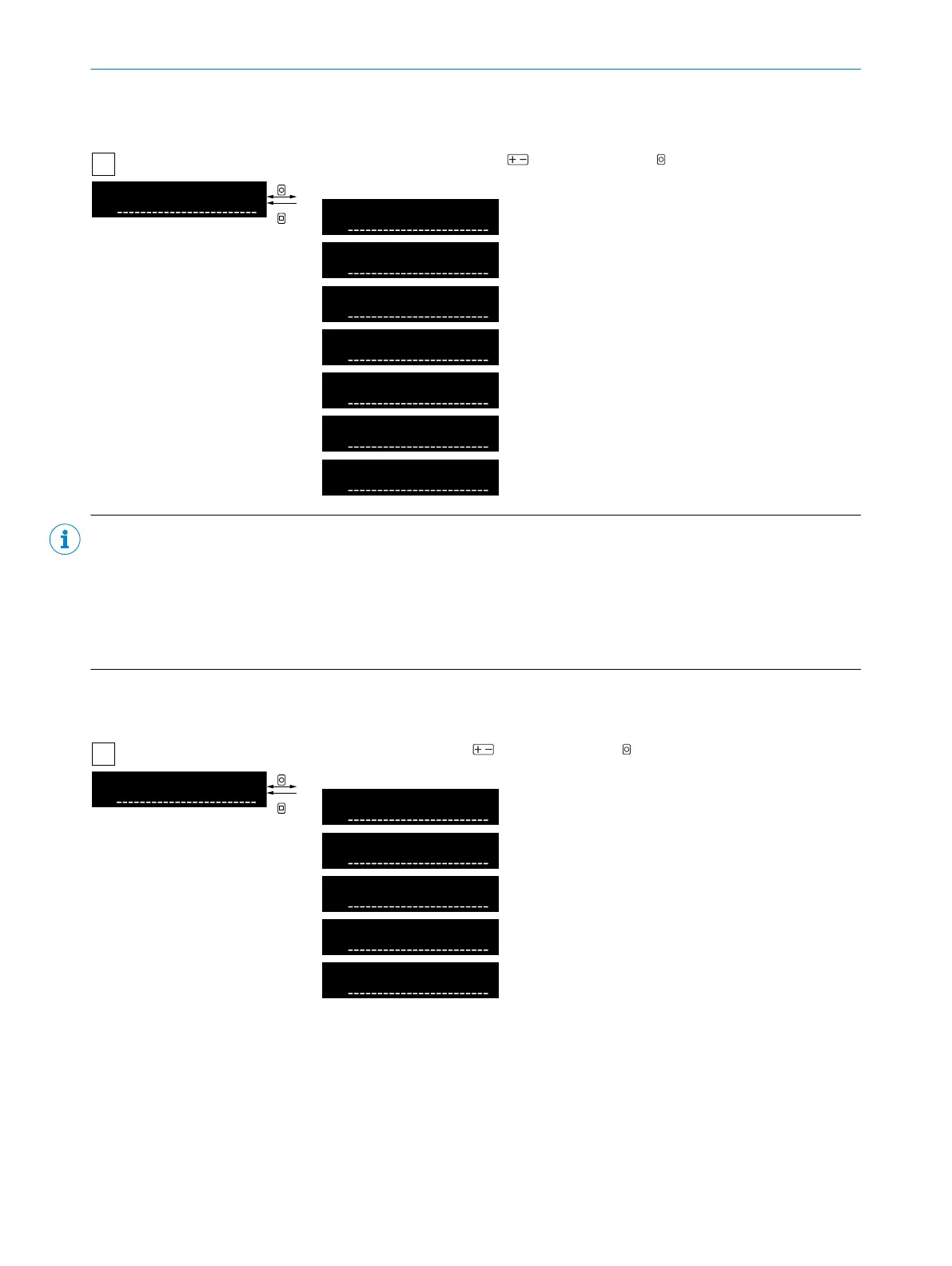
Table 15: Setting the response time
1
A
|
S3
Response time
OK
ESC
S3
Adjustment response time
Select response time using and confirm using OK. After confirmation, the
display returns to the higher-level menu.
16µs (current received light value)
70µs (current received light value)
250µs (current received light
value)
500µs (current received light
value)
1ms (current received light value)
2ms (current received light value)
8ms (current received light value)
NOTE SELECTING THE APPROPRIATE RESPONSE TIME
•
Select a suitable response time based on the application and the process speed (as fast as necessary, as
slow as possible).
•
For high sensing ranges or high robustness against contamination, we recommend selecting the slowest
possible response time.
•
To avoid saturation of the received light, we recommend, amongst other things, selecting a fast response
time.
8.4.4 Setting the display language
Table 16: Display language
1
A
|
S4
Language
OK
ESC
S4
Display language
Select language using and confirm using OK. After confirmation, the
display returns to the higher-level menu.
English: English
Deutsch: German
日本語 : Japanese
中文 : Chinese
한국어 : Korean
8 OPERATION
26
O P E R A T I N G I N S T R U C T I O N S | WLL80 Analog 8027947 /2022-12-14 | SICK
Subject to change without notice



 To Next Page