1
2
3
5
4
6
7
t
EIN
t
IMP
t
IMP
t
EIN
t
EIN
t
EIN
t
EIN
t
EIN
t
EIN
t
EIN
t
AUS
t
AUS
t
t
t t
t
t
t
t
t
t
t
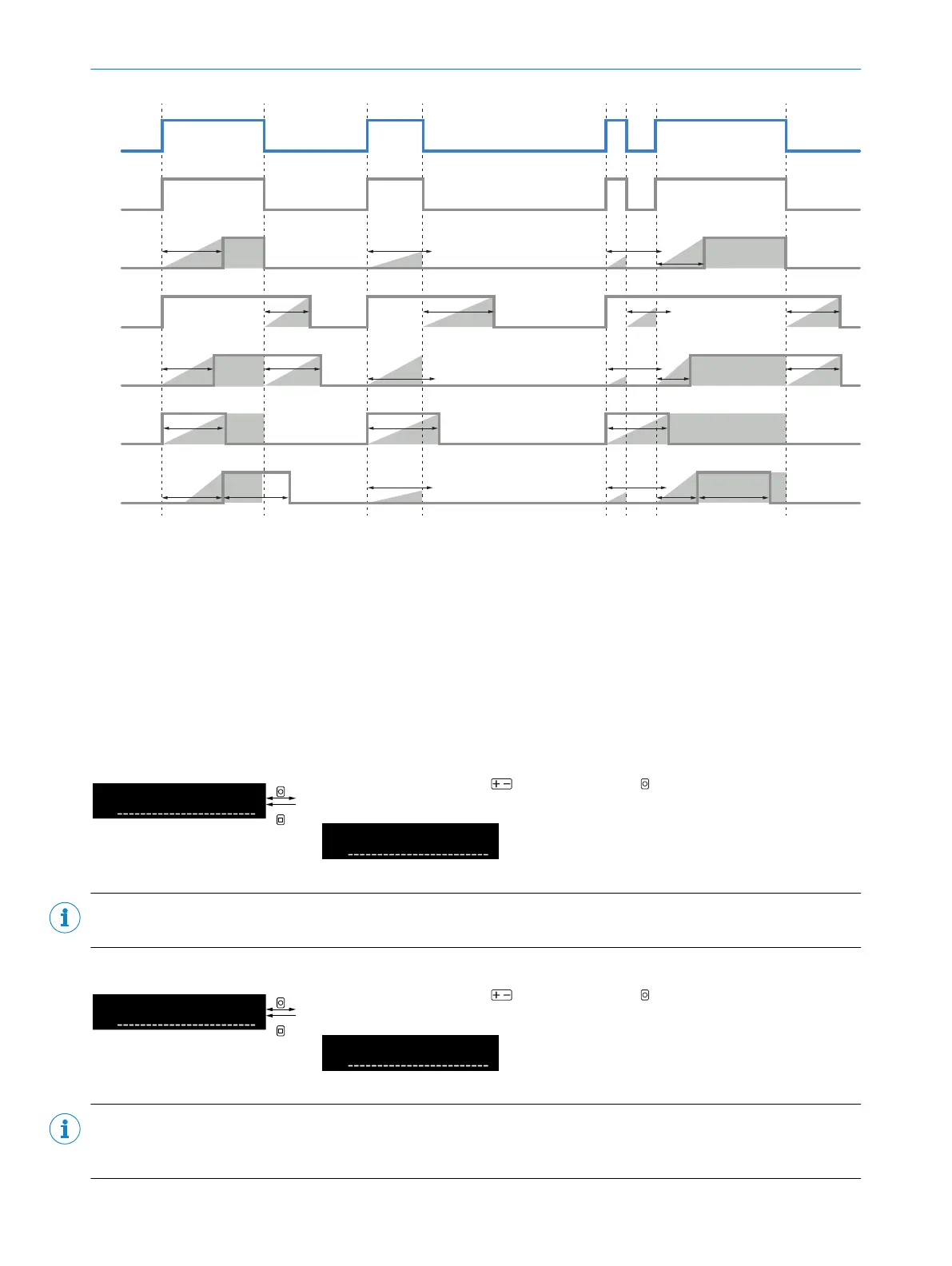
Figure 13: Time functions
1
Input signal
2
No time function
3
Switch-on delay
4
Switch-off delay
5
Switch-on/switch-off delay
6
Impulse
7
Switch-on delay/impulse
8.6.3 Setting the time of the time function
Table 26: Setting the time
Select time setting using and confirm using OK. After confirmation, the
display returns to the higher-level menu.
Time setting for the correspond‐
ing time function in milliseconds
(1ms ... 30,000ms).
NOTE
Time setting is only available if a time function is activated.
Table 27: Setting the time
Select time setting using and confirm using OK. After confirmation, the
display returns to the higher-level menu.
Time setting for the correspond‐
ing time function in milliseconds
(1ms ... 30,000ms).
NOTE
Second time setting is only available if a combined time function (switch-on/switch-off delay or switch-on delay/
impulse) is activated.
8 OPERATION
32
O P E R A T I N G I N S T R U C T I O N S | WLL80 Analog 8027947 /2022-12-14 | SICK
Subject to change without notice









 To Next Page