NOTE
In the delivery state and after a reset to factory settings, the job numbers are assigned with different settings for
solving typical applications.
Table 47: Job numbers
Job number Preset parameters Description of the application
Job 1 Transmitting power: Minimum
Analog output: 4-20mA
Lower threshold: 0digits = 4mA
Upper threshold: 4,000digits = 20mA
Pin 2 config. (4-wire cabled devi‐
ces/plug-in devices): Switching output
signal
Pin 2 config. (5-wire cabled devices):
Teach-in
Pin 5 config. (5-wire cabled devices):
Switching output signal
Teach-in mode (analog channel A): Ana‐
log 2-point teach-in
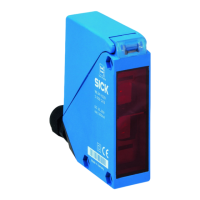
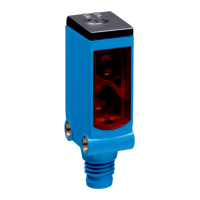
Illustration of the sensor behavior of
WLL190T-2x532 (sensor with analog out‐
put)
Job 2 Transmitting power: Minimum
Response time: 1ms
Analog output: 1-5V
Lower threshold: 25digits = 1V
Upper threshold: 1,000digits = 5V
Pin 2 config. (4-wire cabled devi‐
ces/plug-in devices): Switching output
signal
Pin 2 config. (5-wire cabled devices):
Teach-in
Pin 5 config. (5-wire cabled devices):
Switching output signal
Teach-in mode (analog channel A): Ana‐
log 2-point teach-in
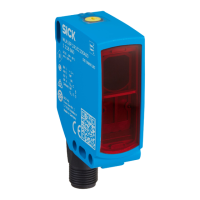
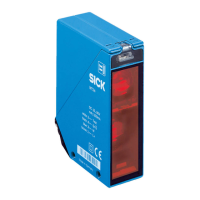
Illustration of the sensor behavior of
WLL170A (sensor with analog output)
Job 3 Detection mode: Through-beam
Response time: 8ms
Teach-in mode: 1-point teach-in
Teach-in offset: -90%
Implementing a large scanning range/
high robustness against contamination
when using through-beam fibers Perform
teach-in without object.
Job 4 Detection mode: Through-beam
Response time: 1ms
Hysteresis: 10%
AutoAdapt: On - normal
Sender power: Auto
Teach-in mode: 1-point teach-in
Teach-in offset: -10%
Detection of transparent/small objects
when using through-beam fibers Opera‐
tion of the sensor in the saturation range
is avoided by setting “Sender power:
Auto” Avoidance of switching errors due
to contamination by setting “AutoAdapt:
On - normal”. Perform teach-in without
object.
Job 5 Detection mode: Proximity
Switching point mode: Edge mode
Edge direction: Both (positive and nega‐
tive)
Edge offset: 12,500µs (50 x 250µs)
Indicator mode: Edge
Detecting rising and falling edges
(caused, for example, by edge jumps of
the object) when using a proximity fiber.
NOTE
Parameters not listed in the table are set to their factory setting.
8 OPERATION
44
O P E R A T I N G I N S T R U C T I O N S | WLL80 Analog 8027947 /2022-12-14 | SICK
Subject to change without notice









 To Next Page