Connecting
5.3 Disconnecting
3TK2810-1 safety-related speed monitor
System Manual, 01/2011, 926246402000 DS 02
37
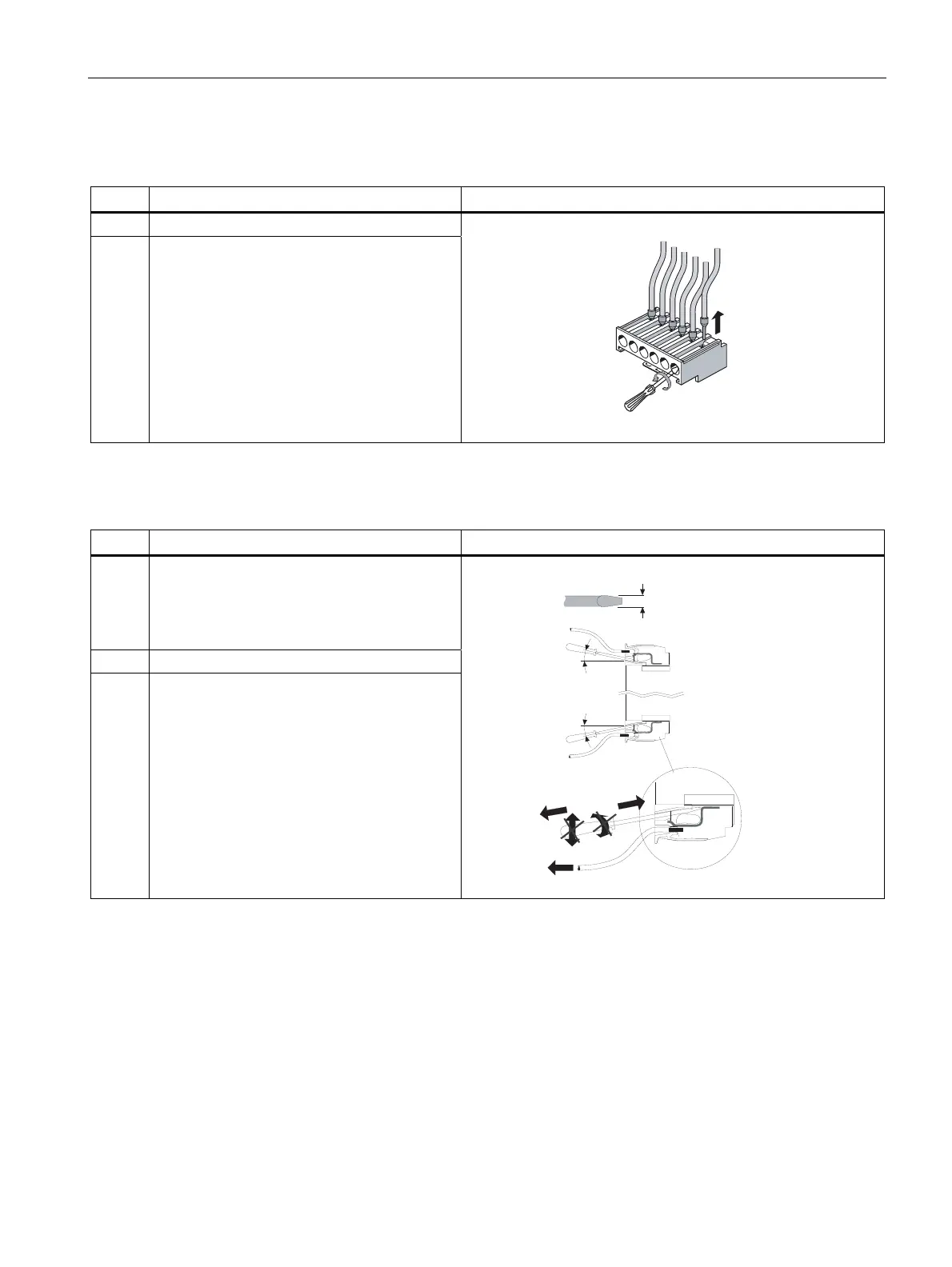
Disconnecting screw-type terminals
Step Operating instruction Figure
1 Unscrew the screw of the screw-type terminal.
2 Remove the cable from the unscrewed screw-
type terminal.
Disconnecting spring-loaded terminals
Step Operating instruction Figure
1 Insert the flat-head screwdriver into the square
opening of the spring-loaded terminal until it
engages. Please observe a 10° horizontal
angular deviation of the screwdriver to the oval
opening.
2 Remove the cable from the oval opening.
3 Remove the screwdriver.
~10°
~10°
3 mm





 To Next Page