46
Press keys:
Gigaset 4010 Comfort, GBR, A31008-G4010-B102-1-7619
sms.fm
11.6.01
Incoming list
Reading and deleting received SMS messages
The status LED flashes on all handsets to signal new
text messages (SMS).
Date and time are specified for each SMS received (as
set in the telephone, see page 9). The SMS messages
are sorted in chronological order.
New
text messages appear
before
old
text messag-
es.
Open the menu
]]]]]]]]]]]]]]]]]]]]]]]]]]]]]]]]
Text Messa
e
Select the text message.
]]]]]]]]]]]]]]]]]]]]]]]]]]]]]]]]
Incomin
Open the incoming list.
5HDG
Read the SMS
or
'HOHWH
Delete the SMS.
Scroll to the next or previous SMS.
The first ring tone is suppressed in the case of an
incoming text message (SMS). This allows your
Gigaset to distinguish between text messages
(SMS) and calls.
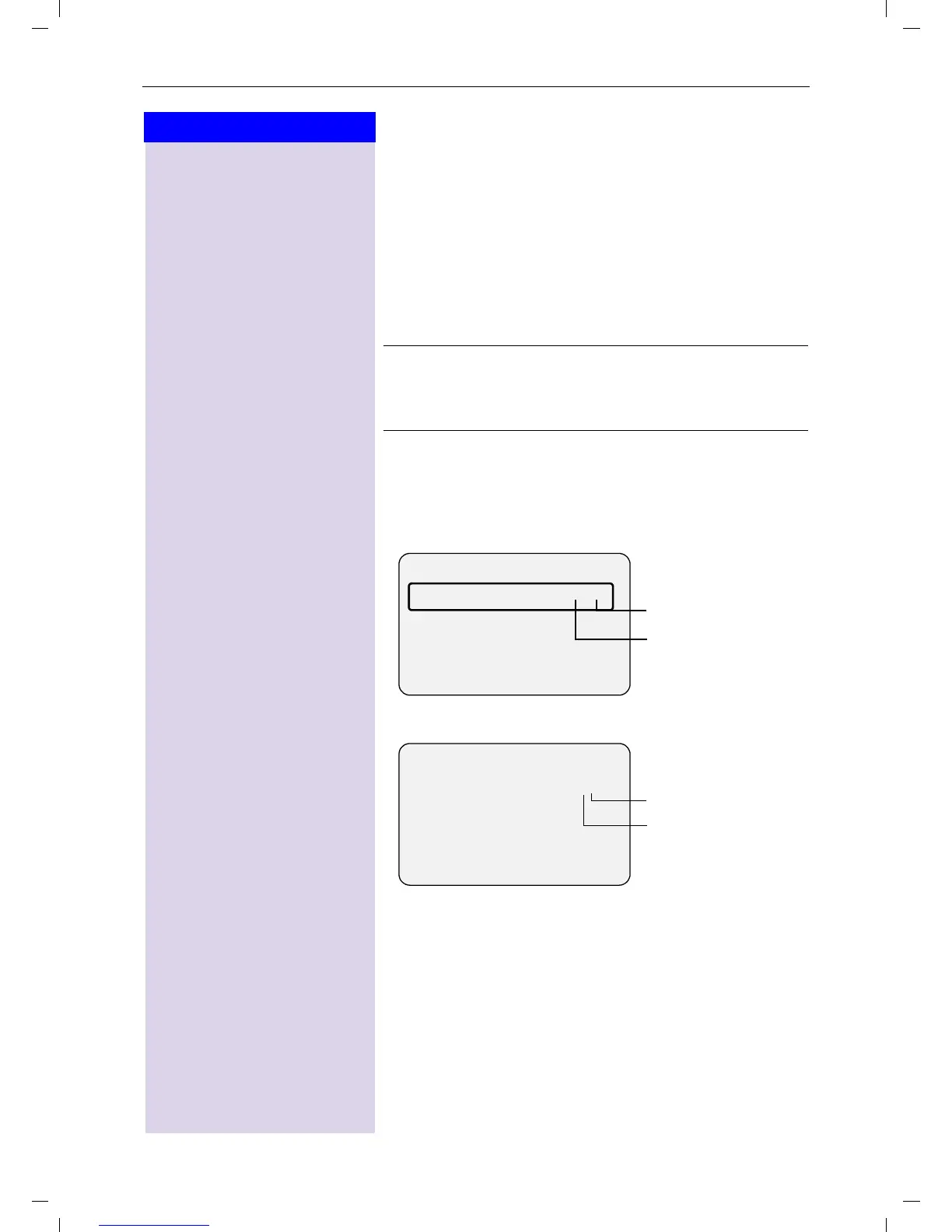
----------Text Message---------
Incoming 02/04
Outgoing
Service Centr.1
R
Total old SMS
messages
Total new SMS
messages
--------------Incoming-------------
New SMS 1/2
08912345678
12.07.00 11:33
'HOHWH 5HDG
Total new SMS
messages
Number of the new
SMS











 To Next Page