Operating Manual - Elevator Door Operation AT18
49
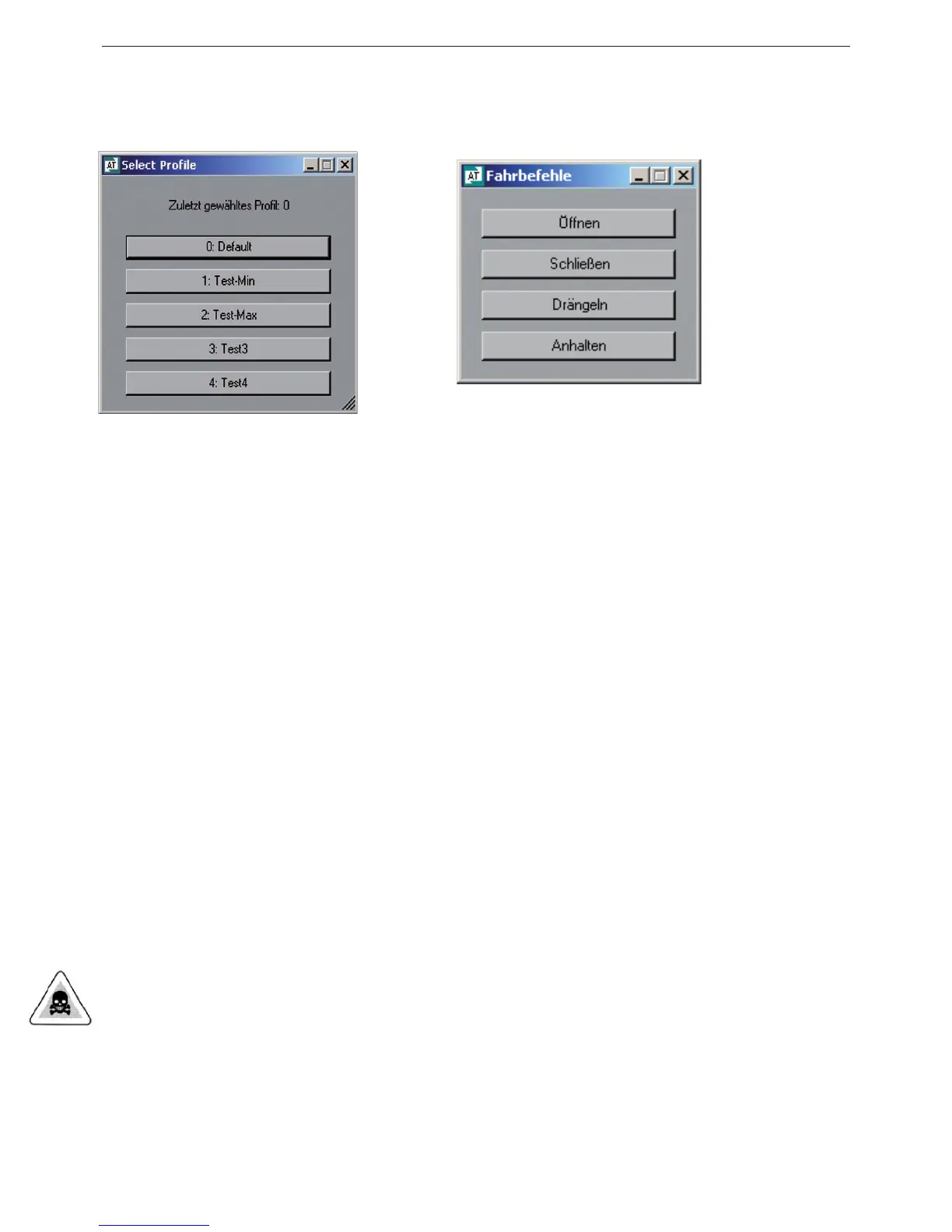
Additional buttons are “Select prole” and “Movement instructions”
Illustration 15 Illustration 16
Via the “Select prole” window an appropriate prole (1 – 6) can be selected and activated. The
proles are stored on the control unit AT18.
Via the “Movement instructions” window the input signals of the AT18 can be simulated and the
elevator door moved according to the push buttons.
The clicking of a movement cycle value on the left of the editor menu (illustration 14) results in
this value being marked on the right in the illustrated movement cycle. Likewise the clicking of an
incline or of another movement value in the movement cycle diagram results in the marking of the
value belonging to it in the parameter list and therefore can easily be found.
The changing of a value directly inuences the presented form of the movement cycle. As an aid,
attention is drawn to the setting limits of the current parameters in the top right window, as well as
to their exceeding.
The newly set parameters is transferred to the control unit AT18 by pressing the “Store parameter
in AT” button.
Going out of the movement cycle editor takes place via the “Main menu” button.
WARNING
In order for the closing speed and nudge speed to be limited depending on the door weight, it is
imperative that a new teach-in drive (start with button S5000) be made after taking over another
prole.



 To Next Page