48
Operating Manual - Elevator Door Operation AT18
15.12.4 Movement cycle editor
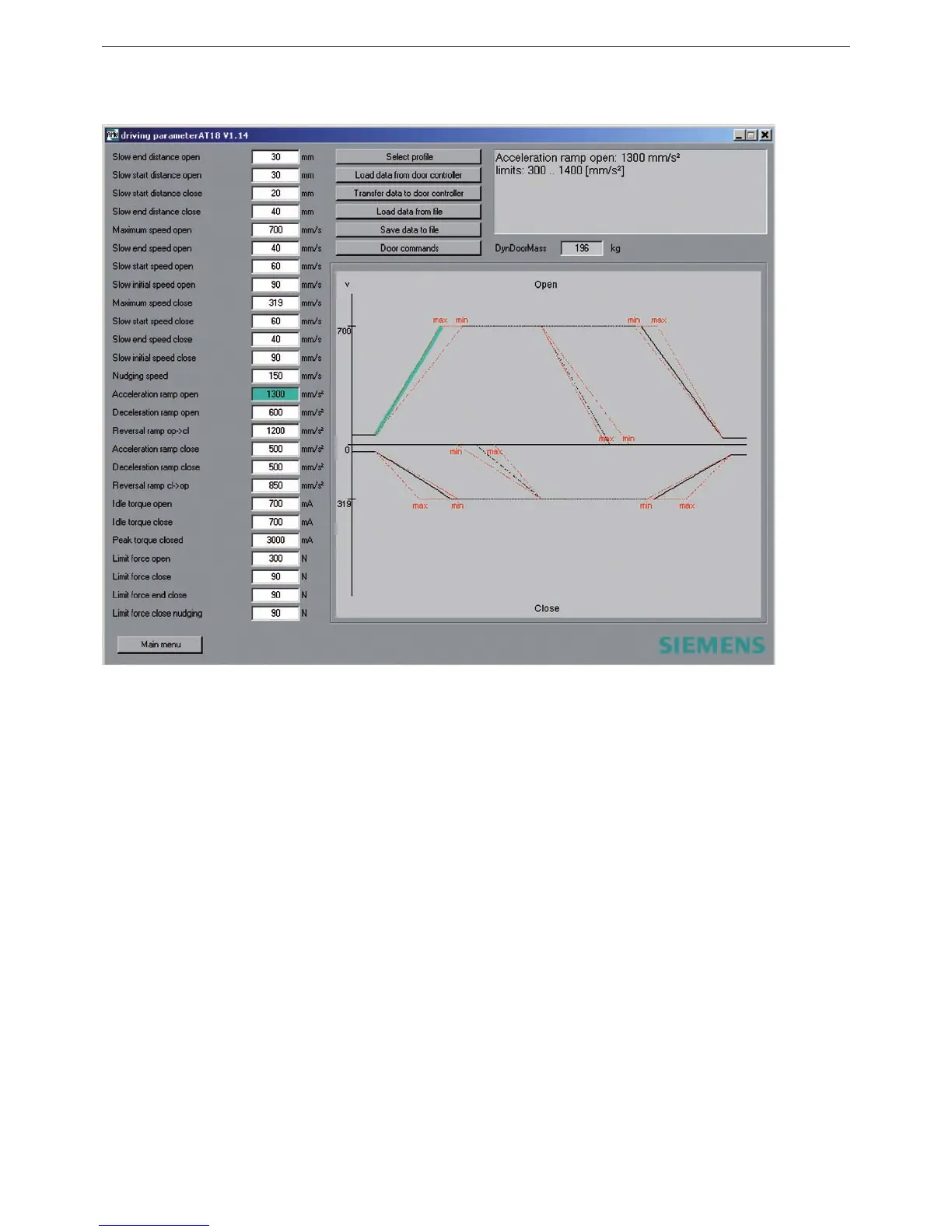
Illustration 14
At the start of the movement cycle editor the control unit AT18 automatically selects the parameter
if a communication has been established.
All adjustable parameters can be loaded in the movement cycle editor, adjusted comfortably and
stored again. The loading as well as storing of parameters can take place in the control unit AT18
and also in a text le on the PC. This way it is possible to use movement cycles stored on the PC for
the putting into operation of another similar elevator door.
For this purpose the following buttons are provided:
- “Load parameter from AT”
- “Store parameter in AT”
- “Load parameter from le”
- “Store parameter in le”



 To Next Page