BC8001A Installation and Operating Instruction
Page 17/49
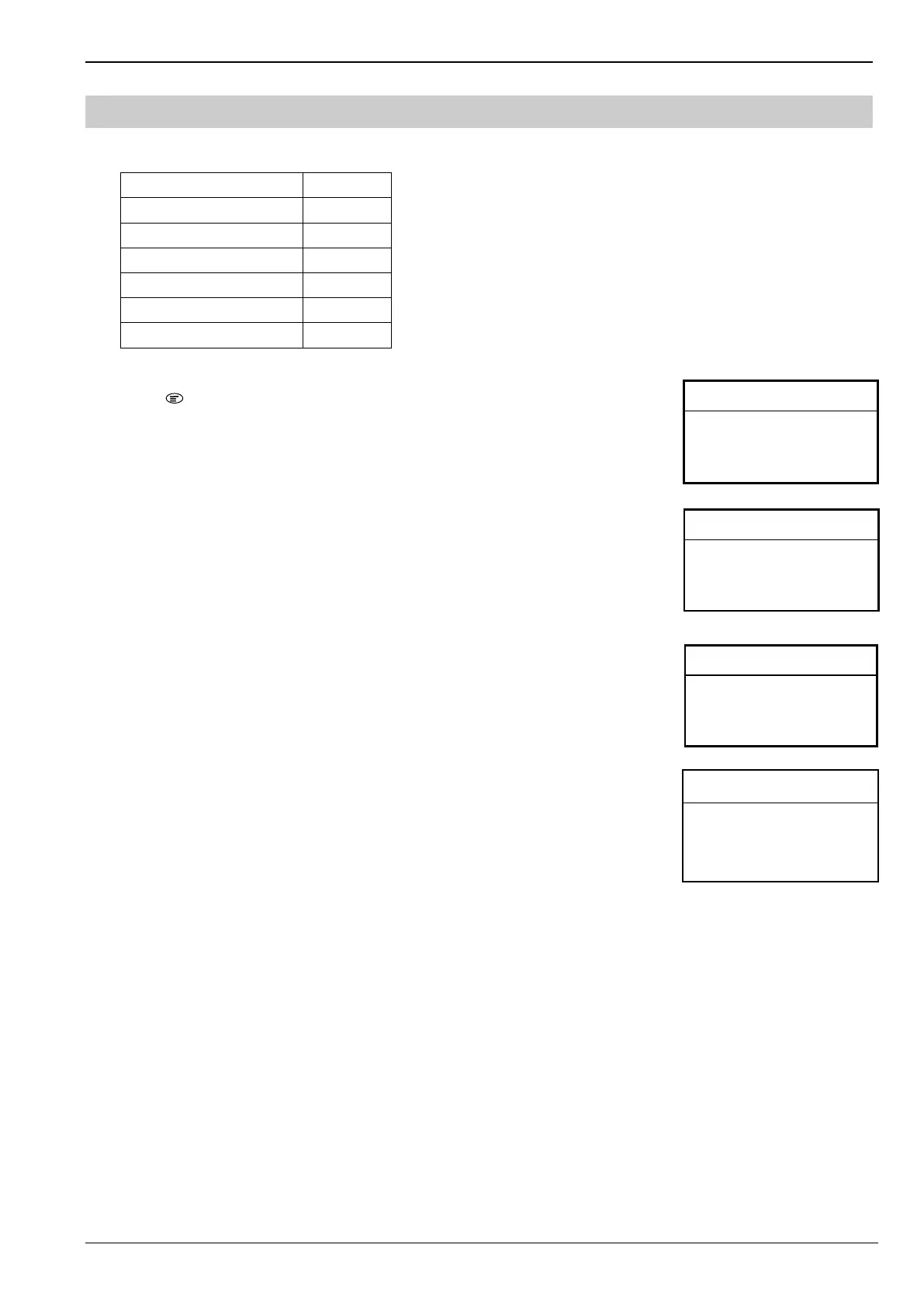
4. Type of Information
BC8001A includes 6 types of information:
Type of information Priority
Fire Alarm 1
Trouble 2
Isolation 3
Activation 4
Te s t 5
Walk-test 5
How to query real time information:
1. Press “ ” to enter main menu.
The main menu is displayed.
2. Press “↓” to choose “1.RT Information” and press “OK” key.
6 kinds of inormation are displayed. ( “m” means acknowledged events number. “n”
means total events number.)
3. Press “↓” to choose one kind of information and press “OK” key.
All the queried information is displayed. Press “↓” / ”↑” to scroll down/up.
4. Press “↓” to choose one device that you want to query its property and press “OK” key.
The property of the queried device is displayed. Press “↓” / ”↑” to scroll down/up.
Press “C” to return to previous window.
<RT Information> L3 A
1.Alarm m/n
2.Trouble m/n
3.Isolation m/n
<RT – Alarm:1> L3 A
- 1 Room 102 Smoke detector
<Main Menu> L 1 A
1.RT Information
2.Set LCD Contrast
3. Log in
4. About
L3 A
Addr 1.03.1
Te xt Room 102 Heat Detector
Type BDS031 Heat Point Dete
Status Fire



 To Next Page