BC8001A Installation and Operating Instruction
Page 45/49
13. Auto/Manual Mode
Auto: The output modules will be activated automatically when their logic statements are fulfilled.
Manual: The output modules will not be activated automatically when their logic statements are fulfilled. They need
to be activated manually by user.
How to switch Auto/Manual:
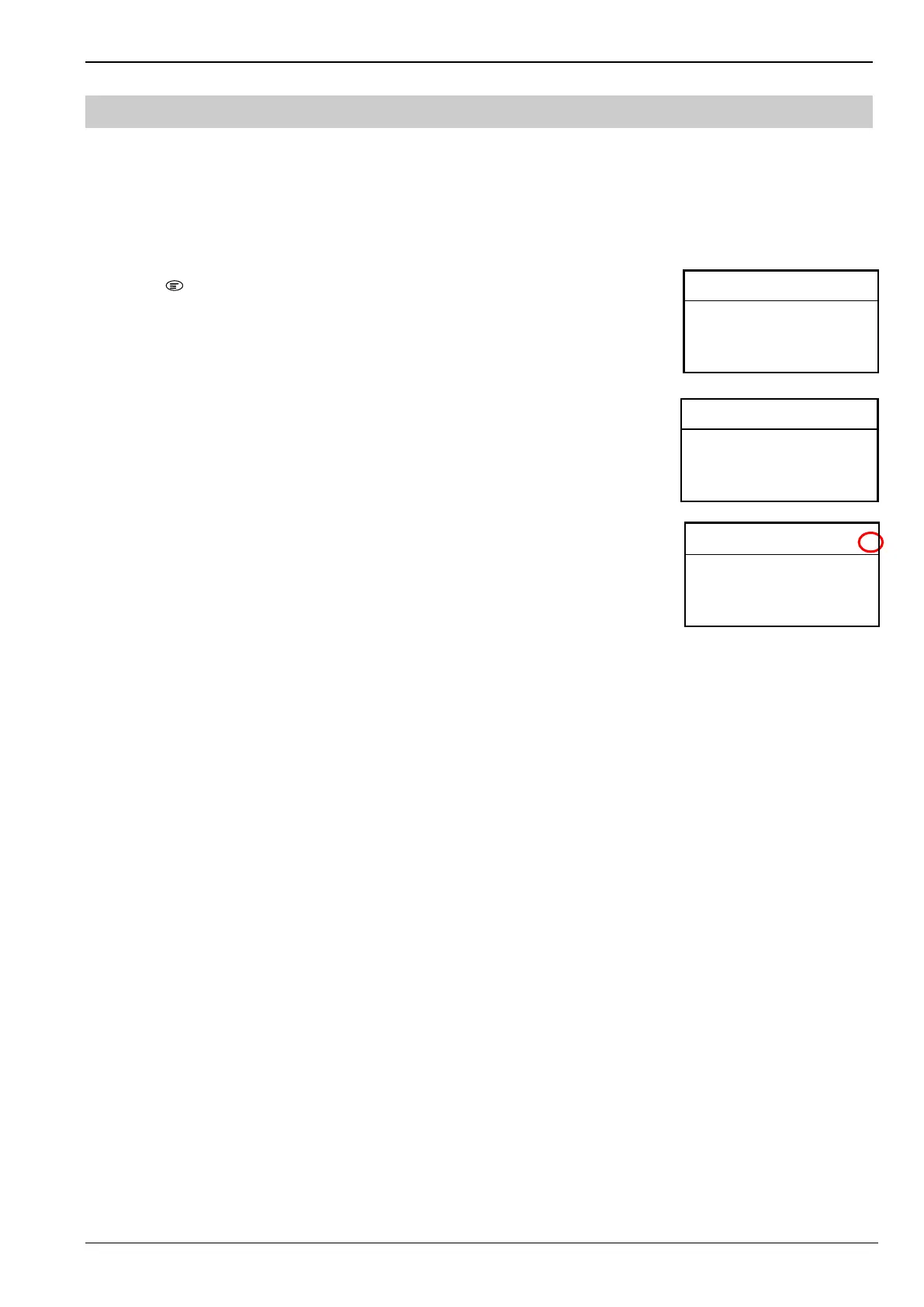
1. Press “ ” to enter main menu.
The main menu is displayed.
2. Press “↓” to choose “5.Mode” and press “OK” key.
The set mode window is displayed.
3. Press “↓” to choose “AutoMode” / ”Manu Mode” and press “OK” key.
The “A” in red circle will be changed to “M”.
<Main Menu> L 3 A
1. RT Information
2. History Record
3. Operation
4. Configure
<Set Mode > L3 A
Choose mode
◎Auto Mode
●Manu Mode
<Main Menu> L 3 A
1.RT Information
2.Set LCD Contrast
3. Log in
4. About



 To Next Page