Technical Guidance Notes
©2007 Siemens Protection Devices Limited Page 9 of 29
Section 3: Configuration of RMC30 Device
3.1 CONFIGURE RMC30 IP ADDRESS
You can change all the parameters via a Web Browser; however, to do this you must use the IP
address of the RMC30 device. If the default address (192.168.0.1) is not suitable for your network you
must change it using a Terminal program, e.g. HyperTerminal or TeraTerm. To do this you should
connect the RS232 port of the RMC30 to a PC.
Power down the RMS30 and then temporarily disconnect the Ethernet cable and RS485 connection.
Start a terminal program connected to the PC serial port with parameters Baud Rate 57600, No Parity,
8 bit data and VT100 emulation. While holding down CTRL+Z on the PC keyboard power up the
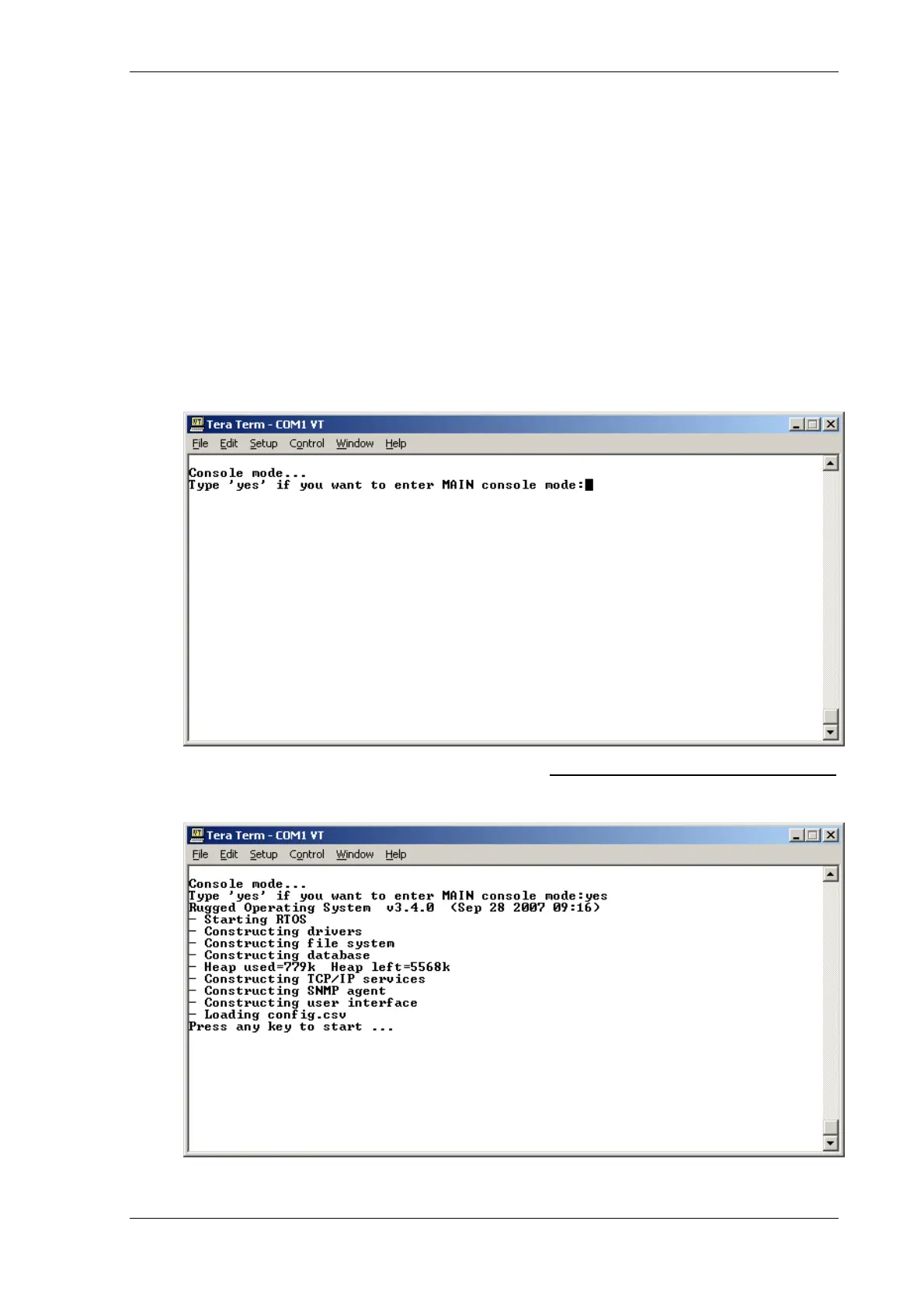
RMC30. After a short while you will be presented with a screen as follows.
Figure 5 – RMC30 Confirm Screen
Type yes to continue



 To Next Page
 Loading...